Using Target with Dynamic media | Community
Skip to main content
Level 5
November 26, 2024
Solved

Using Target with Dynamic media

  • November 26, 2024
  • 3 replies
  • 1666 views

Hi everybody,

We've been trying to create a personalization where the banner changes if users come from a specific referrer URL. However, we're having issues replacing that image. We already uploaded the new image to Adobe Assets (we don’t have AEM but have some other Experience Cloud products). Even though Target can find it, it seems the image is not made public, so Target can’t use it.

We also tried to find the Adobe Assets settings to make the image public but had no luck. When we uploaded the image to a random image-sharing site, it worked.


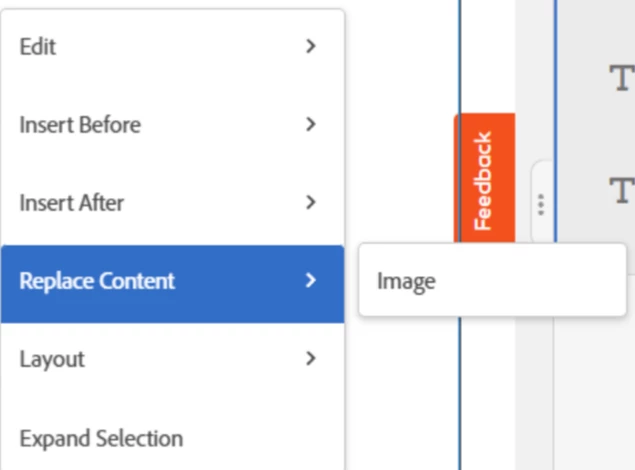
After reading the documentation, we saw the option to upload assets to Target itself with Dynamic Media. We are checking with Adobe now if our configuration was already done before, but when we go to Replace Content > Image, it opens Adobe Assets, and we can choose the image, but it does not work.
Any idea of what is wrong and a solution for that?


Best answer by fern1

After talking with the Adobe team, we discovered the issue was related to Target´s browser extension. It seems that due to the changes on Target UI that the Adobe teams have been working on, the plugin was causing this. When switching to the previous version it worked. 

3 replies

Gokul_Agiwal
Community Advisor
Community Advisor
November 26, 2024

Hi @fern1  I'm facing the same issues though all the Scene7 configuration are correct. It was working correctly but somehow the rendering image failed. I've contacted to Adobe on this issues. Will update the resolution here.

Level 2
December 4, 2024

Hi @gokul_agiwal were you able to find the source of error. I am also facing this issue and Adobe support still hasn't find an answer to this. Thanks.

Gokul_Agiwal
Community Advisor
Community Advisor
December 10, 2024

Hi @carolina_2va 

Here is the answer - 

The content library from the Target is pointing to Assets from Experience Cloud (See below 1st screenshot). If you open the Assets which is nothing but the Image Offers under Offers in Adobe Target.  (2nd screenshot)


The images render from this library using this path below -  

https://<AdobeTarget Tenant ID>.experiencecloud.adobe.com/assets.html/content/dam/mac/<AdobeTarget Tenant ID>

So in our application somehow dev team not allow the path to be rendered on the page.   


As because all our assets are managed under Adobe DAM - we're using the URL's from DAM into Target which get's rendered easily on the page.  


So in my case, if I want to swap the images then in VEC, I'm using Edit --> Click Source - > Edit Image Source -> Add the URL from DAM  

This works perfectly and also I can have different representation of same assets available for original assets (as renditions)  which gives me direct URL to be replaced in Adobe Target.  


one more benefit is that our assets gets managed centrally which avoids duplication. 

Hope this helps.  If any question please post. 

fern1Author
Level 5
November 26, 2024

Additionally, when using an image URL uploaded outside Adobe´s assets/image offer, the image swap works in the edit visualization preview (inside Target). However, once we use all settings and get the URL preview to test outside of Target, it does not work. we get a blank area instead.

fern1AuthorAccepted solution
Level 5
January 16, 2025

After talking with the Adobe team, we discovered the issue was related to Target´s browser extension. It seems that due to the changes on Target UI that the Adobe teams have been working on, the plugin was causing this. When switching to the previous version it worked. 

Gokul_Agiwal
Community Advisor
Community Advisor
January 16, 2025

Hi @fern1 

can you tell us which plugin / browser extension you've used now? any link