Target Console Logging not showing anything | Community
Skip to main content
Level 2
October 24, 2025
Solved

Target Console Logging not showing anything

  • October 24, 2025
  • 1 reply
  • 233 views

Hi folks,


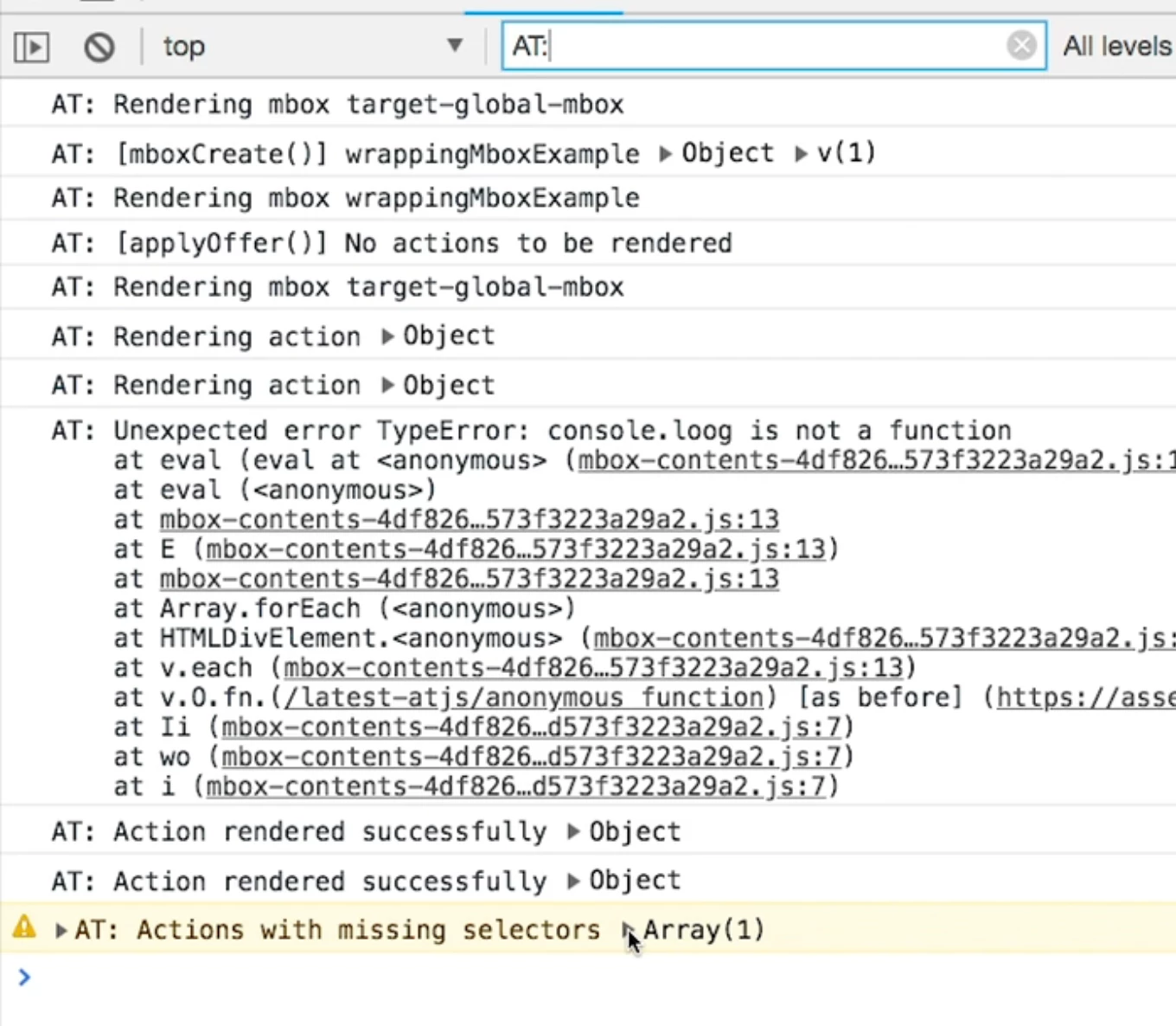
I ve enabled the Target Console Logging in the Experience Platform Debugging but nothing is being logged. how can i debug the problem? is there a way to activate it manually?

it should show something like this but it does not


Best answer by Gokul_Agiwal

Hi @wuwei88  

You you can enable the Target console logging through Adobe Experience platform debugger extension. I just tried and it's working correctly. 

Here are the steps. 

1) Open your web page in browser and then enable the Adobe Experience platform debugger extension. 

2) Sign-in in the extension itself and once sign in completely reload the page. 

3) If you're using Experience Platform Tags ( Adobe launch / data collection ) then inject the right environment embed code 

4) Enable console logging and Save. 
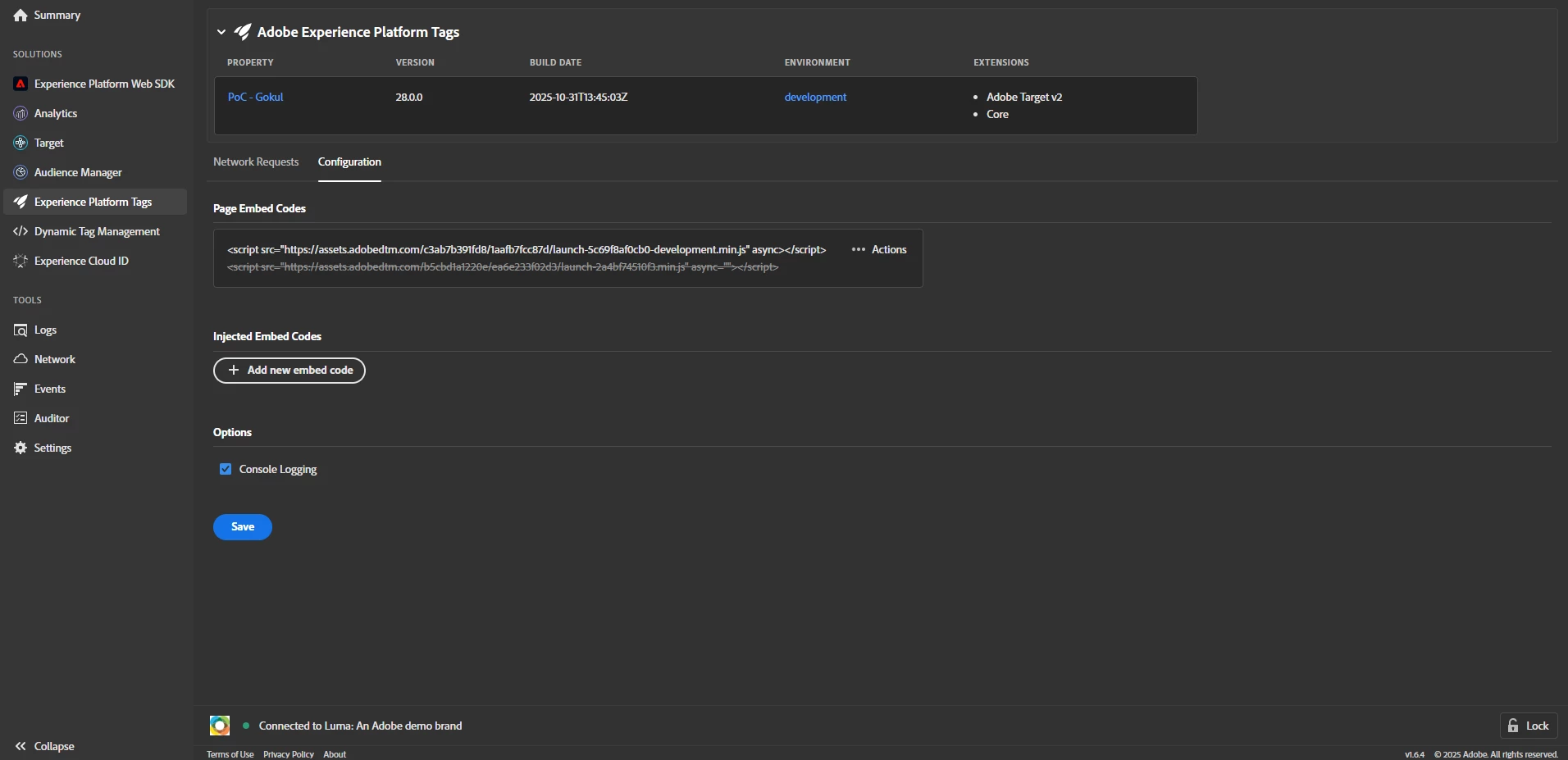
5) Please reload the web page and ensure the injected embed code take into effect. 

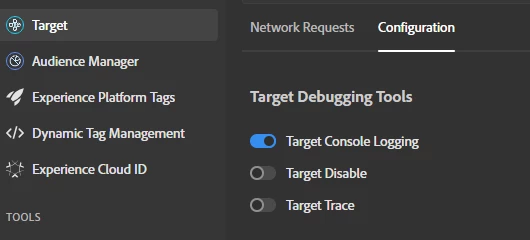
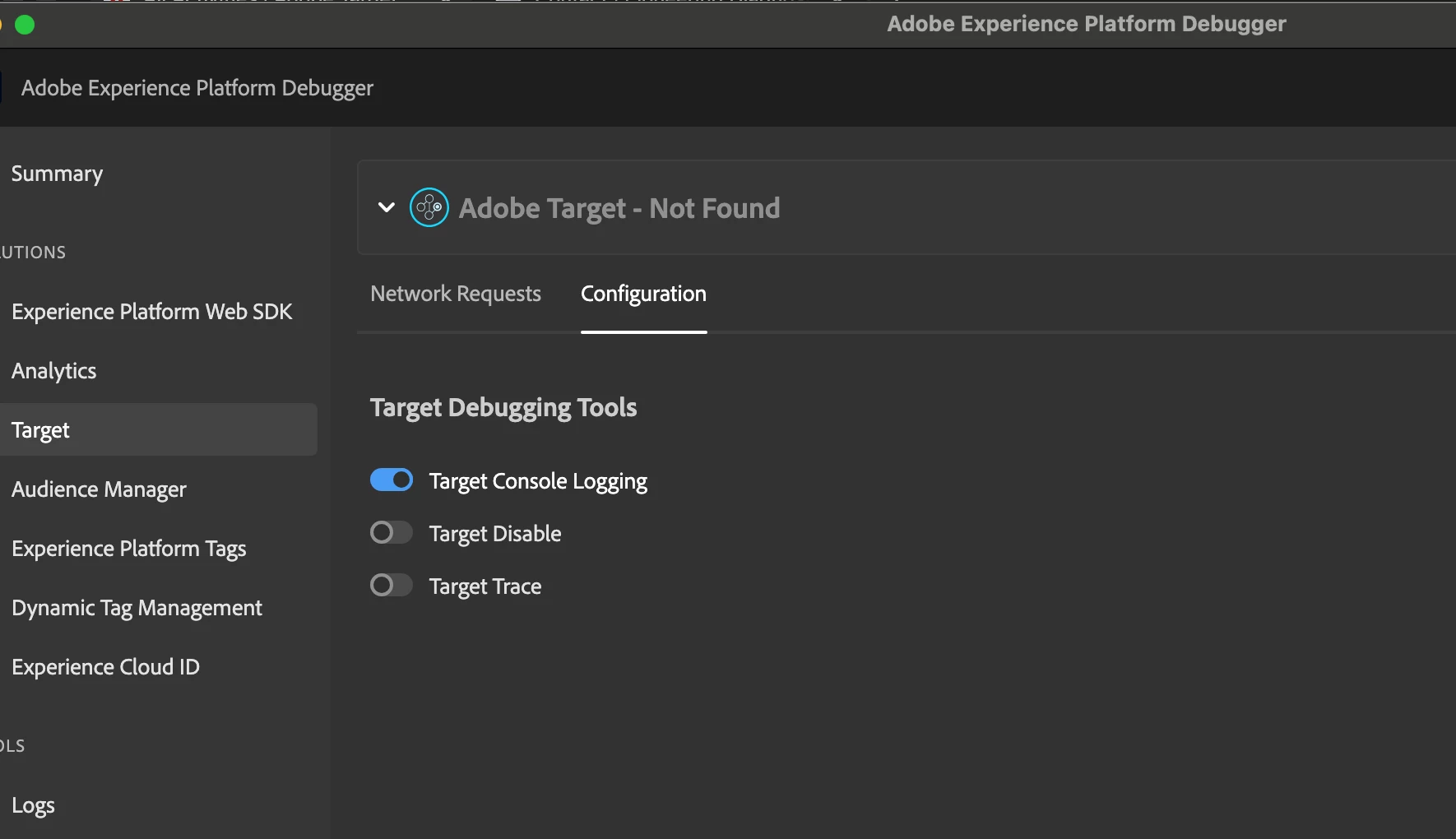
6) in Target configuration, enable the Target console Logging. 
 

7) once done, you can able to see the logs in console.  Here are the screenshot. 
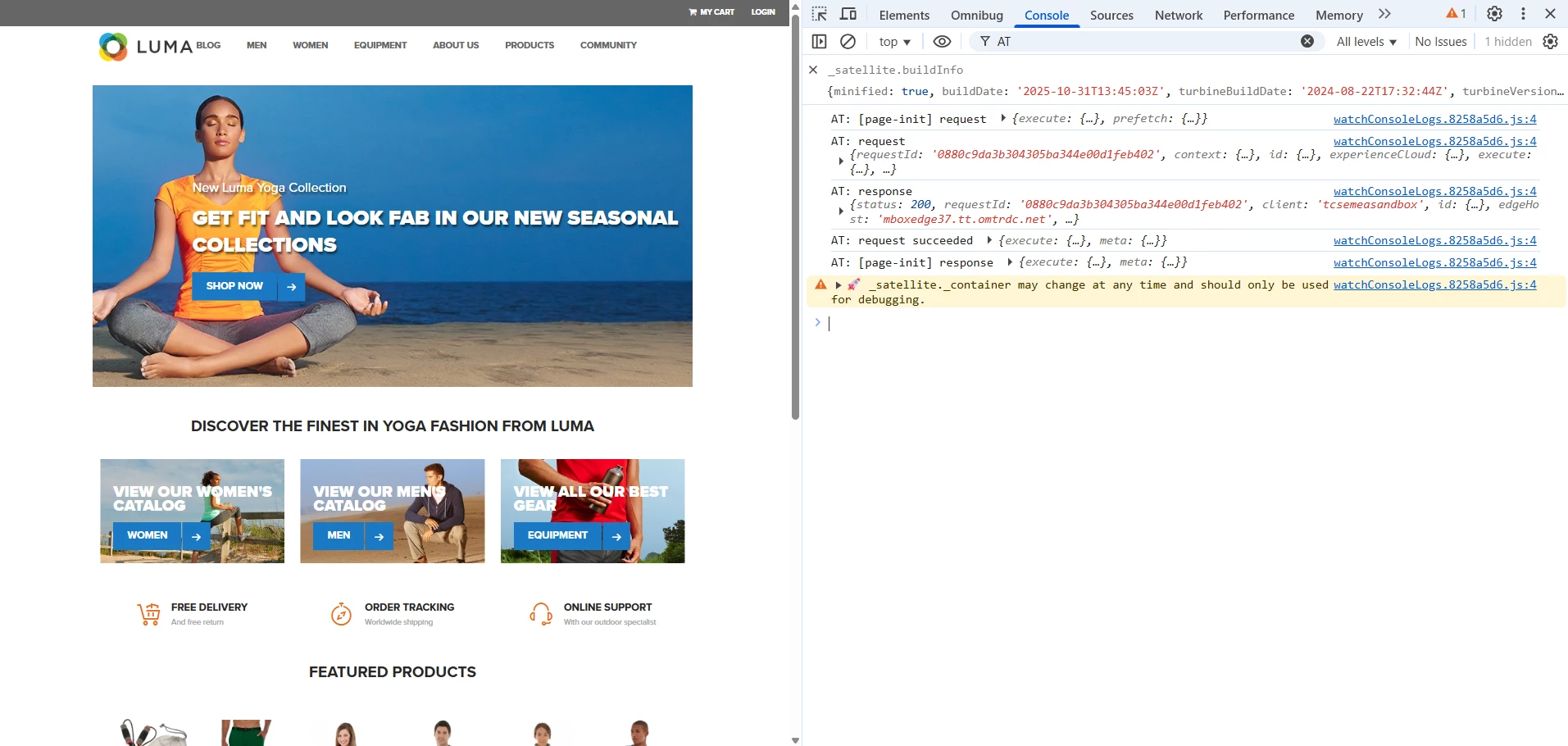
 

Hope this helps. 

Thank you. 
1 reply

Gokul_Agiwal
Community Advisor
Gokul_AgiwalCommunity AdvisorAccepted solution
Community Advisor
October 31, 2025

Hi @wuwei88  

You you can enable the Target console logging through Adobe Experience platform debugger extension. I just tried and it's working correctly. 

Here are the steps. 

1) Open your web page in browser and then enable the Adobe Experience platform debugger extension. 

2) Sign-in in the extension itself and once sign in completely reload the page. 

3) If you're using Experience Platform Tags ( Adobe launch / data collection ) then inject the right environment embed code 

4) Enable console logging and Save. 

5) Please reload the web page and ensure the injected embed code take into effect. 

6) in Target configuration, enable the Target console Logging. 


7) once done, you can able to see the logs in console.  Here are the screenshot. 


Hope this helps. 

Thank you.