New
Target Activity QA Links: Show Default Content for Other Activities OFF by default
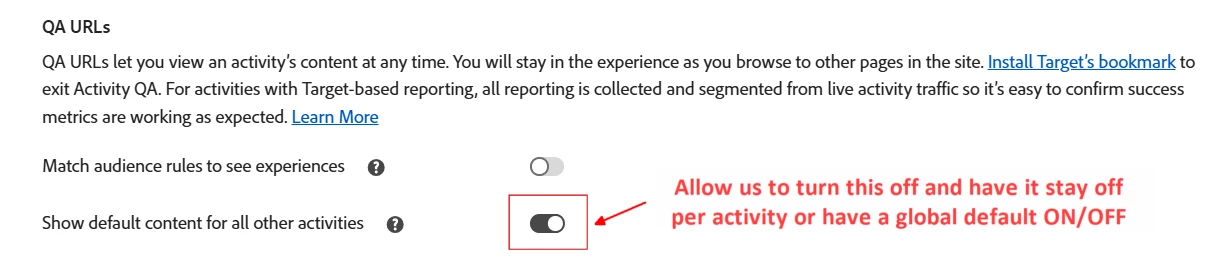
There are two toggles in the Target Activity QA Link UI:
- Match audience rules to see experiences → This is toggled OFF by default
- Show default content for all other activities → This is toggled ON by default
We share preview links with business partners of all technical levels, and users are constantly perplexed that after previewing a draft activity, they can no longer see any live activities.
I’ve explained they can use the Target QA bookmarklet or manually clear the at_qa_mode cookie, but the better solution is for me to remember to toggle the second option off before sharing links.
But it’s not sticky, so that’d be helpful: toggle it off once per activity and it should retain that state instead of defaulting back to ON. Better yet would be a global setting in the Admin panel, like there is for the VEC settings.