Single audience can be created within Combined Audiences but Activity Setup fails | Community
Skip to main content
April 3, 2025
Question

Single audience can be created within Combined Audiences but Activity Setup fails

  • April 3, 2025
  • 1 reply
  • 361 views

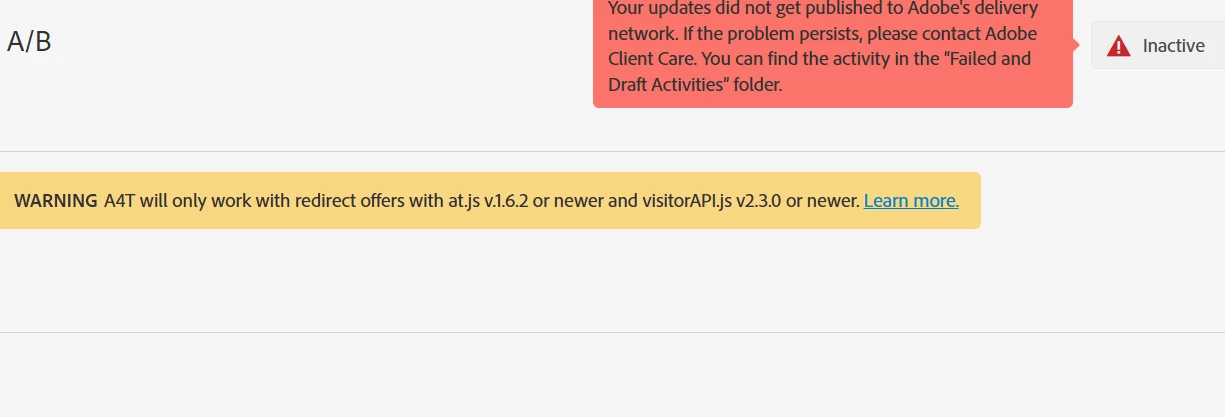
When we create a single audience within the combined audience feature or when we delete the other audiences and a single audience remains within the combined audience, we are able to save this audience. However, when we use this audience and try to save the activity, we are getting an error while the activity is syncing with the changes. Please find the below screenshot attached.
 

This post is no longer active and is closed to new replies. Need help? Start a new post to ask your question.

1 reply

Gokul_Agiwal
Community Advisor
Community Advisor
April 15, 2025

Hi @sriharik_  Were you able to get this issue resolved? 

If no then see below. 

Regarding the error highlighted in Red box - there might be couple of reason like 

1) If you're using any custom code then check if there is any syntax error or give a try to removing the custom code and check if you're able to publish the activity. Later please check your code too. 

2) Sometimes this error occurs because of audience mismatch, so try by removing the audience and the see if you are able to publish the activity.

3) If you're using any offer code and this offer code also used by audience in another activity,  check those criteria as well. 


Regarding the Warning  highlighted in yellow box  -

Yes, there is is minimum requirement to use redirect offers with A4T -  Your implementation must meet the following minimum requirements: 

  • Experience Cloud Visitor ID Service: visitorAPI.js version 2.3.0 or later.
  • Adobe Analytics: appMeasurement.js version 2.1.
  • Adobe Target: at.js version 1.6.2 or later.

Hope this helps.