Recommendations catalog exclusion - fields with null values
We’ve apparently lost some functionality in recent updates.
This video (Last Update: February 3, 2025, but it’s obviously out of date) shows you can go to Catalog Search > Advanced Search then filter for value is present or not, then save as either a Collection or an Exclusion:
https://experienceleague.adobe.com/en/docs/target/using/recommendations/entities/exclusions
However, my Catalog Search no longer has a Save As button, whether using basic or advanced search.
Someone posted a similar question before, noting that the Exclusions dialogue doesn’t allow you to build complex rules, so you have to make a separate Exclusion for each.
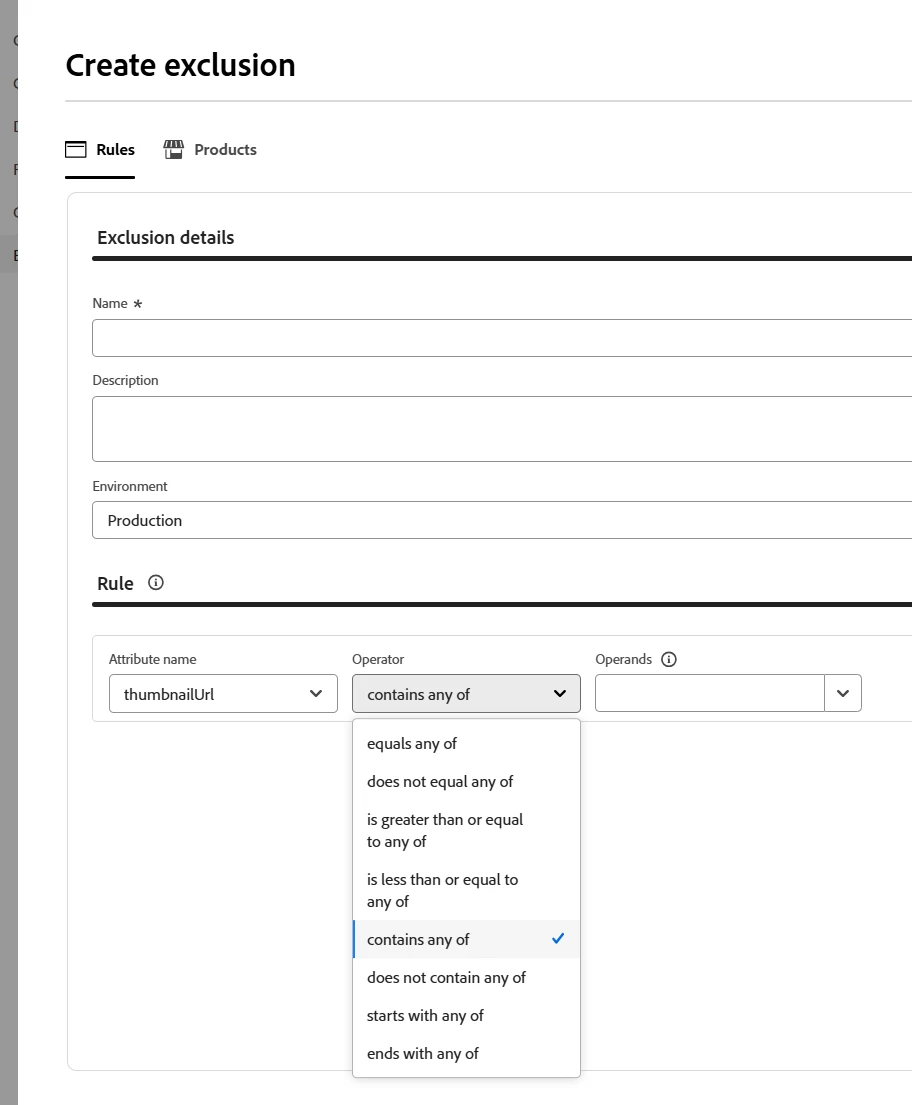
However, my current rule builder in Exclusions no longer has the value is present/not present condition in the dropdown.
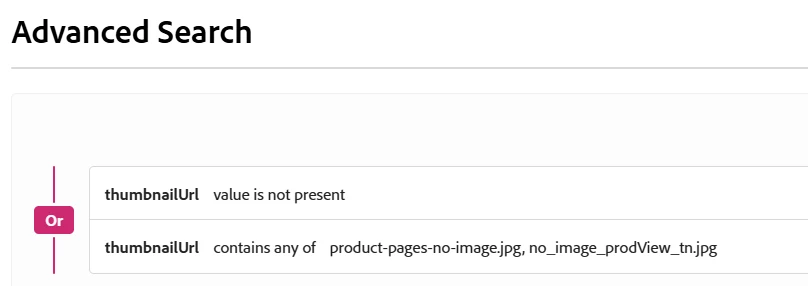
I want to make ideally one rule to exclude products w/o images, but could make two separate ones for each condition:
thumbnailUrl does not contain any of {no-image.jpg, missing-image.jpg} → this is doable
and
thumbnailUrl value is not present → How do you do this now?