


Popularity-based recommendations by Profile Attribute: new criteria in Adobe Target Recommendations
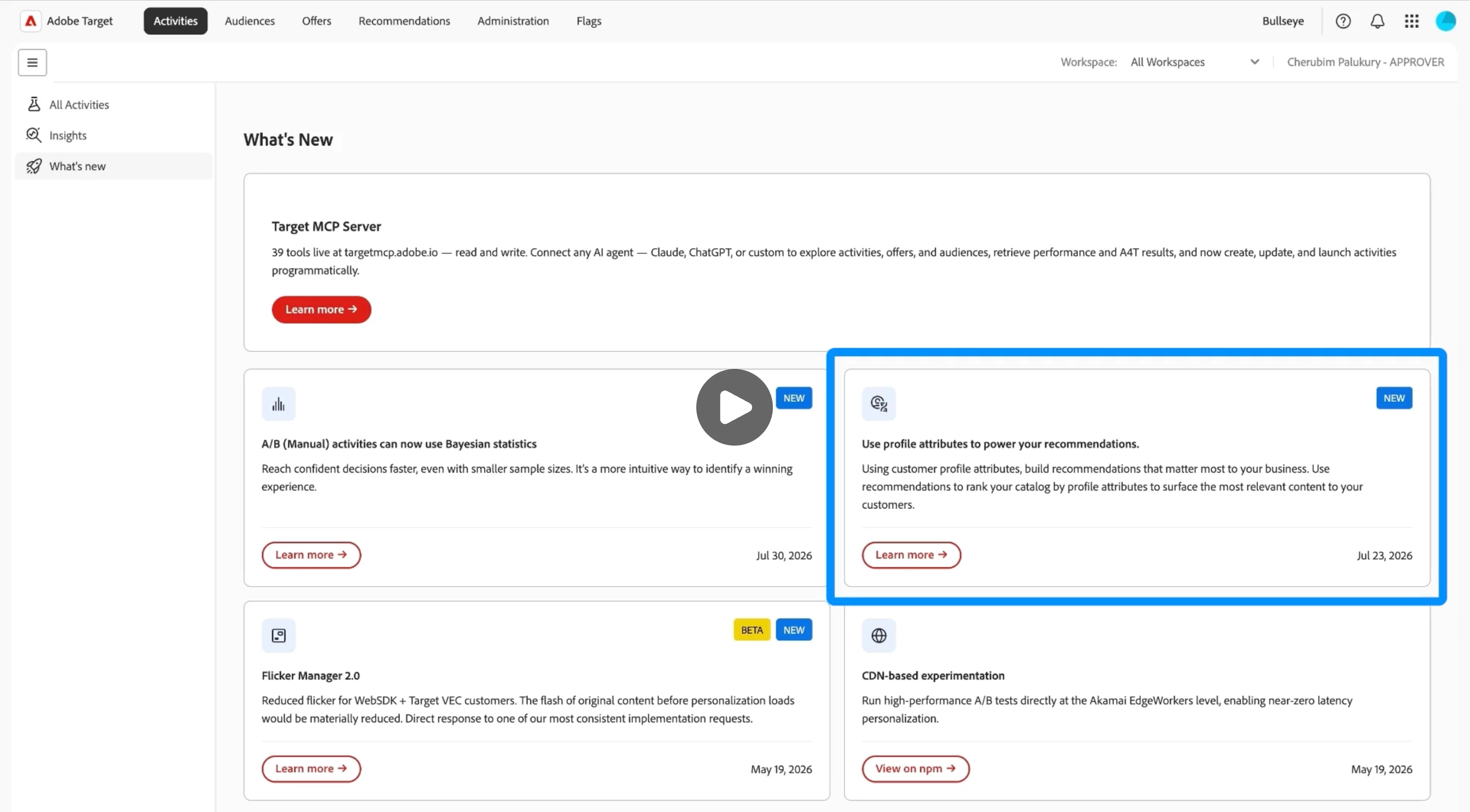
Hey Target practitioners, we recently shipped two new popularity-based criteria in Adobe Target Recommendations: Most Viewed by Profile Attribute and Top Sellers by Profile Attribute. In this post I want to walk through what these criteria do, how they differ from the existing popularity options, what kinds of personalization scenarios they make possible and finally an end-to-end example showing how this feature can be used.
A short video walkthrough of the complete setup is available here: Feature Walkthrough Video
What was already there
Target already provided several popularity-based criteria covering two signals (most viewed and top sellers) across three scopes:
| Most Viewed | Top Sellers | |
|---|---|---|
| Across the site | Most Viewed Across the Site | Top Sellers Across the Site |
| By item category | Most Viewed by Category | Top Sellers by Category |
| By item attribute | Most Viewed by Item Attribute | Top Sellers by Item Attribute |
The "Across the site" criteria rank items across all your traffic. The "By item category" criteria scope that down to behavior within a specific item category. The "By item attribute" criteria let you go further and group by any entity attribute in your catalog, like brand or product type. All six are useful, but in every case the grouping is based on the item. What the visitor looks like (their region, loyalty tier, industry, or any other profile attribute) plays no part in determining which ranked list they receive.
What is new
The new criteria bring the visitor into the picture. You pick a profile attribute that is meaningful for your business (region, plan type, loyalty tier, etc.) and the algorithm builds a separate "most viewed" or "top sellers" list for each distinct value of that attribute. To make this concrete: say you have a profile attribute "Region" capturing the visitor's geographic location. A visitor with Region=US sees a list ranked by what other US visitors have been viewing most. A visitor with Region=India sees a completely different list, built from India visitor behavior.
The result is that two visitors on the same page, looking at the same recommendation slot, can see entirely different content. Not because of what they personally clicked on, but because of what people like them tend to find valuable. It brings the "wisdom of the crowd" idea down from the site-wide level to the segment level.
Use cases
Here are some example use cases that can be achieved using these new criteria.
Geography-based trending content. In media and e-commerce, what trends in one market often has little to do with what trends in another. Segmenting "most viewed" by region means your audience in smaller markets sees recommendations grounded in their peers' behavior, not a global chart skewed by your highest-traffic region.
Subscription tier. Free and premium users tend to engage with content very differently. Rather than showing both groups the same popularity list, you can surface what free users browse most to free users, and what premium subscribers engage with most to premium subscribers.
Age group. A retail or media brand serving a wide age range can show each group what people like them are engaging with most, rather than a popularity list dominated by the largest demographic in their user base.
More broadly, these criteria work with any visitor attribute you can capture in a Target profile, so the segmentation possibilities extend well beyond these examples.
Setting it up: an end-to-end example
To make this concrete, here is a walkthrough using a retail site that wants to surface the most-viewed products by country. The same steps apply for any other profile attribute.
Step 1: Create a profile script
A profile script is used to set the profile attribute for a visitor and make it available to the criteria to use it while generating recommendations. (Know more about Profile scripts)
-
Go to Audiences > Profile Scripts > Create Script
-
name your script with the
recsAttributeprefix, for examplerecsAttributeCountry. -
Only scripts with the
recsAttributeprefix appear as options when configuring the criteria later. -
Write the script to capture the value of the profile attribute. For example, if your page sends the country of the visitor as a mbox parameter, it can be captured using:
var country = user.get('recsAttributeCountry');
if (!country) {
  country = mbox.param('country');
}
return country; -
Save and activate the profile script.
Step 2: Create the criteria
- Go to Recommendations > Criteria > Create Criteria
- Set the algorithm type to Popularity-Based
- Select one of the two profile attribute based algorithm options:
- Most Viewed by Profile Attribute
- Top Sellers by Profile Attribute
- Profile Attribute: select your profile script from the dropdown — it appears without the
recsAttributeprefix, sorecsAttributeCountryshows asCountry - Set the lookback window, entity type, and any inclusion rules
- Save the criteria.
Step 3: Use the criteria in an activity
Add the criteria to a Recommendations activity and assign it to the mbox on your page. The recommendations will be ready after the next criteria run based on the lookback window you selected.
Once the criteria has run, you can download the generated data file via the Download Data option to verify the output. The entries will look something like this:
"Country=INDIA,item-012,item-015,item-011,item-020"
"Country=UK,item-007,item-008,item-009,item-006"
"Country=US,item-019,item-017,item-005,item-001"
Each row is a separate ranked list for a distinct country value observed in your session data.
Fetching recommendations from your page
Pass the attribute value as a parameter in your getOffer call. Target reads it at request time, the profile script maps it to the visitor's profile, and the criteria uses it to return the right ranked list:
adobe.target.getOffer({
  mbox: 'your-recs-mbox',
  selector: '#recommendations-container',
  params: { 'country': 'UK' },
  success: function(offer) {
    adobe.target.applyOffer({
      mbox: 'your-recs-mbox',
      selector: '#recommendations-container',
      offer: offer
    });
  }
});
The value of the country parameter can come from anywhere — a URL parameter, a cookie, a user preference, or a geo-lookup.
What happens at request time
When the getOffer call fires, Target executes the following before returning recommendations:
- The profile script runs. If the visitor does not yet have a value for this attribute, it reads the mbox parameter (e.g.
country=UK) and stores it on the visitor's profile. If a value is already stored from an earlier request in the visit, that value is reused. - The criteria picks up the attribute value and looks up the pre-computed ranked list built from interactions by other visitors who had the same attribute value.
- That ranked list is returned and rendered on the page.
This all happens in a single request response cycle. The country parameter only needs to be passed once per visitor, once the profile attribute is set, it will be reused in the given example profile script. Later calls for the same mbox, even on pages that don't pass country at all, still resolve the correct recommendation, since the profile script in our example reuses the value already stored on the visitor's profile. This behavior comes from the script itself, not from Target automatically remembering the value: if the script were written to recompute from the parameter on every call instead (for example, the script is return mbox.param('country')), the parameter would need to be included on every getOffer call, since each run would overwrite whatever was there before, including overwriting it to blank if the parameter happens to be missing on that call. When the attribute resolves to blank, the lookup finds no matching ranked list, and depending on whether a backup is configured for the criteria, either no recommendation is returned, or the backup recommendation is served instead.
Documentation
If you have questions or run into anything while setting this up, do let us know by leaving a reply on this post.