New Target UI - Replace content on a page using a experience fragment | Community
Skip to main content
MauG
Level 2
June 16, 2025
Solved

New Target UI - Replace content on a page using a experience fragment

  • June 16, 2025
  • 1 reply
  • 703 views

Hi team,

In the past UI I was able to replace a big chunk of a webpage with an experience fragment but seems that it is no longer possible, the replace option is not appearing if I select a div that includes more content of the page.

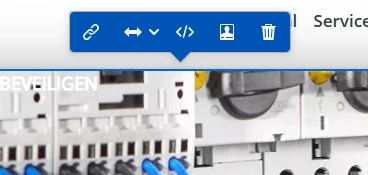
I'm using the div selectors at the bottom of the UI to select the portion of the page I'm trying to replace with the experience fragment, but when selected the correct div, the replace option is not appearing (see screenshot).

Is there a workaround you could recommend to do this?


Thanks!


This post is no longer active and is closed to new replies. Need help? Start a new post to ask your question.
Best answer by Gokul_Agiwal

Hi @maug 

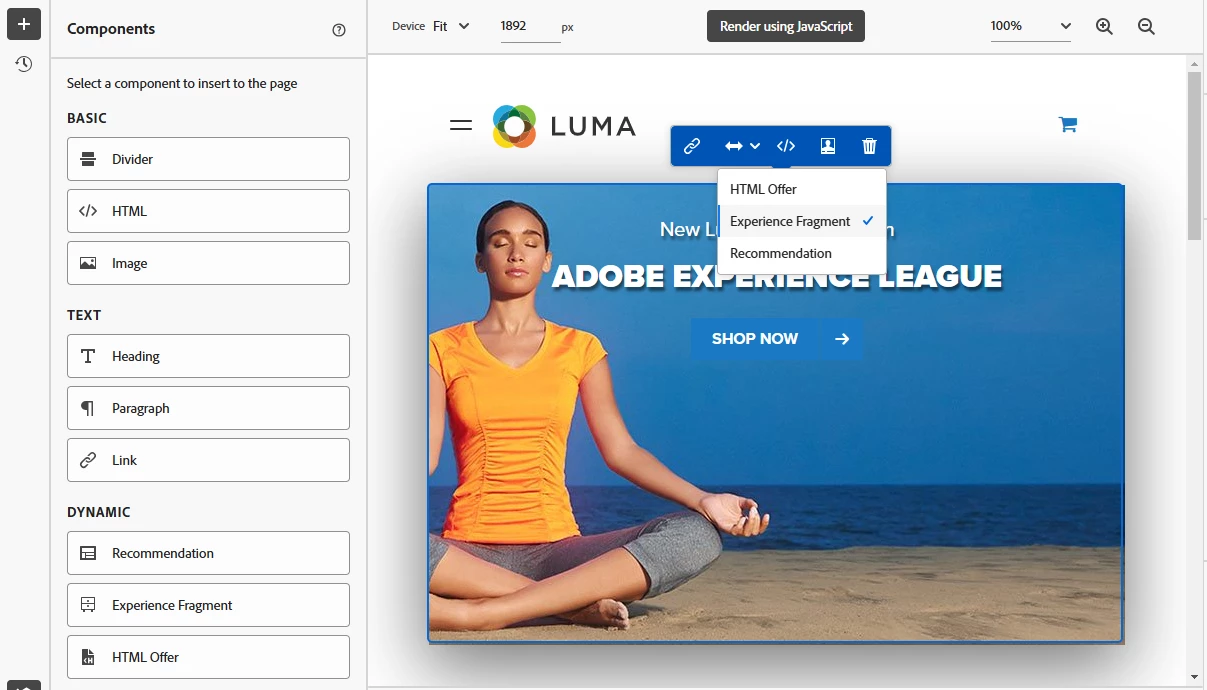
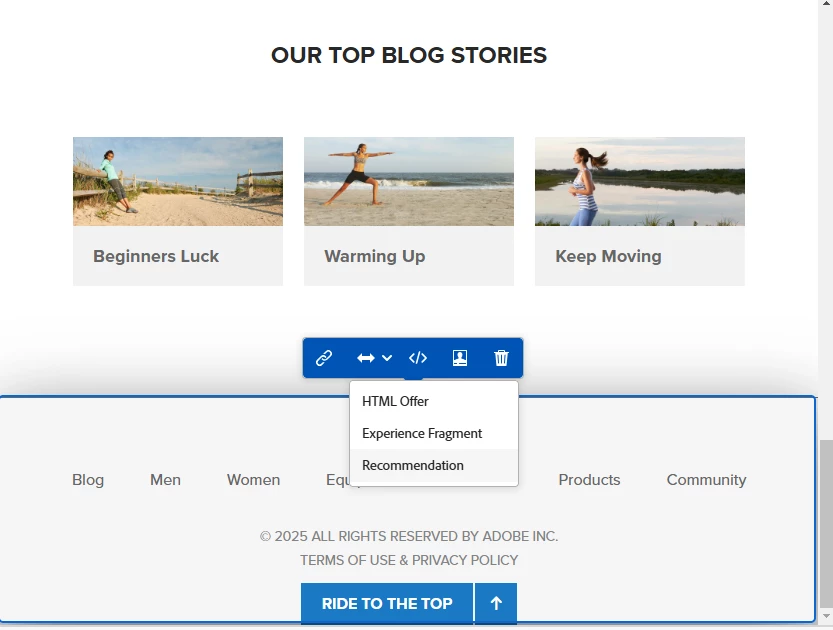
The replace content feature available in New UI and you can replace the existing content with one of the three options 

1) HTML Offer

2) Experience Fragment

3) Recommendations 


I've quick check able to make the changes what you're looking for. 

Here are the screenshots -  in First screenshot I'm trying to replace the banner image with EX Fragment, see below


and in below screenshot - trying to replace the footer part and able to see all options. 


So check if you're pointing to the right element and able to see the HTML tag structure in bottom of the VEC panel like below. 


Feel free to post your comments with any issues with above. 

Just FYI - in recent releases, Adobe team also fixed the bug related to same functionality. 

Here are the details. -  https://experienceleague.adobe.com/en/docs/target/using/release-notes/release-notes 


Thanks 

1 reply

Gokul_Agiwal
Community Advisor
Gokul_AgiwalCommunity AdvisorAccepted solution
Community Advisor
June 17, 2025

Hi @maug 

The replace content feature available in New UI and you can replace the existing content with one of the three options 

1) HTML Offer

2) Experience Fragment

3) Recommendations 


I've quick check able to make the changes what you're looking for. 

Here are the screenshots -  in First screenshot I'm trying to replace the banner image with EX Fragment, see below


and in below screenshot - trying to replace the footer part and able to see all options. 


So check if you're pointing to the right element and able to see the HTML tag structure in bottom of the VEC panel like below. 


Feel free to post your comments with any issues with above. 

Just FYI - in recent releases, Adobe team also fixed the bug related to same functionality. 

Here are the details. -  https://experienceleague.adobe.com/en/docs/target/using/release-notes/release-notes 


Thanks 

MauG
MauGAuthor
Level 2
June 18, 2025

Thanks Gokul.

Yes, the replace content menu is available for me, but I was not able to select a big chunk of the page content. 

The workaround:

Step 1: Select a div and click "replace content", then select "experience fragment"
Step 2: Once the content is inserted, I go to the modifications section and edit the CSS selector to the one I need.


I changed the CSS selector from: HTML > BODY > DIV:nth-of-type(3) > DIV.root:eq(0) > DIV.aem-Grid:eq(0) > DIV.responsivegrid:eq(0) > DIV.aem-Grid:eq(0) > DIV.feature-block:eq(0) > DIV.feature-block__component:eq(0)


TO: HTML > BODY > DIV:nth-of-type(3) > DIV.root:eq(0) > DIV.aem-Grid:eq(0) > DIV.responsivegrid:eq(0)


Thank you!

Gokul_Agiwal
Community Advisor
Community Advisor
June 18, 2025

Hi @maug  ohh great. Glad to know that your issues resolved.