
Integration Tab is not visible for Adobe Target Product profile in Admin console | Community
Skip to main content
Kishore_Kumar_
Level 9
January 6, 2021
Solved

Integration Tab is not visible for Adobe Target Product profile in Admin console

  • January 6, 2021
  • 4 replies
  • 3502 views

Hi team,


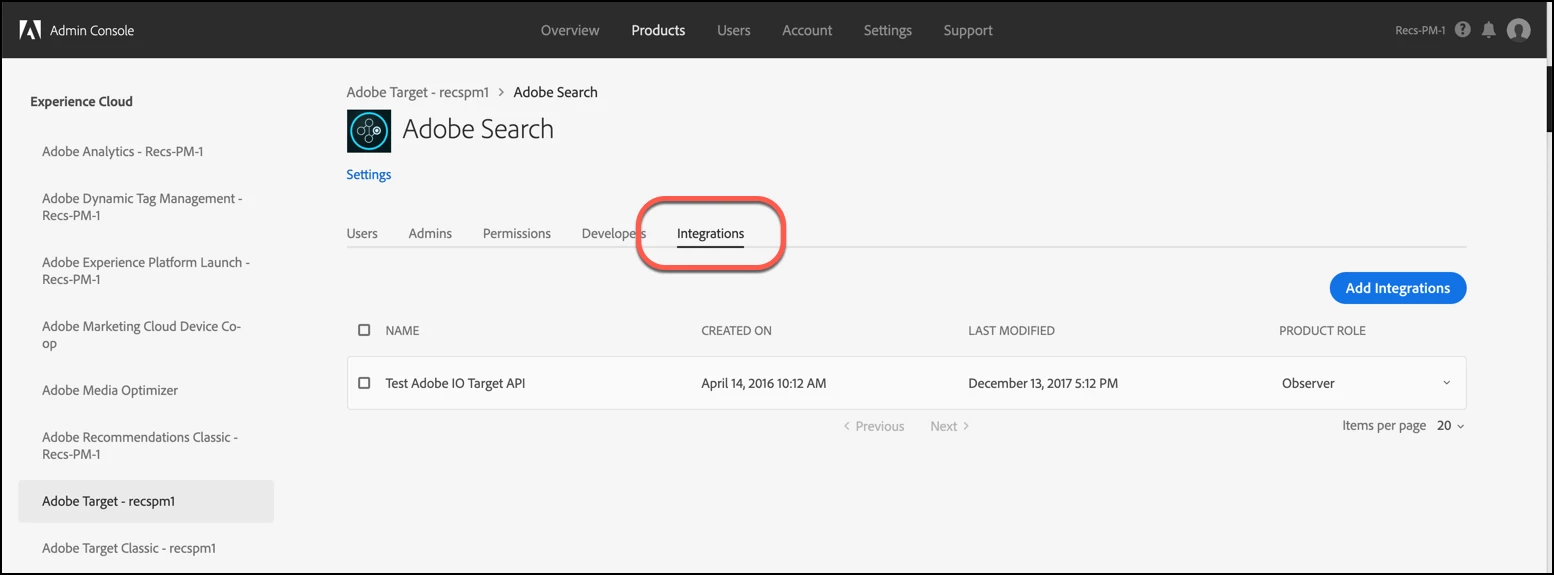
I am not able to see the Integrations tab like below for Adobe Target product profile. Please let me know what needs to be done to enable it. 
 

This post is no longer active and is closed to new replies. Need help? Start a new post to ask your question.
Best answer by berkayf70599426

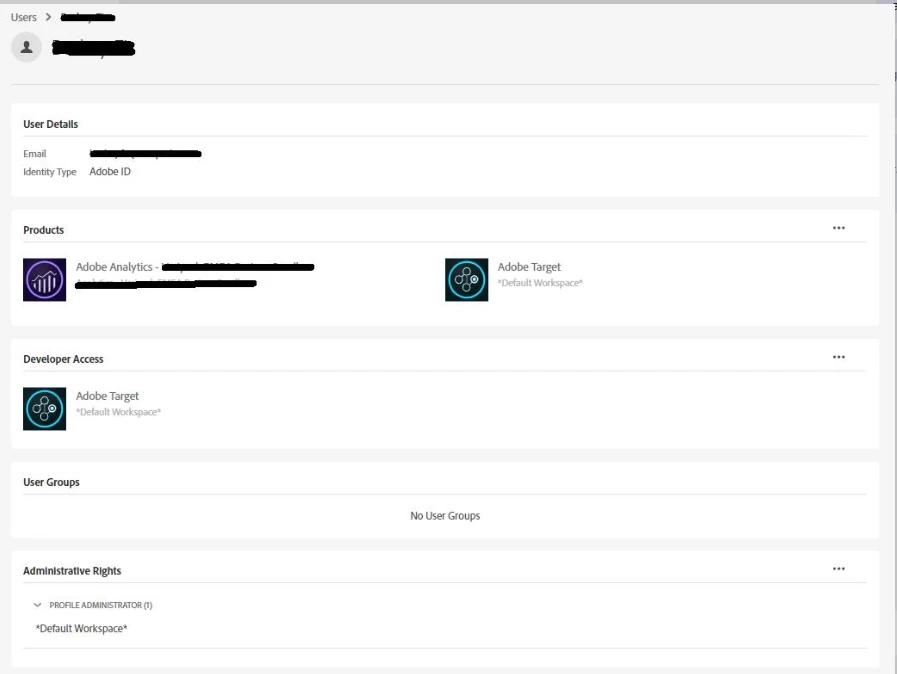
Hi, we try to export XF to Adobe Target and for this purpose, we create  adobe io project and need to give this project necessary permissions on Adobe Admin Console. Unless we have the following permissions on Adobe Admin Console, the Integrations tab is missing on Adobe Target product profile. What permission is need for Integrations tab show? 


4 replies

Level 4
January 13, 2021
Hi Kishore, Can you check if you have the developer access for the mentioned product profile. We can see the integration/API Credential tab if we have an access for profile developer. Thank you!
surebee
Adobe Employee
Adobe Employee
January 15, 2021

Hi @kishore_kumar_,

Like @jayakrish suggested, were you able to verify your user permissions? Let us know! 

berkayf70599426Accepted solution
Level 2
February 19, 2021

Hi, we try to export XF to Adobe Target and for this purpose, we create  adobe io project and need to give this project necessary permissions on Adobe Admin Console. Unless we have the following permissions on Adobe Admin Console, the Integrations tab is missing on Adobe Target product profile. What permission is need for Integrations tab show? 


Level 2
March 23, 2021
I've also followed the same process as berkayf70599426 and unable to see the integration tab. Has anyone managed to work this one out?
Adobe Employee
November 2, 2022

*Update*

The integrations tab now seem to appear as API credentials tab. Set the product role as Approver in this tab and you should be good to go.