


Improve the UI of Scene7 (Adobe Dynamic Media Classic ) Configuration Page under Administration tab of Adobe Target
Description -
Why is this feature important to you -
Adobe Target can be integrated with Adobe Dynamic Media Classic (formerly Scene7) to provide Digital Asset Management (DAM) in the Content Library. Once this feature enable we can able to use the content library.
How would you like the feature to work -
To make this work correctly, Either we have the password field fill with asterisk ("*") / filled circle OR have a kind button which validates a configuration.
For EX: we perform check health operation in IMS configuration which shows healthy / unhealthy configuration.
Current Behaviour -
Currently, If I open the page called scene7setting
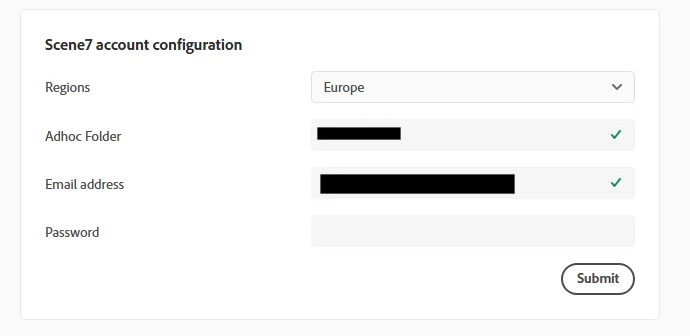
look like the password field is empty / not required though my configuration working correctly and I can able to use the Replace/Swap Image functionality.
If you click inside the password field, then it waiting for password to re-enter again or else it shows an error
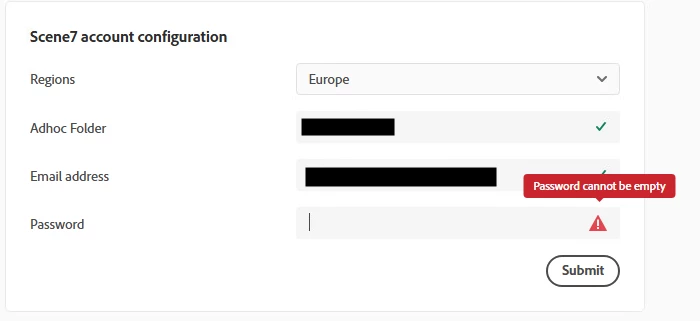
This experience confused the user who manages the Administration setup in Adobe Target.