Impression Capping working or not working test? | Adobe Higher Education
Skip to main content
JyotiSharmaV
Community Advisor
Community Advisor
September 23, 2024
Risolto

Impression Capping working or not working test?

  • September 23, 2024
  • 2 risposte
  • 996 visualizzazioni

I am using Experience Templates To set up a lightbox overlay pop-up in my experience to display pop-ups to my defined user. Itlooks like something as below
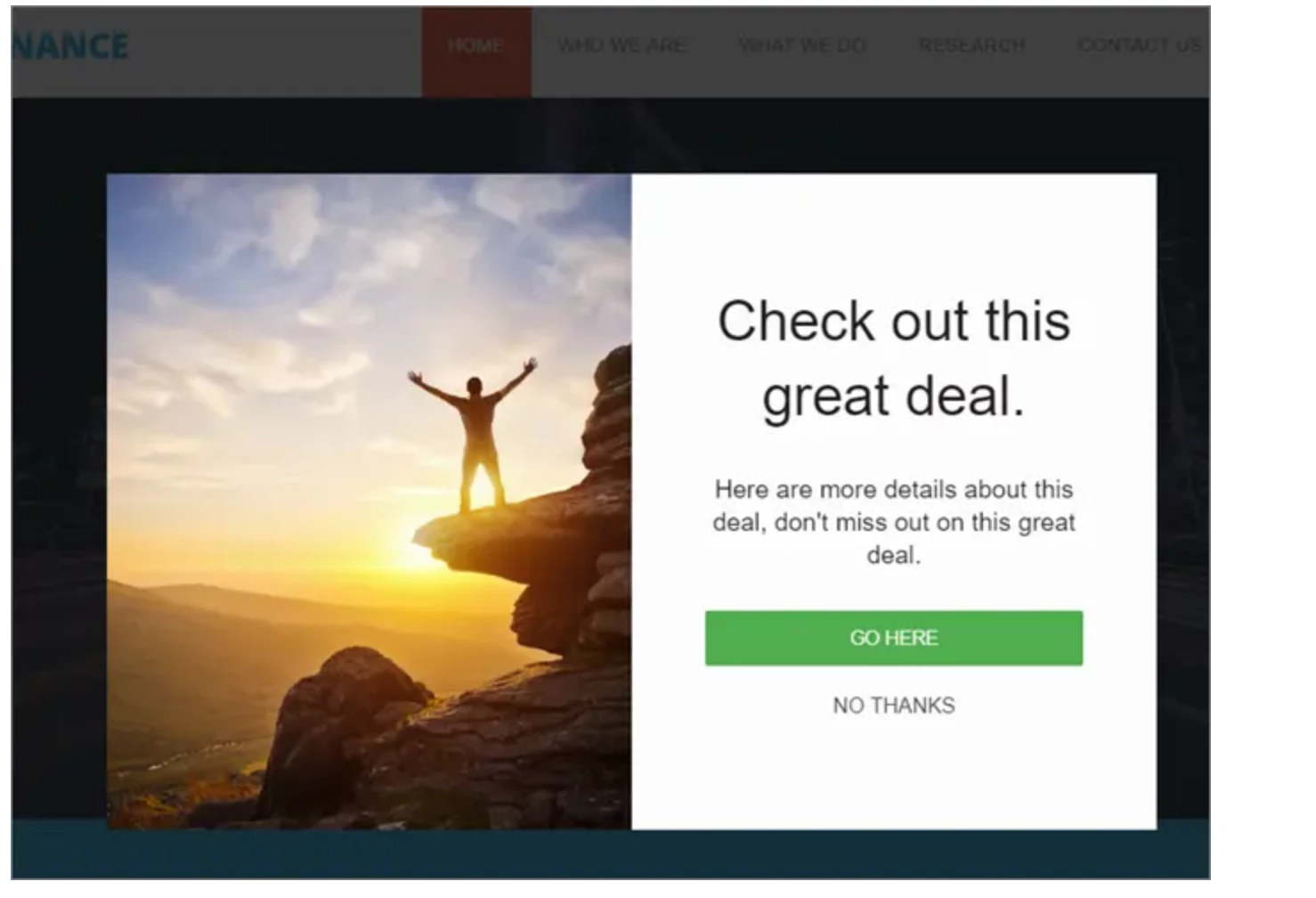
I have applied impression capping to the POP UP display by restricting it to 2 times display as below:


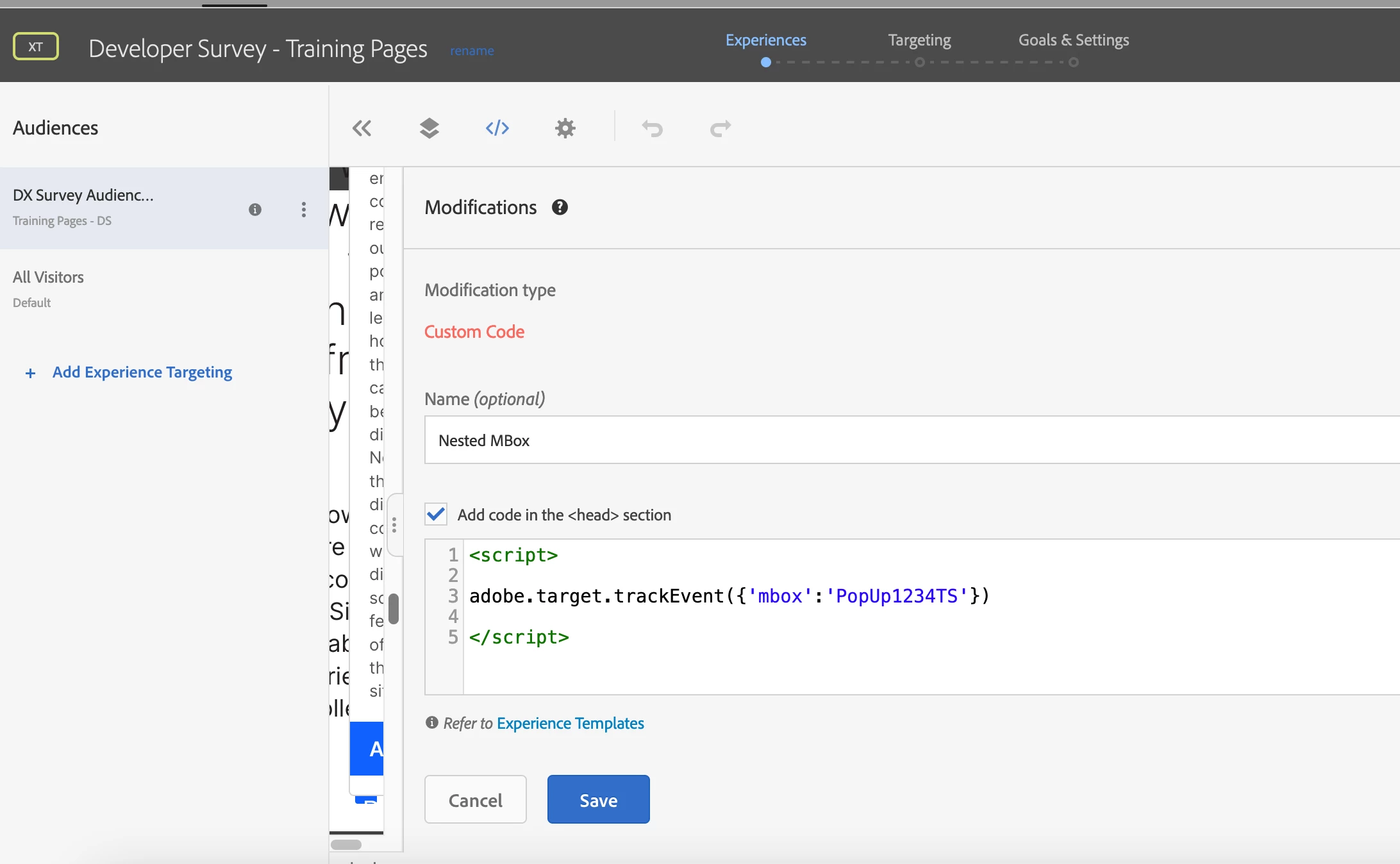
1) Set up the Nested Mbox parameter in the experience via XT under Modification as custom code


2) created a profile script for pop up increment value capture
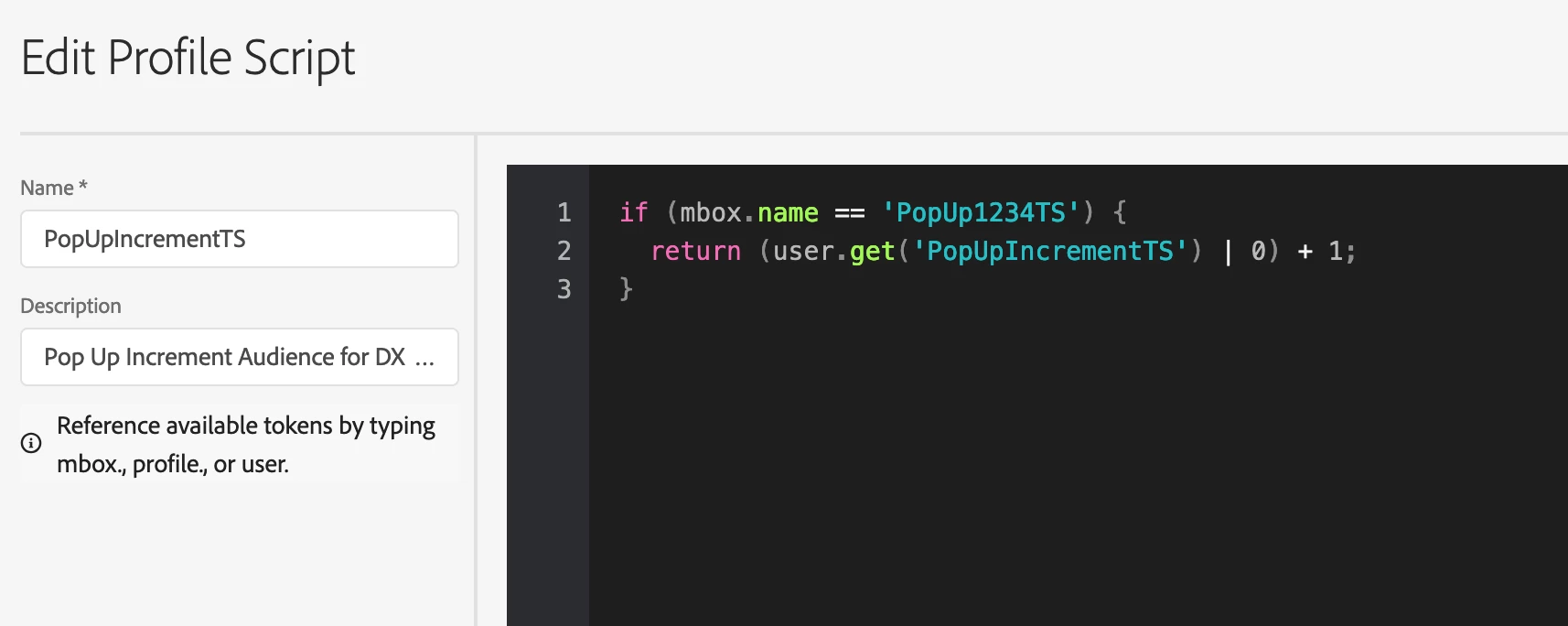
 

3) Created Audience to restrict the pop-up display to 2 times
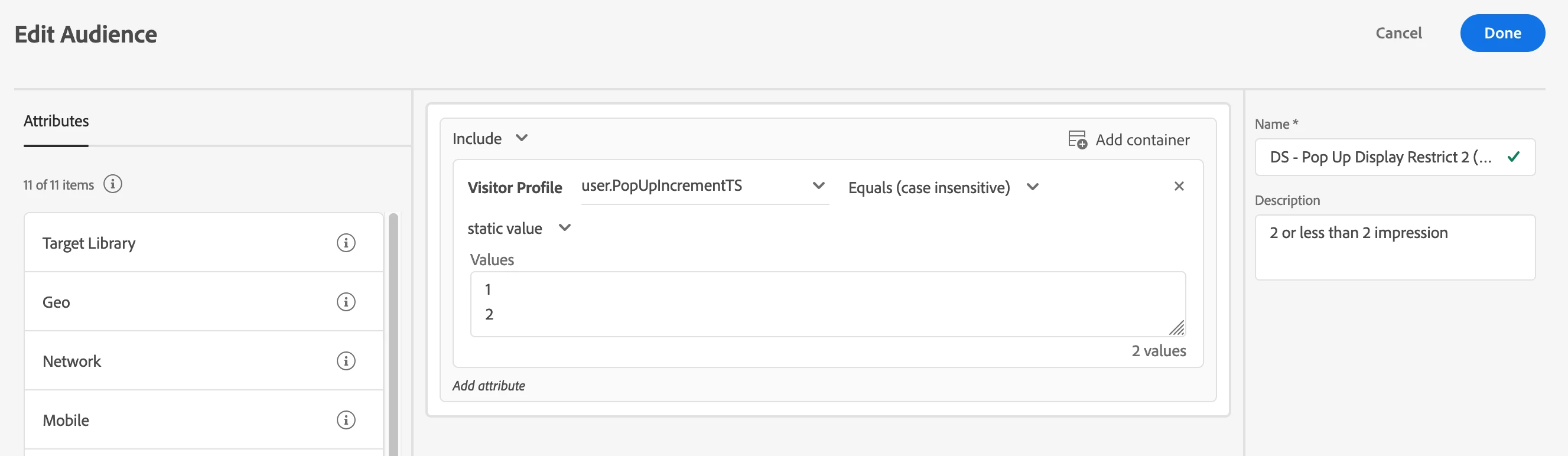


However, when I set up all the above for overlay pop-up in my experience then why some users don't see it? Does the set up looks correct? To me, the steps look good. Pls, suggest.
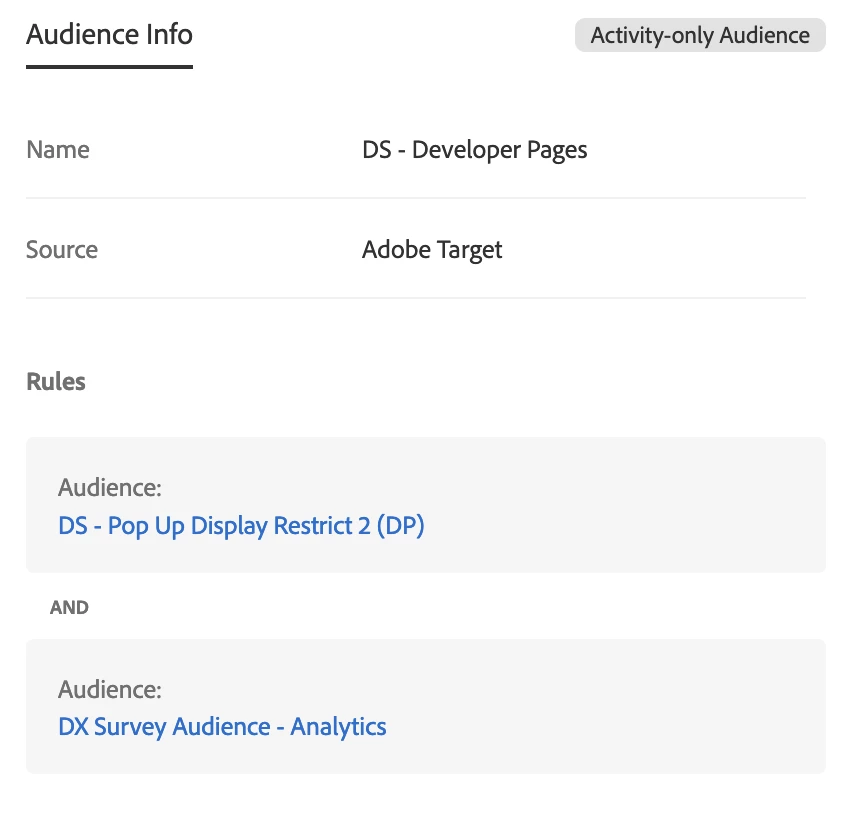
Just FYI, For Impression capping followed this MiaProva article

https://www.miaprova.com/blog/offer-impression-capping/

 

Questo argomento è stato chiuso alle risposte.
Migliore risposta di Matthew_Ravlich_ACG

Hi @jyotisharmav,


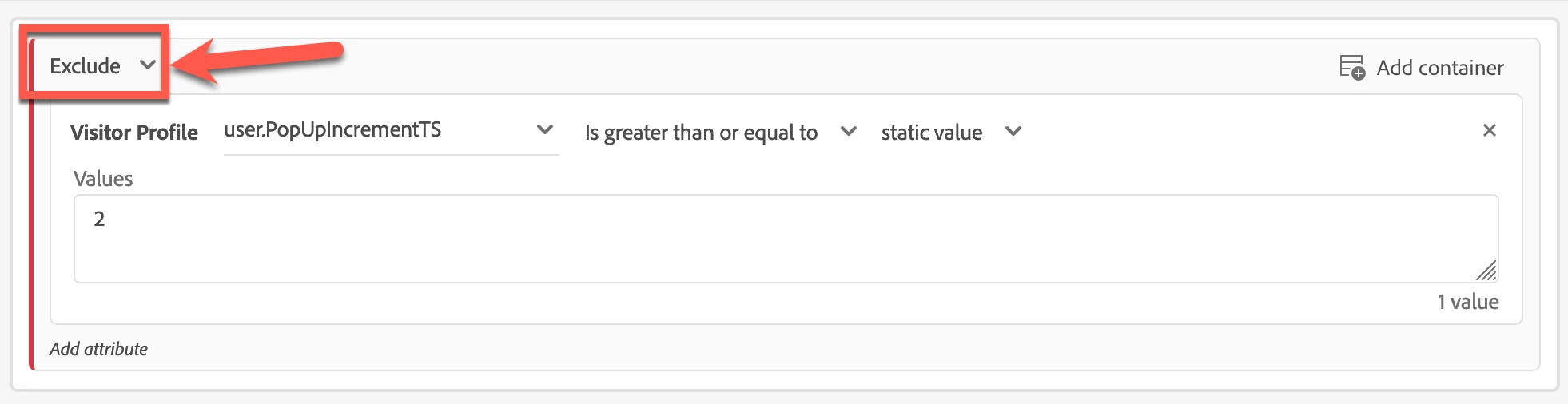
The setup looks correct, but I would try changing the audience to use 'exclude' as follows:

I have seen this work more accurately when trying to cap user impressions.


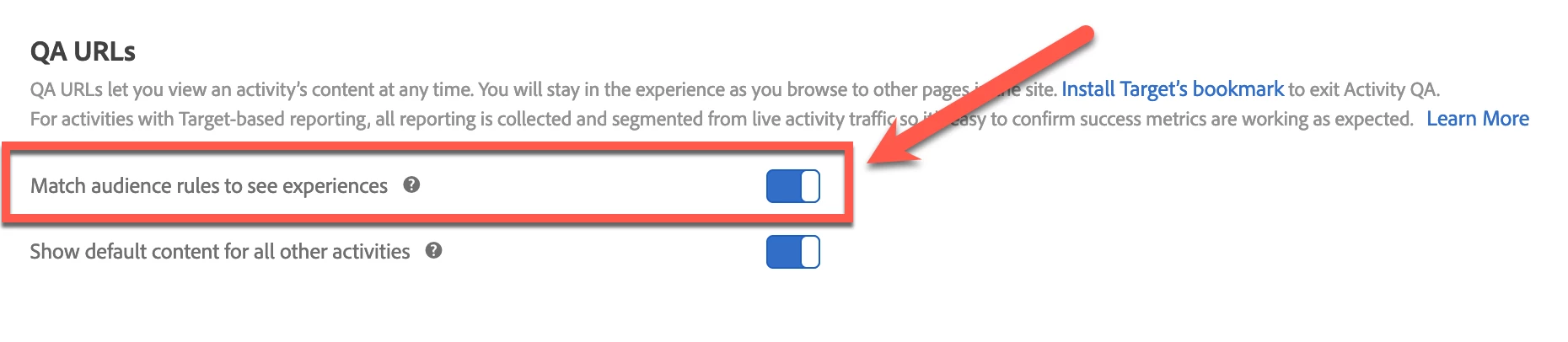
You should be able to test this audience by toggling on the 'Match audience rules to see experiences':

Then, use the QA link in an incognito tab. After reloading the page three times, you should no longer see the pop-up.


I hope this helps.


Matthew Ravlich | ACG Digital

2 risposte

JyotiSharmaV
Community Advisor
Community Advisor
September 23, 2024
Matthew_Ravlich_ACG
Community Advisor
Community Advisor
September 23, 2024

Hi @jyotisharmav,


The setup looks correct, but I would try changing the audience to use 'exclude' as follows:

I have seen this work more accurately when trying to cap user impressions.


You should be able to test this audience by toggling on the 'Match audience rules to see experiences':

Then, use the QA link in an incognito tab. After reloading the page three times, you should no longer see the pop-up.


I hope this helps.


Matthew Ravlich | ACG Digital

JyotiSharmaV
Community Advisor
Community Advisor
September 23, 2024

@matthew_ravlich_acg This is so so strange that Exclusion set up works and Inclusion doesn't. I tried tested with my fellow folks and its working 

Thank you for the suggestion.