


How to create a Target Activity on mobile page, accessible only in native browser?
The mobile viewport preview feature is designed majorly for responsive websites. However, these also work for the mobile pages which are accessible only in native mobile browsers.
Ensure that you have defined the correct Operating system while creating a mobile viewport. This works as a user agent of the native mobile browsers
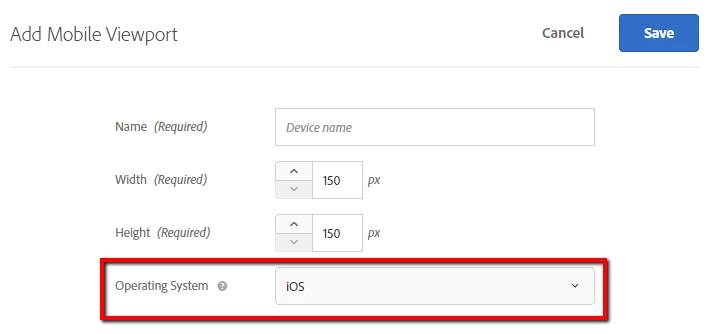
Steps to create a mobile viewport :
1. Login to Target and navigate to Setup
2. Add new mobile viewport from bottom right corner
3. Define Name, Width, Height and Operating System.
You can further use these mobile viewports to create an activity for mobile pages.
Let us know if this is helpful and feel free to reply for any additional queries in this regard.