How to add multiple page on AB Testing Activity | Community
Skip to main content
March 11, 2025
Question

How to add multiple page on AB Testing Activity

  • March 11, 2025
  • 1 reply
  • 701 views

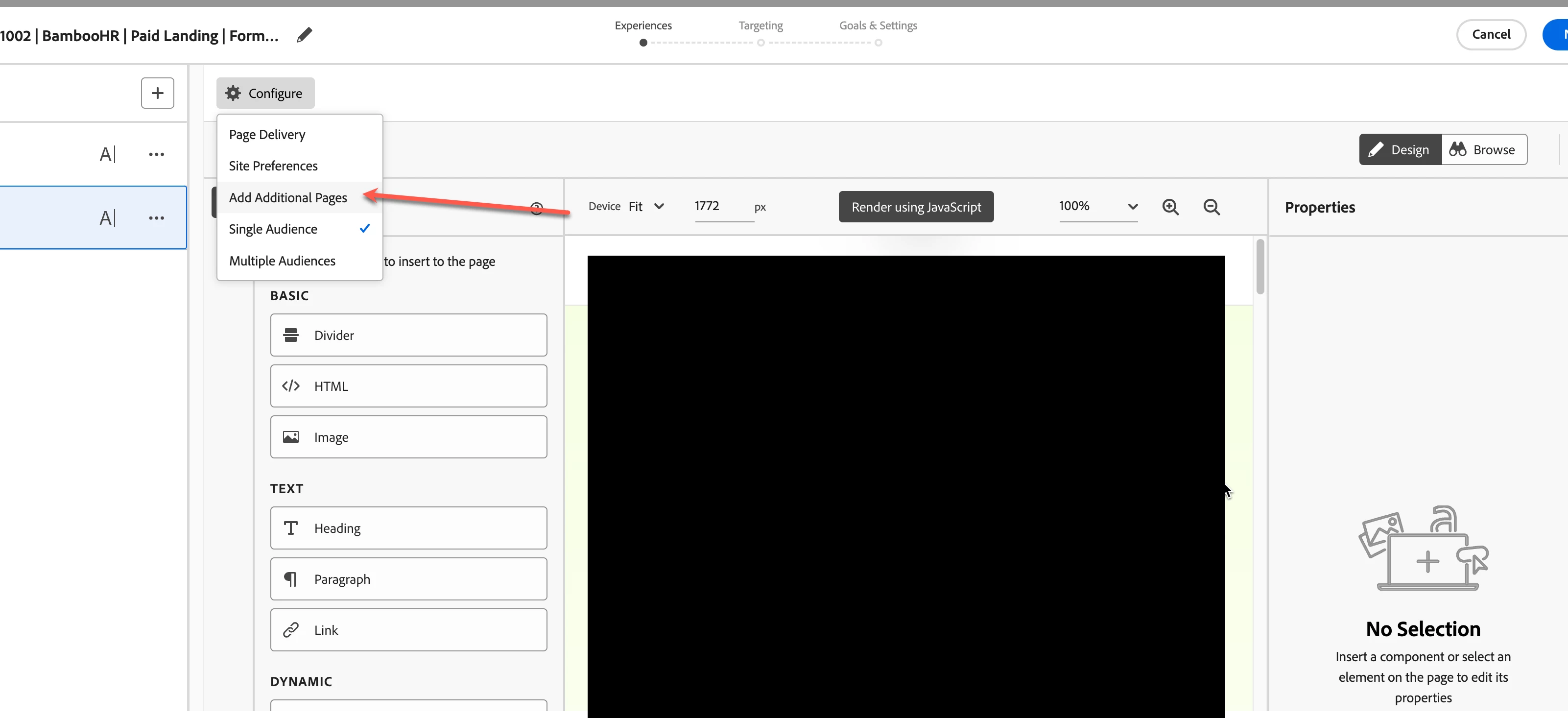
Could you please help me , how i can add multiple page on AB Testing Activity, i try :
1. Configure > Page Delivery. but not working .  test wont running
2. Configure > Add Additional Page , also not working. the page gone when i save the activity
This post is no longer active and is closed to new replies. Need help? Start a new post to ask your question.

1 reply

pradnya_balvir
Community Advisor
Community Advisor
March 11, 2025

Hi @wendroan , 


To add multiple pages to an A/B testing activity in Adobe Target, navigate to the "Configure" settings, click "Add Additional Pages", specify the page name and URL for each page, and then design the experiences on each page using the Visual Experience Composer.

Can you please try with other browser like Firefox or in incognito mode as sometime browser extension blocking the page.


Here's a more detailed steps:
  • Access the Configuration:
    After creating your A/B test activity, click the "Configure" icon (a cogwheel). 
     
  • Add Additional Pages:
    Click on "Add Additional Pages". 
     
  • Specify Pages:
    A "Pages" pane will appear on the left. Click "Add Page" and enter the page name and URL for each page you want to include in the test. 
     
  • Design Experiences:
    Use the Visual Experience Composer (VEC) to design the way the offer looks on each page. 
     
  • Page Delivery:
    You can also configure the page delivery to display a different page after the VEC opens, by clicking "Page Delivery" in the configure section. 
     
     
WendroAnAuthor
March 11, 2025

@pradnya_balvir 
yes i have done 1st,2nd and 3rd step. click next and save.  but additional page always gone when i load the test and check it again . 


pradnya_balvir
Community Advisor
Community Advisor
March 11, 2025

Hi @wendroan ,


Which browser you are using. I always faced some blocking issue in my chrome browser due to some extensions, I will prefer Firefox or incognito mode.


Thanks.

Pradnya