
Solved
Exam question - Hosts
Could somebody explain me this in detail?
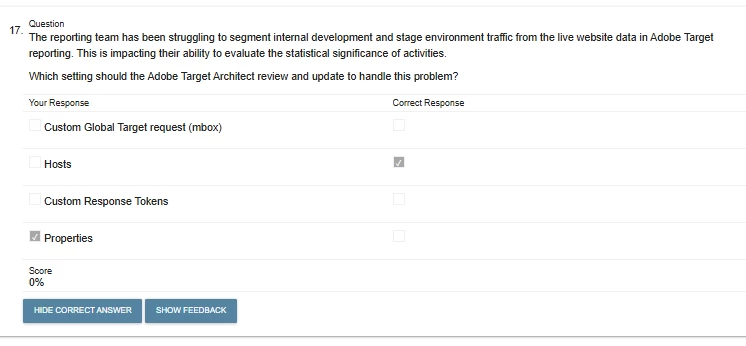
Could somebody explain me this in detail?
Hello @michael_soprano ,
Target Hosts refer to the specific domains or servers that Adobe Target interacts with to deliver personalized content and experiences. The Hosts setting allows you to define which environments (domains or subdomains) should be treated as production, stage, or development. This lets Adobe Target exclude or segment internal traffic in reporting - ensuring that only real user traffic is considered when calculating conversion rates or any other reporting metrics.
For example, let’s say there is a company called DontShop, which has three environments: www.dontshop.com (Production), staging.dontshop.com (Staging), and dev.dontshop.com (Development), all running Adobe Target. Without configuring Hosts, Target treats all traffic equally, meaning test traffic from staging or dev can pollute in prod reports. By properly setting up the Hosts in Adobe Target, one can label each environment correctly. This allows Target to exclude or segment internal traffic, ensuring that only real customer interactions are used in reporting and decision-making—resulting in accurate metrics like conversion rate and test performance.
Whereas properties are useful for managing access and organizing reporting groups, but they're not meant for filtering internal traffic. Even if two domains have different 'at_property' values, as long as they're classified under the same host type—like Production—all the data will still be attributed to that production environment.
Regards,
Vikas Ohlan
LinkedIn Profile
Enter your E-mail address. We'll send you an e-mail with instructions to reset your password.