delete Customer Attribute Data | Community
Skip to main content
May 21, 2020
Solved

delete Customer Attribute Data

  • May 21, 2020
  • 2 replies
  • 5345 views


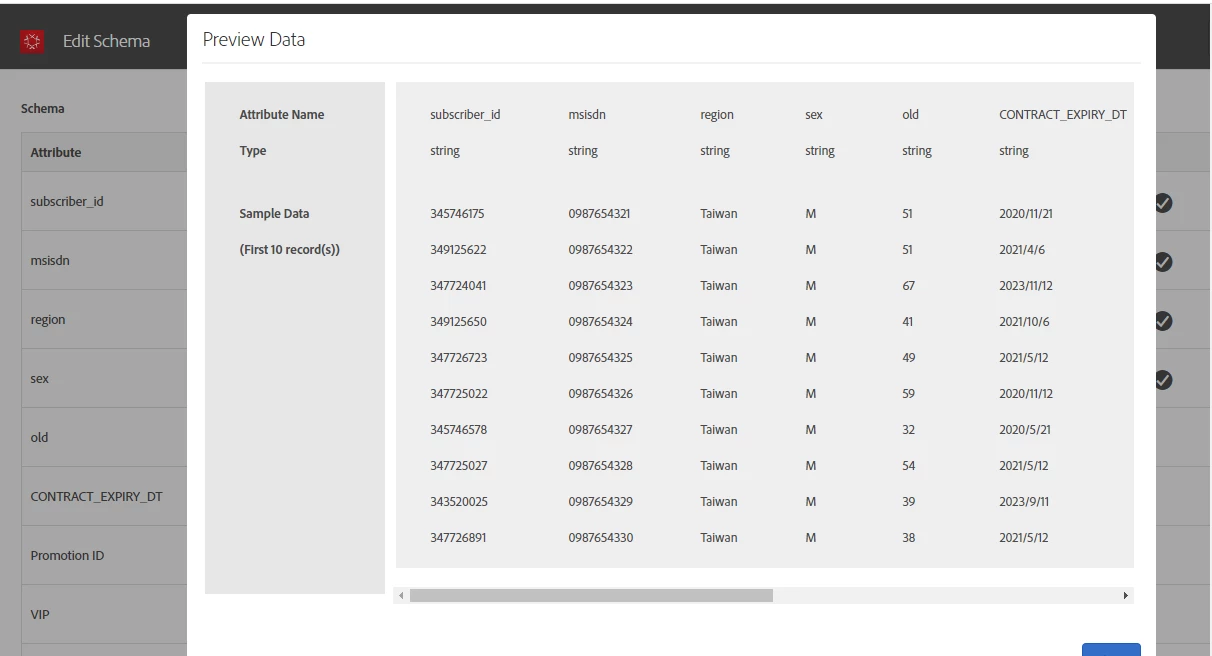
I have uploaded data(.csv) in customer attribute .

After that I found  uploaded  wrong data  how could I delete the data,TKS


This post is no longer active and is closed to new replies. Need help? Start a new post to ask your question.
Best answer by Tanvi_Agarwal_

Hi @royl85951084 !


Customer attribute files once uploaded, cannot be deleted from the datasource. However


  1. You can still unsubscribe any parameter from Target/Analytics OR
  2. Re-upload the customer ID with updated values, this will overwrite the values.

https://docs.adobe.com/content/help/en/core-services/interface/customer-attributes/t-crs-usecase.html#task_6568898BB7C44A42ABFB86532B89063C

    3. Also Customer ID parameters will be automatically deleted from Target servers after visitor profile lifetime.

2 replies

PratheepArunRaj
Community Advisor and Adobe Champion
May 21, 2020

Dear royl85951084,

Can you check out the link: https://docs.adobe.com/content/help/en/core-services/interface/customer-attributes/t-crs-usecase.html

It has the steps to update the schema (delete attributes) and also the source.

Thank You, Arun.

Thank You, Pratheep Arun Raj B (Arun) | Xerago | Terryn Winter Analytics
Tanvi_Agarwal_
Adobe Employee
Tanvi_Agarwal_Adobe EmployeeAccepted solution
Adobe Employee
May 21, 2020

Hi @royl85951084 !


Customer attribute files once uploaded, cannot be deleted from the datasource. However


  1. You can still unsubscribe any parameter from Target/Analytics OR
  2. Re-upload the customer ID with updated values, this will overwrite the values.

https://docs.adobe.com/content/help/en/core-services/interface/customer-attributes/t-crs-usecase.html#task_6568898BB7C44A42ABFB86532B89063C

    3. Also Customer ID parameters will be automatically deleted from Target servers after visitor profile lifetime.