Content not displayed in visual experience builder | Community
Skip to main content
Level 2
November 8, 2017
Solved

Content not displayed in visual experience builder

  • November 8, 2017
  • 1 reply
  • 2027 views

Hi All,

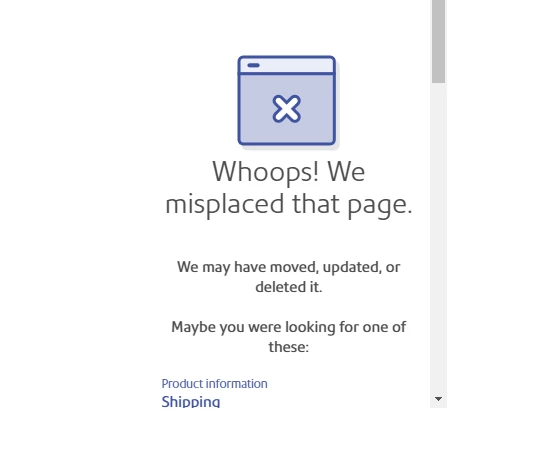
I was trying to do A/B test on billing page and tried visual experience builder to update text but i am not seeing content in VEC i see error (screenshot below). but when i use the url in browser i can see the content.   Anyone has idea why its happening?

In VEC:


Thanks,

Saila

This post is no longer active and is closed to new replies. Need help? Start a new post to ask your question.
Best answer by ryanr7

Hi Saila,

It's possible that your server doesn't allow unknown query parameters to be added into the URL. Our VEC adds a couple of query parameters to the page when loading to help prevent Target from loading any test content that could be live in another activity. You can verify this by trying to load your billing page in a separate tag with these parameters added to the URL: &mboxEdit=1&mboxDisable=1. Be sure to add them after a "?". If the page loads fine with those parameters added then something else is going on. If you get the same "Whoops! ..." page that means your server doesn't allow those parameters that Target's VEC needs. In this case you can try 2 things:

  1. Try switching to the enhance composer. From the VEC: Configure (gear icon) > page delivery > switch Enhanced composer to on > apply changes. If the page loads successfully then you should be good.
  2. You can request your network admin to allow mboxEdit, mboxDisabled parameters on your billing page.
1 reply

ryanr7Adobe EmployeeAccepted solution
Adobe Employee
November 8, 2017

Hi Saila,

It's possible that your server doesn't allow unknown query parameters to be added into the URL. Our VEC adds a couple of query parameters to the page when loading to help prevent Target from loading any test content that could be live in another activity. You can verify this by trying to load your billing page in a separate tag with these parameters added to the URL: &mboxEdit=1&mboxDisable=1. Be sure to add them after a "?". If the page loads fine with those parameters added then something else is going on. If you get the same "Whoops! ..." page that means your server doesn't allow those parameters that Target's VEC needs. In this case you can try 2 things:

  1. Try switching to the enhance composer. From the VEC: Configure (gear icon) > page delivery > switch Enhanced composer to on > apply changes. If the page loads successfully then you should be good.
  2. You can request your network admin to allow mboxEdit, mboxDisabled parameters on your billing page.