
Configuring Multiple Audience in Experience | Community
Skip to main content
Krishna_Musku
Community Advisor and Adobe Champion
July 8, 2026
Question

Configuring Multiple Audience in Experience

  • July 8, 2026
  • 3 replies
  • 42 views

Hello Target Users,
I have a scenario where i have to show different experiences for mobile and non-mobile users within the same activity. So i am using multiple audience in configure option to solve that (screenshot attached).
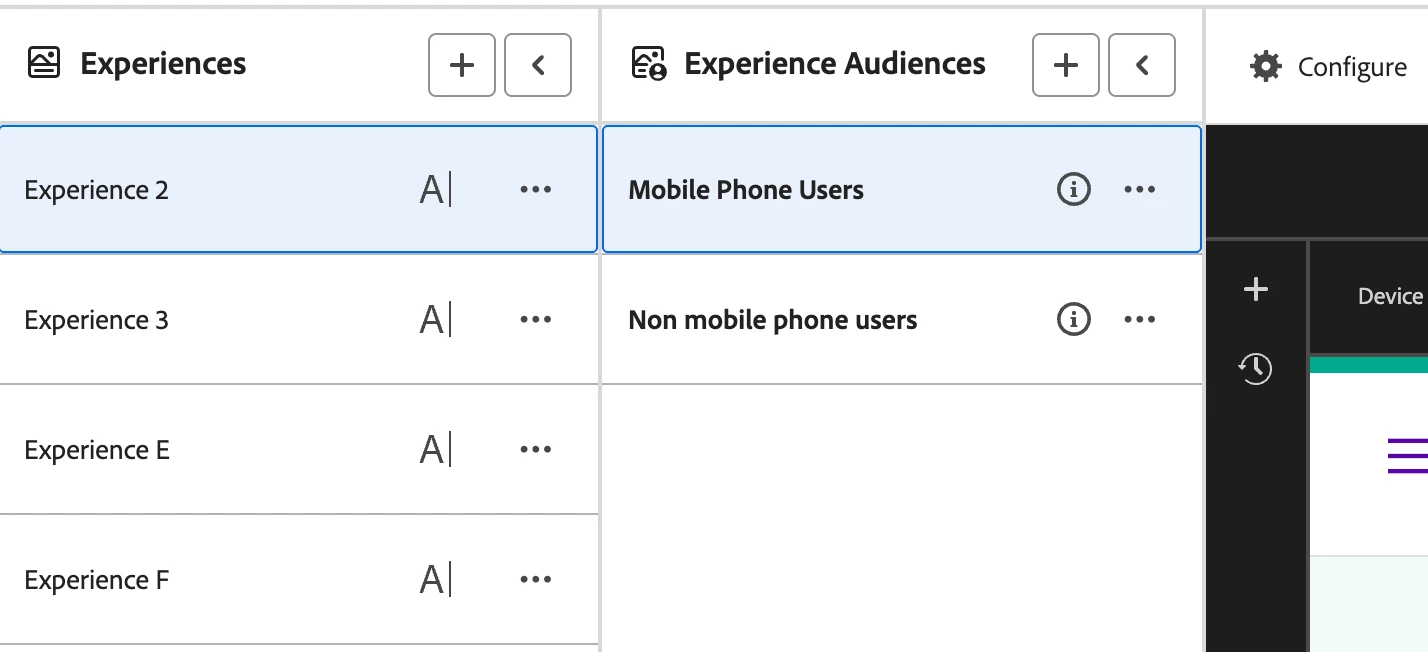
But this seems to working only for non-mobile users, mobile users also seeing the same experience as non-mobile users. Am I missing something? or is there any other way to create activity for this scenario?

Thanks in advance!

    3 replies

    johnsi11
    Level 2
    July 8, 2026

    What are the audience definitions? Are you able to see the correct experiences while testing/QA?

    Krishna_Musku
    Community Advisor and Adobe Champion
    Community Advisor and Adobe Champion
    July 8, 2026

    one audience is mobile device and another is non-mobile device. yes, i am able to see correct experiences with the QA link.

    - Krishna Musku (Adobe Champion & Community Advisor)
    Level 3
    July 8, 2026

    Hi ​@Krishna_Musku ,


    Can you please share the details of audiences and also if you are checking the preview links or live version?

    If you are checking preview links, please enable the toggle to “Match audience rules to see experiences” for correct audience qualification. Since by default in XT activity audience qualification happens from top to bottom, whereas in XT within A/B (which you have implemented) it goes from bottom to top.

    Krishna_Musku
    Community Advisor and Adobe Champion
    Community Advisor and Adobe Champion
    July 8, 2026

    mobile device vs non-mobile device is the audience.

    preview link is getting the correct experience, but not the live version when i enable the activity in our test environments.

    QA link is for non-mobile device is working as expected, but not for the mobile devices.

    - Krishna Musku (Adobe Champion & Community Advisor)
    Level 3
    July 9, 2026

    Can you please share  how have you created the audiences?

    Krishna_Musku
    Community Advisor and Adobe Champion
    Community Advisor and Adobe Champion
    July 8, 2026

    UPDATE:

    This is an A/B Test with Auto-Target.

    4 experience in overall including control.

    20% for random experience and 80% for personalized experiences.


    The another issue i am facing is; I modified the experience audiences and saved the activity, when i go back and see the activity, the previous audience are still there. I couldn’t able to modify the audience once the activity is saved.


    - Krishna Musku (Adobe Champion & Community Advisor)