
Can I schedule an update to an existing Adobe Target A/B test? | Adobe Higher Education
Skip to main content
aaronlng_92
Level 2
July 15, 2024
Respondido

Can I schedule an update to an existing Adobe Target A/B test?

  • July 15, 2024
  • 1 resposta
  • 1659 Visualizações

I'm working on setting up a test that is swapping out different graphics on landing pages. These graphics change at different intervals of time and I'm wondering if there is a way that I can go into the test while it is live and schedule on a certain day and time for the test to update to match the live site? Or does this have to be done manually every time something changes on the live site? 
Este tópico foi fechado para respostas.
Melhor resposta por Gokul_Agiwal

Hi @aaronlng_92 

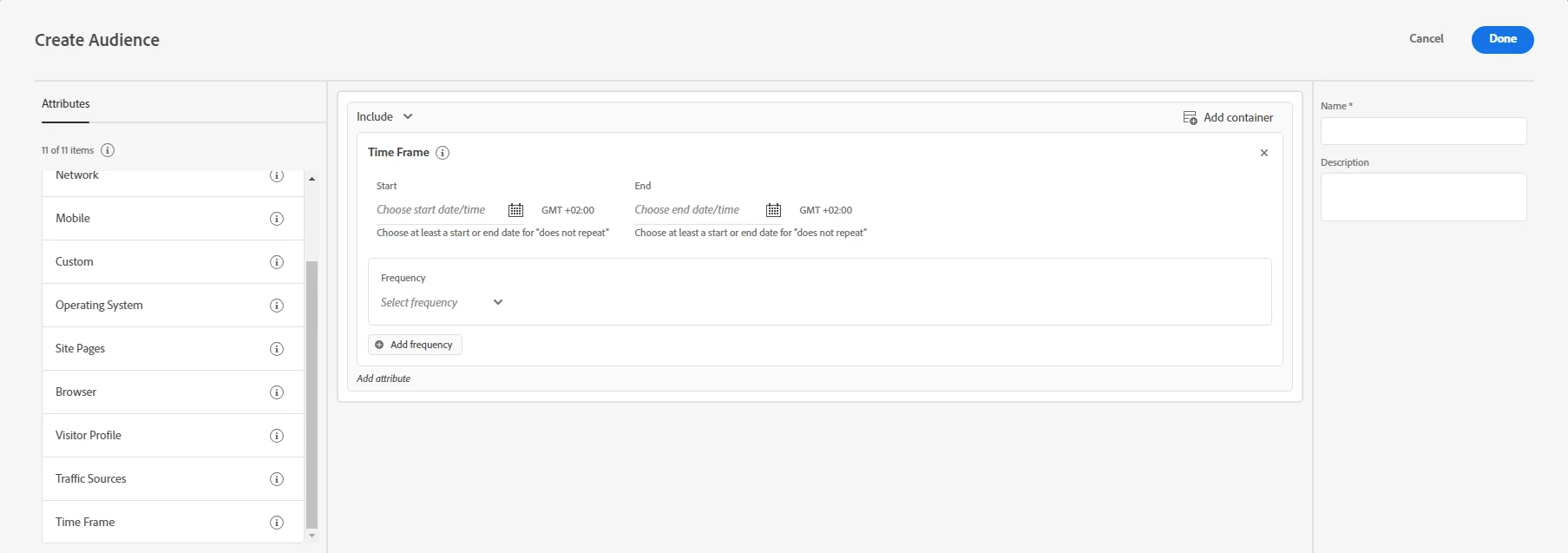
You can use the option called Time Frame while creating audience and from there you can add start and end dates and times in Adobe Target to target users who visit your site during a specific time frame. You can also set Week and Day Parting options to create recurring patterns (frequency) for audience targeting.

More https://experienceleague.adobe.com/en/docs/target/using/audiences/create-audiences/categories-audiences/time-frame 

Hope this helps. 

1 Resposta

Gokul_Agiwal
Community Advisor
Gokul_AgiwalCommunity AdvisorResposta
Community Advisor
July 15, 2024

Hi @aaronlng_92 

You can use the option called Time Frame while creating audience and from there you can add start and end dates and times in Adobe Target to target users who visit your site during a specific time frame. You can also set Week and Day Parting options to create recurring patterns (frequency) for audience targeting.

More https://experienceleague.adobe.com/en/docs/target/using/audiences/create-audiences/categories-audiences/time-frame 

Hope this helps. 

Level 2
October 17, 2024

Hello! What if I want to do it without using audiences? Because if you use audiences then you would need to use experience targeting, correct?


What if there's just a content update you want to schedule, for example only affecting variation 1 (B) that you want to schedule. Is that possible without some sort of convoluted method of creating audiences that match certain days/hours and a separate audience that matches a different set of days/hours?

Gokul_Agiwal
Community Advisor
Community Advisor
October 18, 2024

Hi @henrikk 

The Time Frame options you can use for A/B testing too. 


On the another question regarding the content update scheduling - As far as I know there is no direct option available based upon the content/variation/experience you want to trigger/schedule at certain time however you can do this on activity level itself.   


You can schedule the activity, specify a date and time for delivery of the activity. Scheduling controls the delivery time frame of the activity; however, the activity must be explicitly activated before it can be delivered according to the specified schedule. 


You can see this option in Goals and Setting page like below 

Hope this helps. 


In case if there are other options are available, people in CC might share some lights in this thread. . 

CC: @kandersen-1