Level 2
September 12, 2026
Question

Calculated Metric in A4T

  • September 12, 2026
  • 1 reply
  • 33 views

Hello,

For my XT Activity in Target I assigned the Goal Metric to a calculated metric created in Analytics.
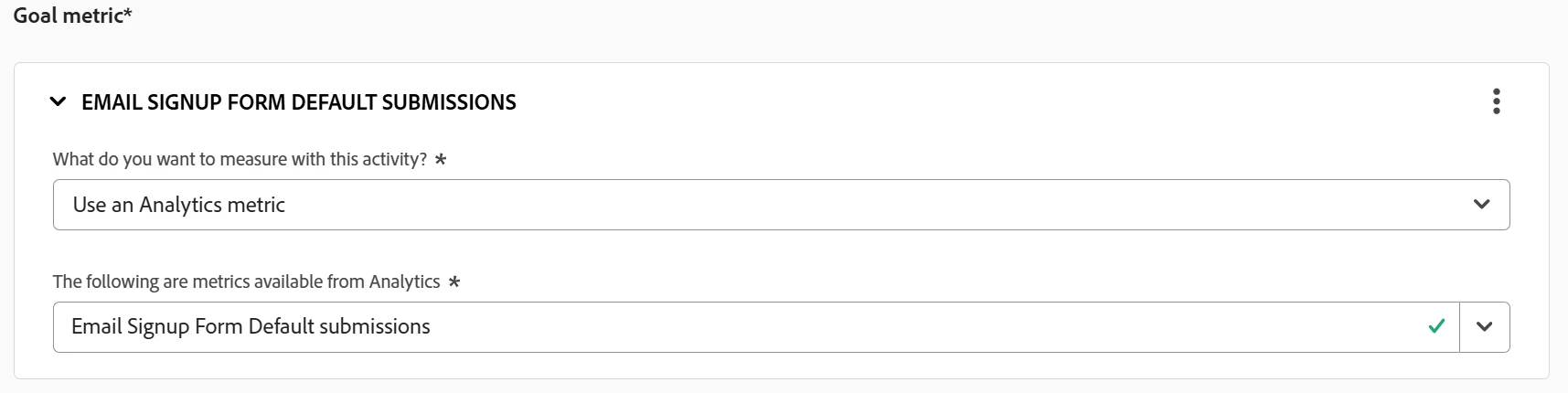
 

When I use the A4T panel in Analytics conversions are always 0.

 

When I view Reports in Target we see the conversions


Are calculated metrics unable to be used in A4T?

Thank you

1 reply

Prasanth
Level 2
September 16, 2026

Hi ​@msweeneyRAB,

Calculated metrics are fully supported in A4T, but they do not automatically bind to the native A4T Panel metric selectors unless their underlying formula components are mapped correctly.

When Target shows conversions but the Analytics A4T Panel shows 0, it is due to one of three technical configuration mismatches.

1. Root Cause Analysis

A. Metric Context / Scope Mismatch

Calculated metrics built at the Visitor or Visit container level often fail to report in A4T Workspace panels.

  • Target evaluates conversions on the exact Hit where the success event occurs.

  • If your Calculated Metric uses a high-level container (e.g., VISITOR container where Pageviews > 1), the A4T attribution engine may fail to bind the event to the specific Target Activity / Experience dimension instance on that hit, resulting in 0 conversions in Workspace.

B. Non-Deduplicated Custom Events

If your calculated metric uses standard custom events (e.g., event1 / event2), verify if those events require numeric/currency processing or event serialization. Target’s internal reporting engine counts raw trigger hits, while Adobe Analytics applies deduplication rules (like ID-based event serialization). If the event fails serialization in Analytics, Workspace drops it to 0.

C. A4T Panel Configuration vs. Standard Freeform Table

The built-in A4T Workspace Panel applies automated attribution models (e.g., Same Touch or Last Touch) based on the metric selected during Target Activity setup. If the Activity Goal in Target was set to a raw success event (e.g., event5), but you pulled a Calculated Metric into the A4T Panel that doesn't share that exact event definition, the panel returns zero.

2. Resolution Protocol

Step 1: Verify Container Scope in Metric Builder

  1. Open Calculated Metric Builder in Adobe Analytics.

  2. Ensure the top-level container is set to Hit level (not Visit or Visitor).

  3. If using functions like Include, ensure the logical scope isn't filtering out the A4T dimension hit.

Plaintext


// Correct Structure for A4T Calculated Metric
[ Hit Container ]
└─ Custom Event (e.g., Form Submits) / Total Visits

Step 2: Validate via a Standard Freeform Table

Instead of using the automated A4T Panel:

  1. Create a blank Freeform Table in Analysis Workspace.

  2. Drag Target Experiences (or Target Activity - Experience) as the dimension.

  3. Drag your Calculated Metric directly into the metrics column.

  4. Compare Occurrences or your raw base event against the calculated metric. If the raw event populates numbers but the calculated metric shows 0, the issue is isolated to your metric formula (such as dividing by zero or an invalid IF logic statement).

Step 3: Check A4T Activity Sync Delay

If the activity was recently modified in Target to switch goal metrics:

  • Metric definition changes in Target take up to 1 hour to sync back to Adobe Analytics classification tables.

  • Historical hits received before the metric switch in Target will not retroactively update in the A4T panel.