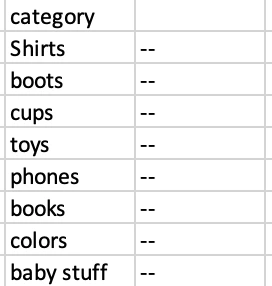
Thank you for the explanation that makes total sense. Can you tell me what that means how this be implemented in my case?
You need to use "token replacement" when you create the offer, as explained here. So for example, the content in the first row of your table would reference ${user.categoryAffinity}.
I am following like below steps"
- In Launch I created a rule where I am passing user.CategoryId as an mbox parameter and mapping it to data element that reads the product category of the page for eg. Slim Fit shirt, Regular Fit shirt, etc.
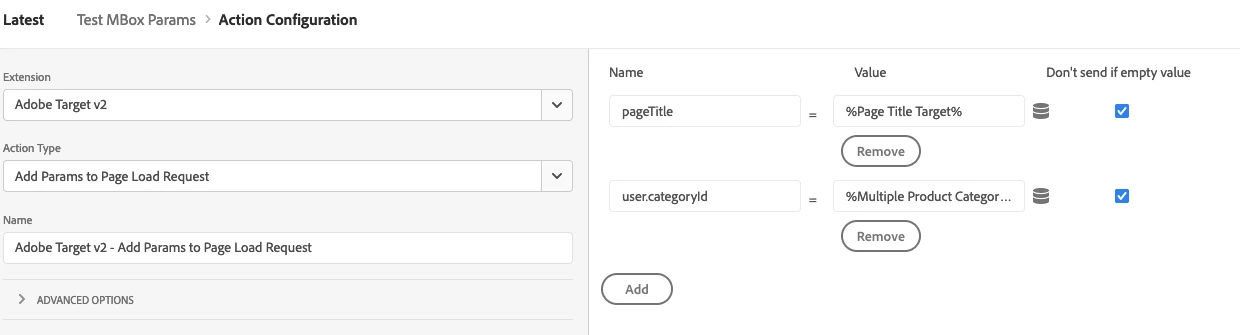
- Then I went to Target and created a category affinity audience
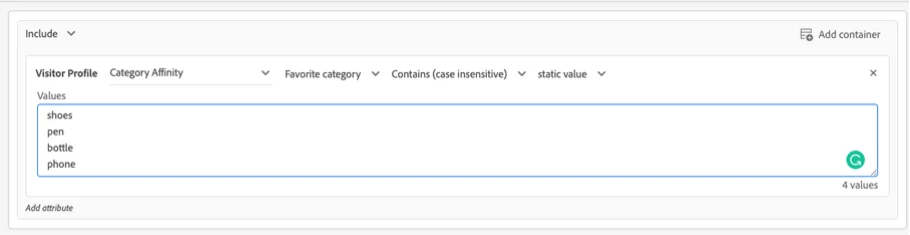 Additionally, I also created a profile script with category affinity like the one below which I guess will also work the same as my audience but not sure
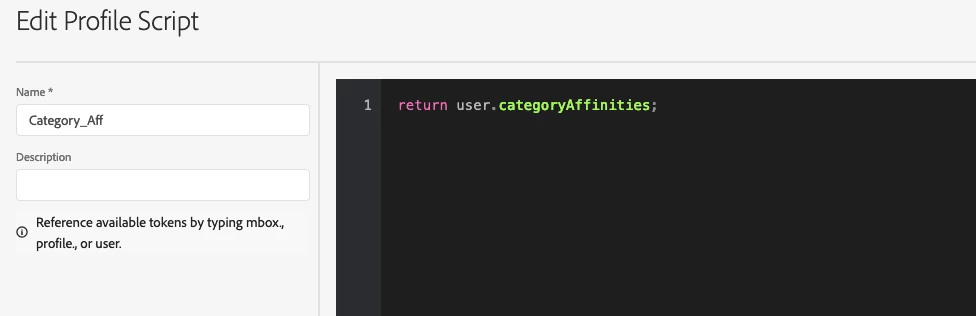
The next step you mentioned is Token Replacement, I am not sure where & how to use it. where this steps is needed and why? Unfortunately, there are no video tutorials of Target in this case.
One thing I want to highlight here is my data tables exists on
Product Category Pages (with rows telling Product family type)
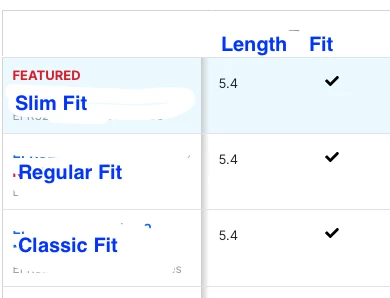
and Product Family Pages (showing product family part numbers) for precise navigation of userS.
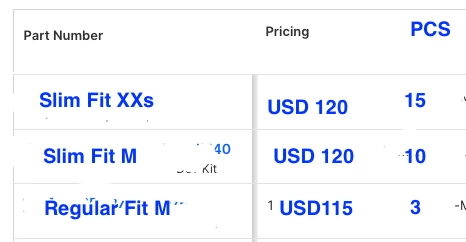
I am not sure how the target will read which is getting clicked most in the table and do the affinity thing. Can you elaborate on that? I understand it's individual user based but then what is the role of table autoupdate then?
Step 3 for token replacement is so that the top row of your table will dynamically display the most clicked category. So when you create your offer in Target, the top row of the table will reference ${user.categoryAffinity}.
For example:
<table>
  <tr>
    <th>Product</th>
  </tr>
  <tr>
    <td>${user.categoryAffinity}</td>
  </tr>
  <tr>
    <td>Shoes</td>
  </tr>
  <tr>
    <td>Hats</td>
  </tr>
</table>
In terms of how Target reads what is clicked the most - you will need some sort of event handler, so each time someone clicks, you would send a request to Target that includes that user.categoryId parameter with the value of the product clicked on. Target then automatically stores all of these clicks and calculates the favourite product, 2nd favourite etc etc