This Geo locations data ( Country ,State, City ,Zip Code ) is sent with each mbox request and is based on the visitor's IP address.
To troubleshoot your issues .. I would say use the response tokens. Response tokens automatically, output information specific to Adobe Target to your brand’s web page. This information can include details about the activity, offer, experience, user profile, geo information, and more.
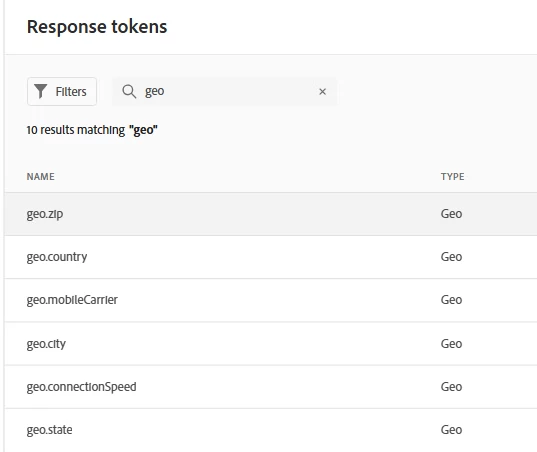
# In Target, click Administration > Response Tokens.
Enable the geo.zip from the list below.
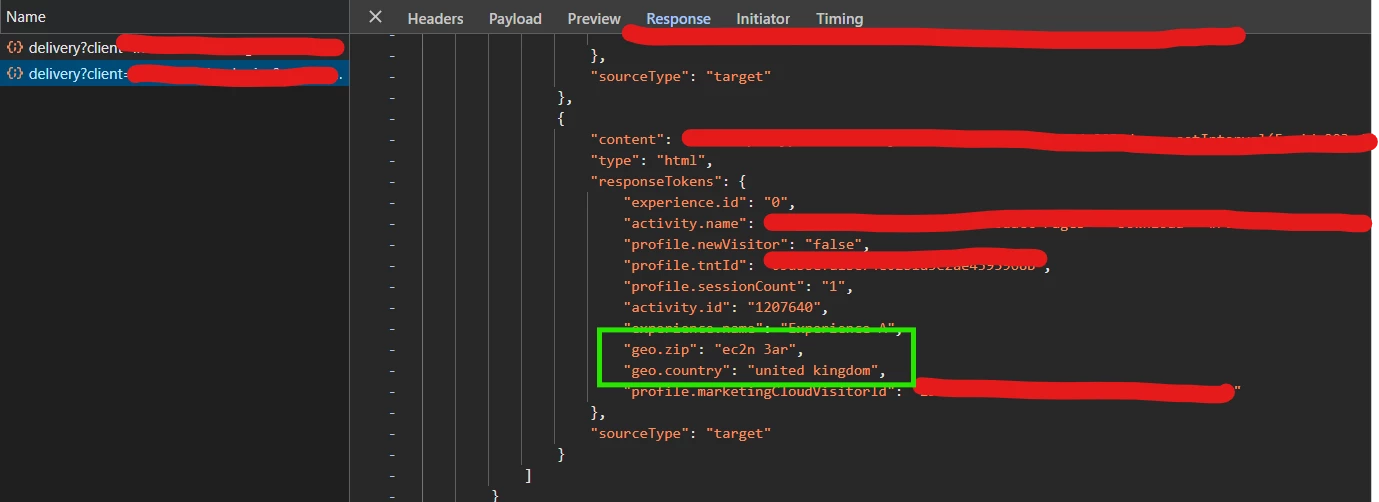
Once enabled you can see the geo information get captured in the delivery api (if you’re using at.js implementation) response. Like below - highlighted in green box.
and then validate your activity details with right inclusion of audience criteria.
This Geo locations data ( Country ,State, City ,Zip Code ) is sent with each mbox request and is based on the visitor's IP address.
To troubleshoot your issues .. I would say use the response tokens. Response tokens automatically, output information specific to Adobe Target to your brand’s web page. This information can include details about the activity, offer, experience, user profile, geo information, and more.
# In Target, click Administration > Response Tokens.
Enable the geo.zip from the list below.
Once enabled you can see the geo information get captured in the delivery api (if you’re using at.js implementation) response. Like below - highlighted in green box.
and then validate your activity details with right inclusion of audience criteria.