AT Recommendations: Entity attributes appearing in Web SDK Network call but not updating in Catalog | Community
Skip to main content
Level 2
March 12, 2026
Question

AT Recommendations: Entity attributes appearing in Web SDK Network call but not updating in Catalog

  • March 12, 2026
  • 1 reply
  • 56 views

I am implementing Adobe Target Recommendations via AEP Web SDK and Launch. While the network calls appear to be firing correctly with the necessary entity attributes, the Target Recommendations Catalog has not updated with these product details, even after waiting 24+ hours.

Implementation:

I am using a "Send Event" action within a Launch rule. Because my data layer is fully populated later in the page load, I have mapped the entity attributes to the "Web Webpagedetails Page Views" event type.
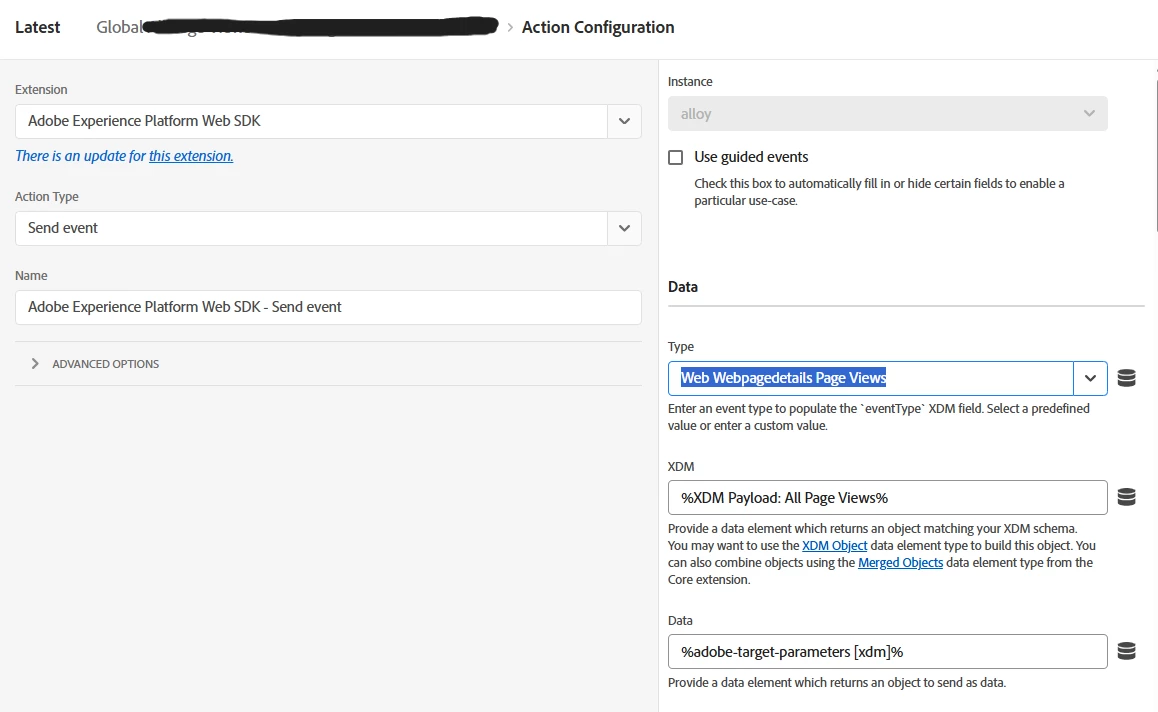
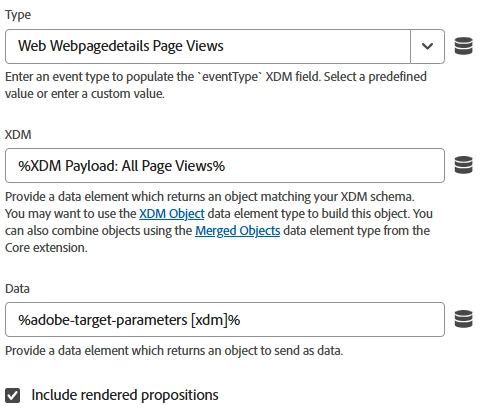
Current Rule Configuration (See attached images):

  • Extension: Adobe Experience Platform Web SDK

  • Action Type: Send Event

  • XDM: %XDM Payload: All Page Views%

  • Data: %adobe-target-parameters [xdm]% (This is where my __adobe.target entity data is mapped).

The Payload:

In the browser network tab (interact call), the payload looks correct:

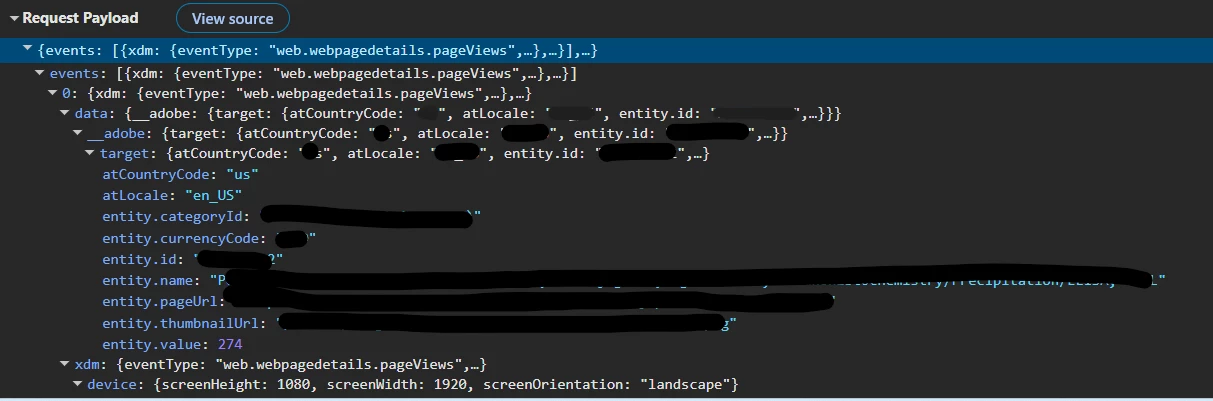
  • events[0].data.__adobe.target.entity.id is present.

  • entity.name, entity.value, and entity.pageUrl are all populating with the expected strings/numbers.

  •  

The Sequence on Product Page:

  1. Proposition Fetch: (For Target Activities)

  2. Proposition Display: (Reporting display)

  3. Commerce Product (Cart) Views: (XDM event)

  4. Web Webpagedetails Page Views: (Entity setup is here to ensure data layer availability).

Questions:

  1. Is there a specific requirement for the EventType when sending entity attributes? 

  2. Are there any known issues with "Web Webpagedetails Page Views" being ignored by the Target Recommendations ingestion engine?

1 reply

Level 3
April 15, 2026

Hi ​@khush_b,


Here is the breakdown of why your catalog isn't updating and how to fix it.

1. The "Prefetch Mode" Limitation

There is a known architectural nuance with the Web SDK: Standalone sendEvent calls do not update Recommendations entity attributes if Target is in "prefetch" mode.

When you use the Web SDK to fetch propositions (the decisioning.propositionFetch or renderDecisions: true call), Target creates a session snapshot. If you later send a separate "Send Event" just for the entity data (like your "Web Webpagedetails Page Views" event), Target often considers this a "display" or "tracking" event and does not always pass the data object through to the Recommendations ingestion engine.

2. The eventType Requirement

While web.webpagedetails.pageViews is technically correct for Analytics, the Target Recommendations engine is strictly optimized to look for entity data during the initial content request or a very specific proposition notification.

  • Known Issue: If the entity data is sent in a hit that does not also request or display a Target proposition, the Recommendations engine may drop the entity parameters to save processing overhead.

  • The "Handshake": Target prefers to ingest catalog data when it is associated with a "view" or a "display" event that it is actively tracking for that session.

3. The Recommended Solution: "Send Event Complete"

Since your data layer is populated late, you cannot send the entity data with the initial page load call. Instead of a separate "Page View" rule, you should attach the entity data to the Apply Propositions or Display event.

The Fix in Launch:

  1. Change the Trigger: Instead of "Web Webpagedetails Page Views," use the Adobe Experience Platform Web SDK > Send Event Complete event.

  2. Add a Condition: Ensure this only fires on your Product Detail Pages (PDPs).

  3. Update the Action:

    • Extension: AEP Web SDK

    • Action Type: Update Variable (or map directly in a sendEvent)

    • Map your __adobe.target.entity attributes here.

    • Crucial: Use the alloy("sendEvent", { ... }) command but include a propositions display notification. This forces Target to acknowledge the hit as a "significant" event, triggering the catalog update.

4. Direct Validation

To confirm the data is actually reaching the Recommendations "collector":

  1. Open the AEP Debugger > Edge > Logs.

  2. Look for the com.adobe.target node.

  3. Look for a sub-node specifically labeled recommendations.

  4. If you don't see the word "collect" or "ingest" in the trace for that specific hit, the Recommendations engine ignored it.

khush_bAuthor
Level 2
April 16, 2026

Hi ​@PrasanthV 
 

Thanks for sharing the details. I’ve tried moving the entities setup in a separate rule with Adobe Experience Platform Web SDK > Send Event Complete event. However, this is creating an infinite loop of network calls.

The Issue: Because the action in this rule is a sendEvent (to pass the entity data), the trigger "Send Event Complete" hears its own action finish and triggers the rule again. This repeats indefinitely.

Current Rule Configuration:

  • Trigger: AEP Web SDK - Send Event Complete

  • Action: AEP Web SDK - Send Event (Type: decisioning.propositionDisplay, include rendered propositions: true)

few questions -

Is there a different Event Type (Trigger) within the Web SDK extension that can detect when the initial page load fetch is complete?

If "Send Event Complete" is the only option, what is the official Adobe-recommended Condition to filter out the rule's own follow-up hits to prevent this loop?

Since my data layer/productDetailsXDM is populated late (at the end), is there a way to "buffer" the entity data so it attaches to the automatic display notification instead of needing this second manual hit?

Level 3
April 17, 2026

Hi ​@khush_b,


It looks like you've hit a classic "Event Loop." Because the Web SDK triggers "Send Event Complete" for every successful network call (including the one your rule just sent), the rule is essentially hearing itself and re-triggering.

Here is how you can stop the loop and ensure the catalog updates correctly:

1. The "Quick Fix": Add a Frequency Condition

The easiest way to break the loop without changing your core logic is to ensure the rule only runs once per page view.

  • In your Launch Rule, go to Conditions.

  • Add a new condition: Core - Max Frequency.

  • Set it to 1 per Page View.

  • Result: The rule will fire once to update your catalog. When that hit completes, Launch will see that the rule has already "maxed out" for that page and will refuse to trigger it again, breaking the loop.

2. The "Cleanest" Way: Use a Custom Event Trigger

Instead of listening to the Web SDK's completion signal, listen to your Data Layer. This is more reliable because it isn't tied to the SDK's own network hits.

  • Step 1: In your website code, have your data layer trigger a custom event once it is fully populated: window.dispatchEvent(new CustomEvent('xdm-ready'));

  • Step 2: In Launch, change your Rule Trigger to Core - Custom Event.

  • Step 3: Set the Event Type to xdm-ready.

  • Benefit: This avoids the "Send Event Complete" loop entirely because the trigger comes from your data, not from a network response.

3. The "Expert" Way: On Before Event Send

If you want to avoid a second network call entirely (to keep your server-side data clean), you can "buffer" the data using the On Before Event Send hook in the Web SDK extension configuration.

  • How it works: This is a global setting in the Web SDK Extension. It allows you to intercept a hit right before it leaves the browser.

  • The Logic: You can write a small script that checks if the hit is a pageView and if product data is available in your data layer. If so, it merges the entity data into that single, initial hit.

  • Benefit: This is the Adobe-recommended way to handle late-filling data layers. It ensures Target gets the entity data in the primary hit, making catalog ingestion much more successful without needing extra rules.