Adobe Target | How to edit product carousel by using VEC
Hello,
I am creating an AB test where the experience involves adding a "New" label to one of the product cards in a product carousel. I have tried two different approaches using the VEC, but both resulted in different issues. Below are the details.
Has anyone experienced something similar, and what solutions did you find? It seems like there might be some limitations with using the VEC for carousel components. How to overcome this? I'm really stuck here, so any help would be greatly appreciated!
1. Edit the HTML: I selected the entire component and added the code after the product name:
Outcome: The edit is visible, but the carousel's horizontal scrolling function breaks, causing all product cards to stack up.
Activity QA link: Link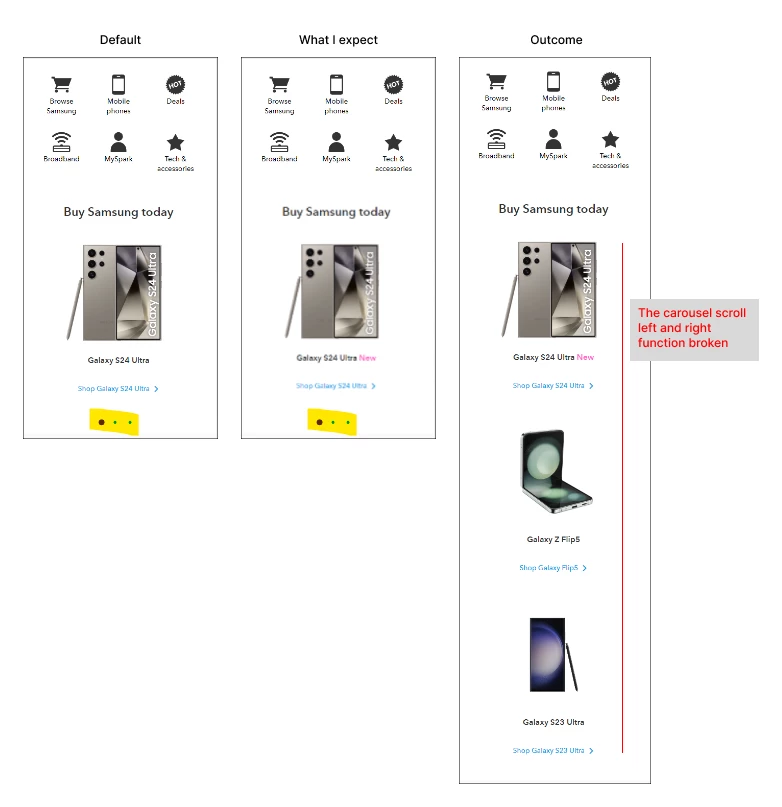
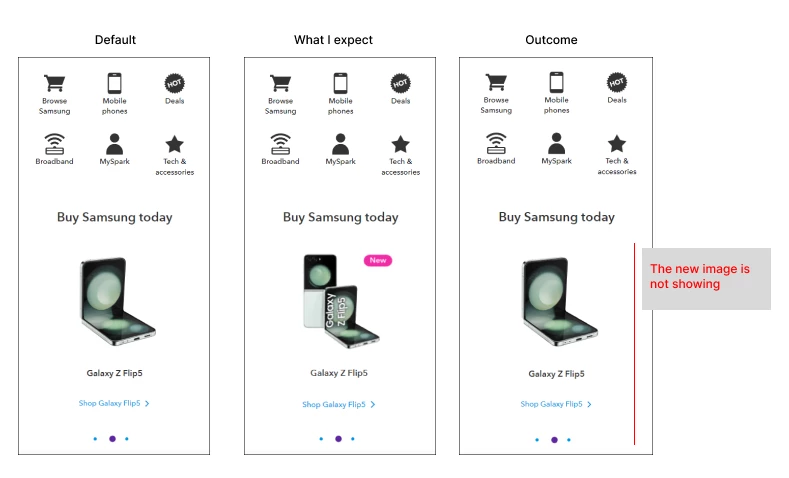
2. Replace the Image: I added the "New" label to the image and replaced it in the carousel.
Outcome: The scrolling function works, but the replaced image does not display.
Activity QA link: Link