New
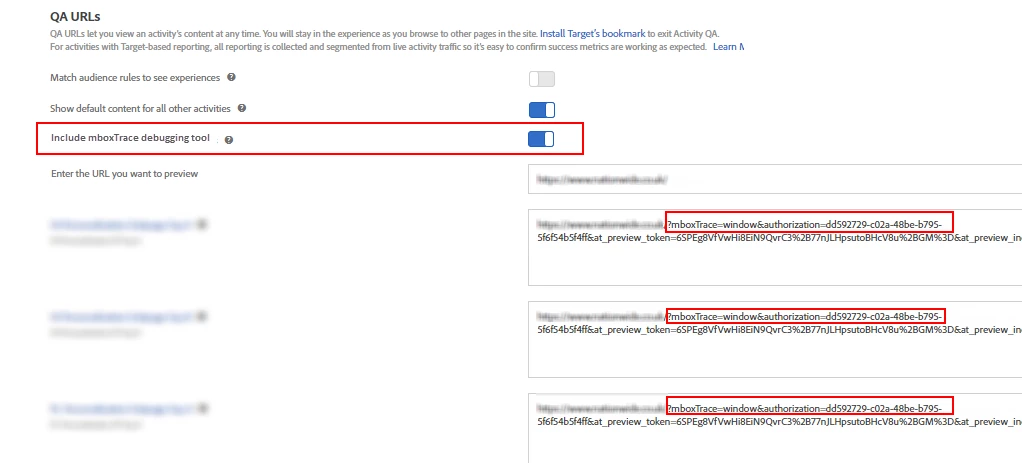
Add mboxTrace to QA string generator
Hi
Adding the mboxTrace query string parameter to the Target QA string seems to unnecessarily long winded. The current process is to...
1) Copy QA string from 'Activity QA' screen (then put somewhere)
2) Click 'Done'
3) Click 'Setup' from top menu
4) Click 'Implementation'
5) Click 'Generate Authentication Token'
6) Select and copy the parameter.
7) Add parameter to end of QA string I had copied in step 1
This process could be made way more efficient by putting this option in the screen where the QA string is generated!
Thanks
Dan