A4T reporting not switching to selected control experience | Community
Skip to main content
June 13, 2023
Solved

A4T reporting not switching to selected control experience

  • June 13, 2023
  • 1 reply
  • 600 views

Hi,


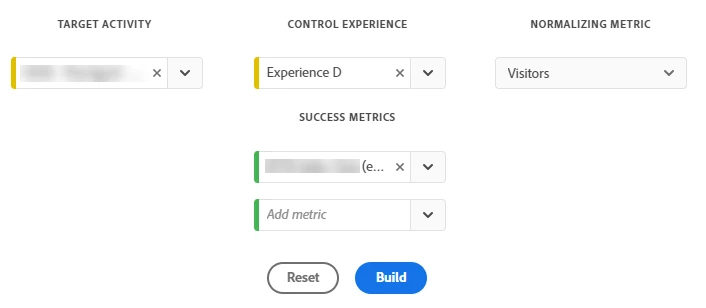
I am attempting to change the control experience to look at the A4T reporting on a test I just started to use another experience to compare results.


Even if I select this Experience D, it will build fine and actually show experience D as the control, but when the report gets rebuilt, it flips to display A as the control experience (see additional screenshot below)
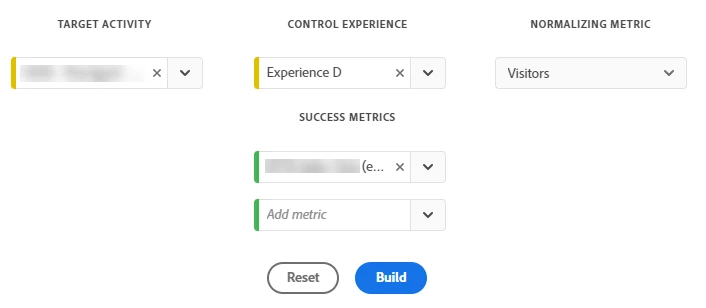



Do I need to contact support somehow? Am I doing something wrong? Is this a bug?
This post is no longer active and is closed to new replies. Need help? Start a new post to ask your question.
Best answer by seth_mcdonald22

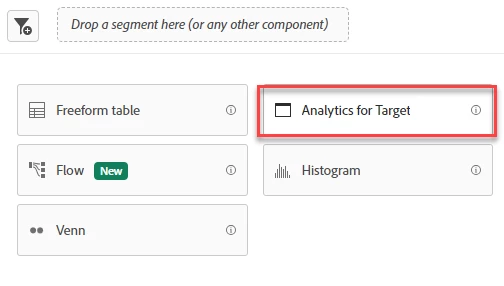
I fixed it myself, Instead of clicking the link directly from Adobe Target, I rebuilt the experience using the A4T visualization and selecting the options from there.


1 reply

seth_mcdonald22AuthorAccepted solution
June 13, 2023

I fixed it myself, Instead of clicking the link directly from Adobe Target, I rebuilt the experience using the A4T visualization and selecting the options from there.