Where do I find my Imported Templates in Marketo?
The imported programs reside in a folder titled “Program Library Imports”.
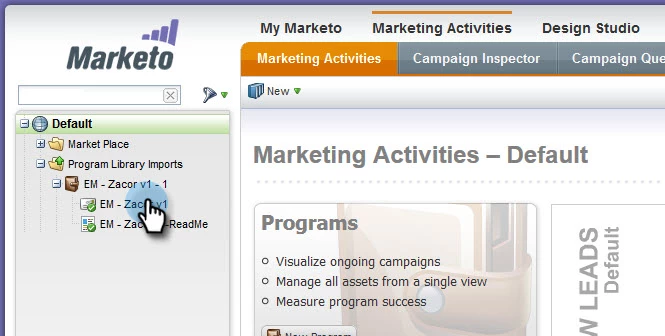
The import operation pulls in all the assets (email, landing page, email template, landing page template) and a Readme file. The Readme file contains the names and sizes of the images referenced by the email. You can replace the images by uploading files of the same name into Marketo. The contents of the emails and landing pages are also editable.
Caution: We do not recommend modifying the email template or landing page template as this is a common cause for the templates to break.
Is this article helpful ?