What are the Recommendation Engine customization options?
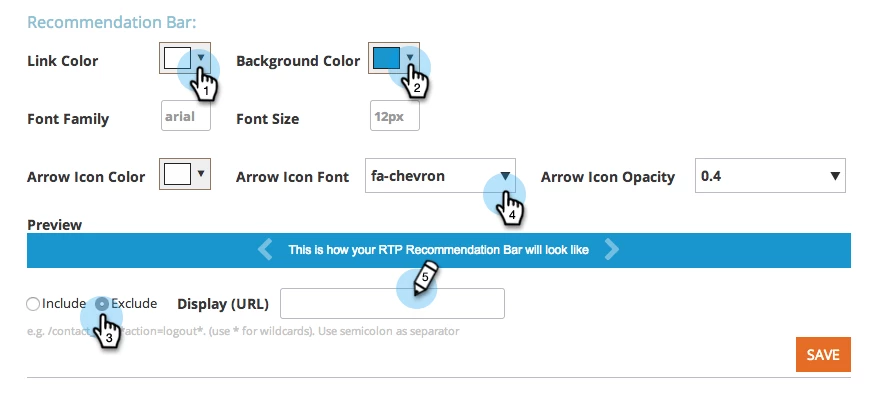
All the Recommendation Bar customization options are available within the RTP account settings page:
- Colors:
- Link Color: select the color from the dropdown choices.
- Background Color:select the color from the dropdown choices.
- Font:
- Font Size: type in the size in the 'Font Size' field (must be in pixels - px)
- Font Family: type in the 'Font Family' field
- Arrow
- Icon Color: select the color from the dropdown choices.
- Icon Font: select the icon style
- Icon Opacity: define the opacity level for the arrows
- Icon Color: select the color from the dropdown choices.
Advanced customization
There is additional customization can be done by the support team:
- Horizontal Bar Position: bottom (default) /top
- Vertical Bar Position: right (default) / left
Is this article helpful ?