
Web Personalization (RTP) - How to Exclude the CRE on Specific Pages
Included in this Article:
Overview
The Content Recommendation Engine (CRE) is a powerful tool that can recommend selected content based on a visitor's information in the Marketo database. While you may want the CRE to appear on any page in your website, you may only have certain pages which you do or don't want the CRE to appear. In this article, we will demonstrate two ways of achieving this inclusion or exclusion of the CRE.
Edit the CRE Settings
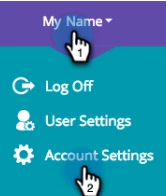
First, go to Account Settings
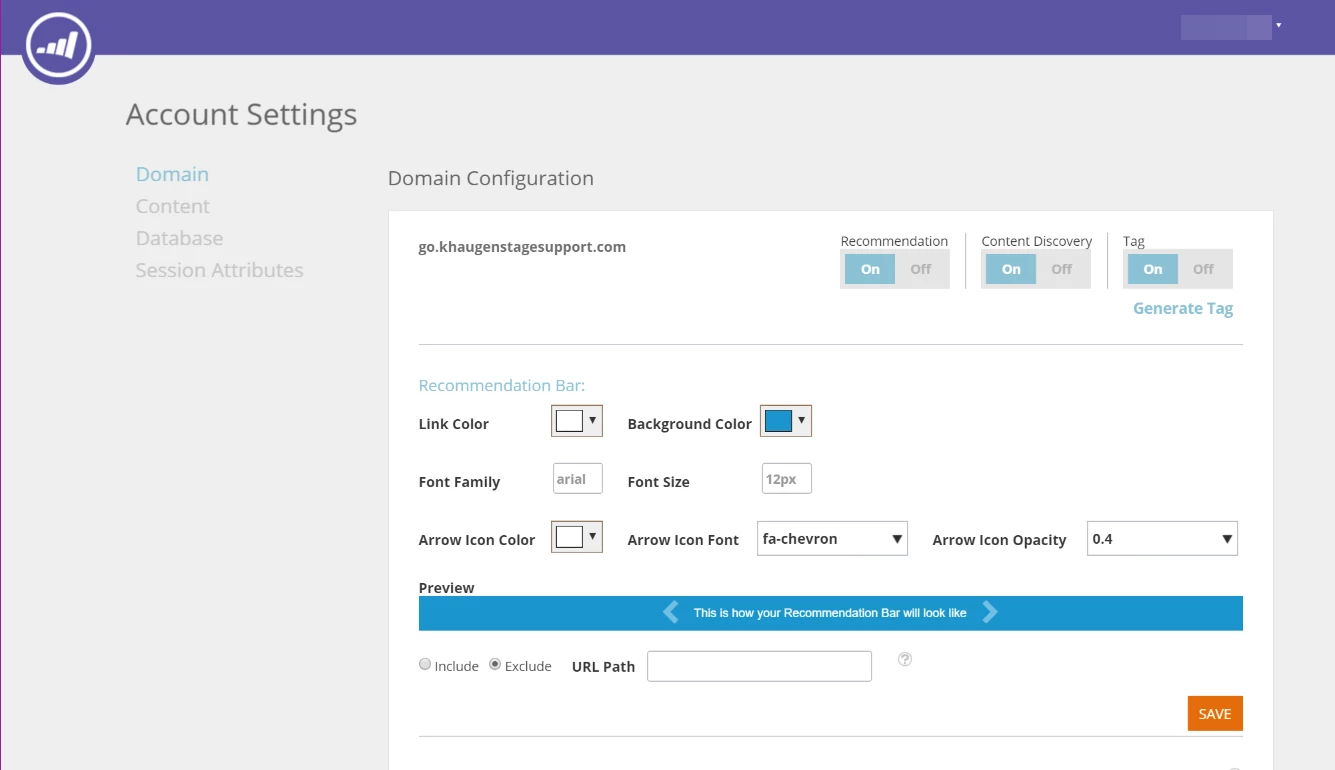
In the Domain tab of Account Settings, you will find the options for customizing the appearance of the CRE
Enter the URL you wish to include or exclude in the URL Path field
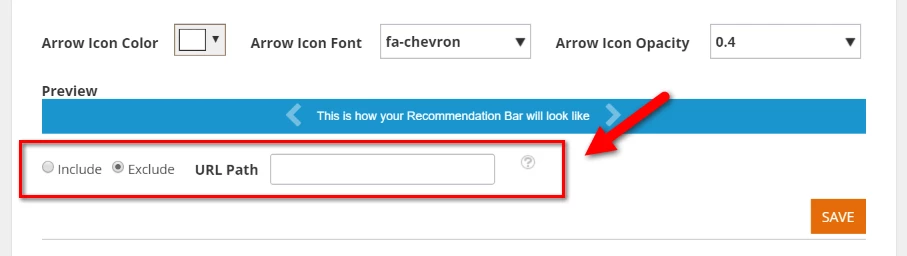
You can use wildcards tokens (*), which will match any character or sequence of characters, to match other pages on your website.

Edit the HTML
If you know how to edit your website's HTML code, you can edit the code to exclude pages. Between the <head> </head> tags on the page you wish to include, insert this CSS code:
<style>
.insightera-tab-container-bottom{
visibility: hidden !important;
}
.insightera-bar{
visibility: hidden !important;
}
</style>
If you don't know how to edit your website's HTML, let the developer of your website know you want to have this done.