
URL not appearing on filter for Smart Campaign or Smart List
Issue Description
You want to measure who clicks a specific link that uses a query string from a landing page, but when you try to use this logic in a smart campaign or smart list, it tells you the URL can’t be found, even though you can see the URL embedded on the landing page.
Issue Resolution
If you are using the link "marketo.com/company/contact/?firstname=test", then you need to seperate the url into the link and the query string. The root domain (Link in the filter/trigger) will be marketo.com/company/contact/ and the query string (from Add Constraint dropdown) will be firstname=test. This will allow you to correctly track the links you are wanting.
Make sure that you have the correct Web Page associated as a constraint as well.
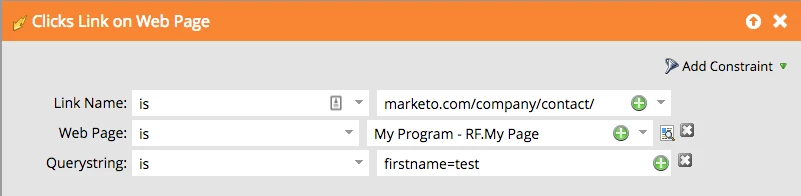
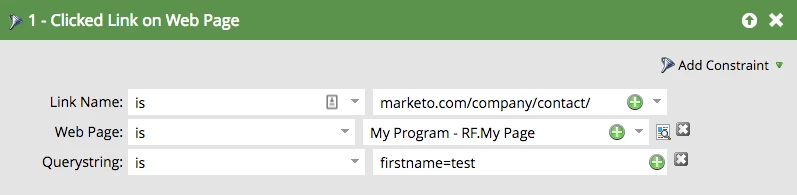
For a better understanding of what query strings are, they are the parameters that are preceded by the "?" in the url.
Is this article helpful ?