
Removing yourself from a list import Alert Email.
Issue Description
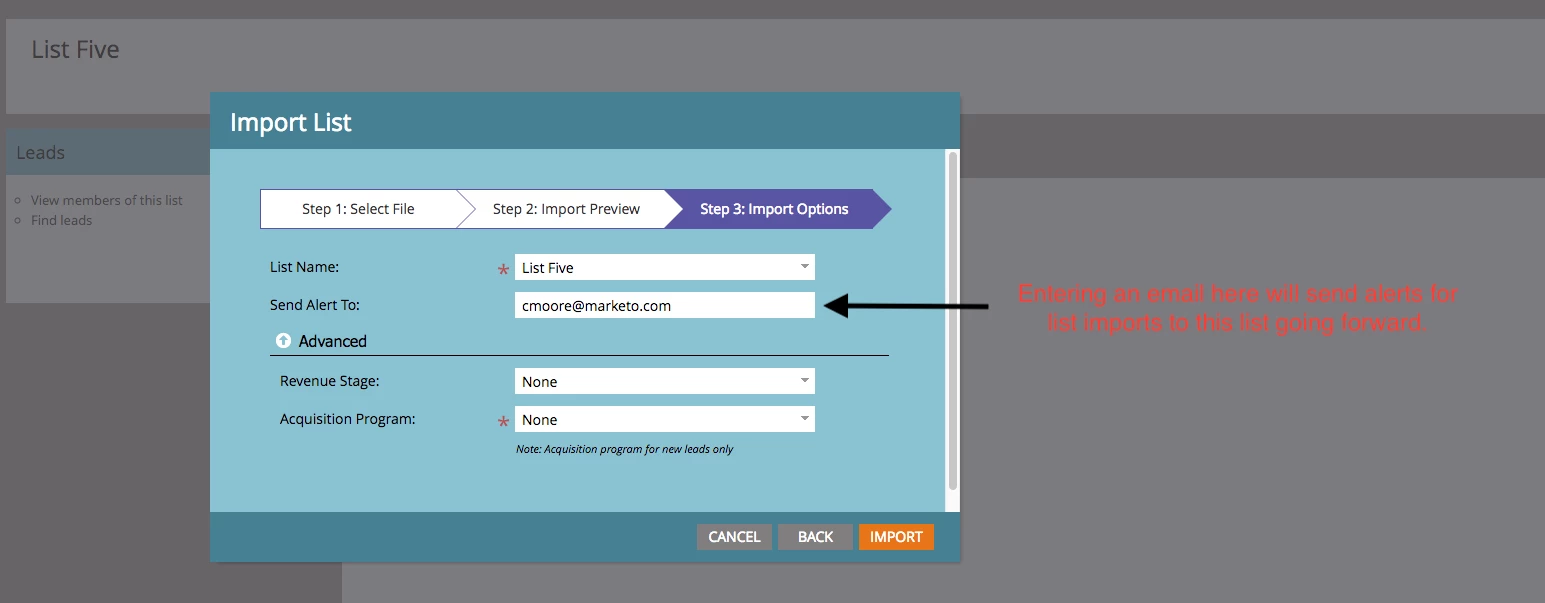
Added yourself to the Send Alert To portion of the List Import process and continue to receive unwanted Alert Emails every time a list is imported.
Issue Resolution
During the next List Import process to the problem Static List in Marketo, you'll want to select the Edit Send Notification from the window that pops up in the top right section of your screen after the import process is started. Selecting the Edit Send Notification will cause a new window to open up that shows all of the email addresses who will be sent an Alert Email once the import completes.
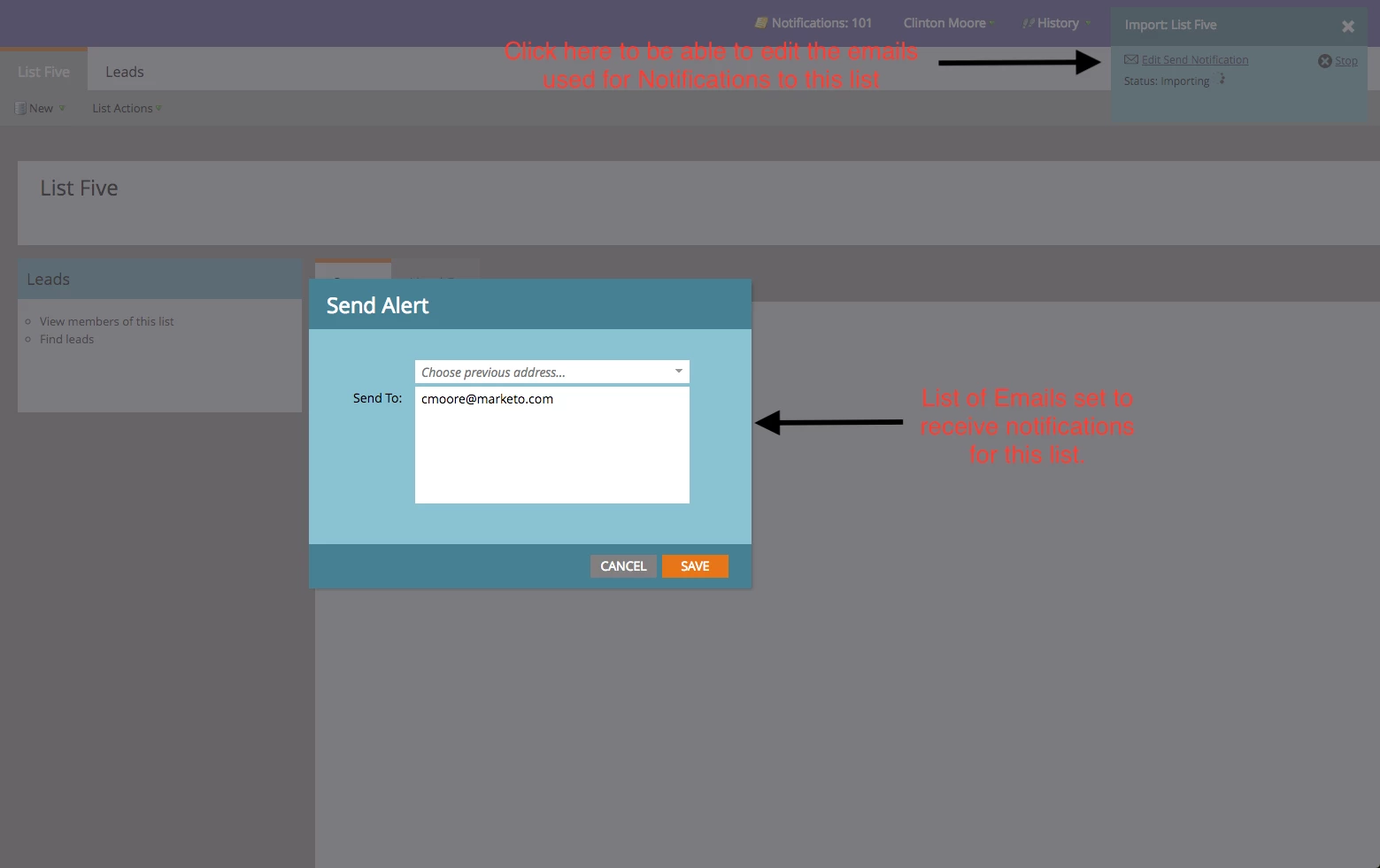
If you no longer want to receive the Alert Emails for this static list going forward, deleted your email address and click save.
Who This Solution Applies To
Everyone