
MS Dynamics Initial Sync Gives Privilege Error
Issue
Initial MS Dynamics sync gives the error 'is missing prvReadSdkMessageProcessingStep privilege'
Environment
- MS Dynamics CRM integration
Solution
Issue Resolution
These permissions, found within Security Role, require a Microsoft Dynamics Admin to set and change.,
These permissions, found within Security Role, require a Microsoft Dynamics Admin to set and change.,
- Navigate to Settings > System > Security and select Security Roles icon.
- Click on the Marketo Sync User to bring up the individual access level for each individual entity.
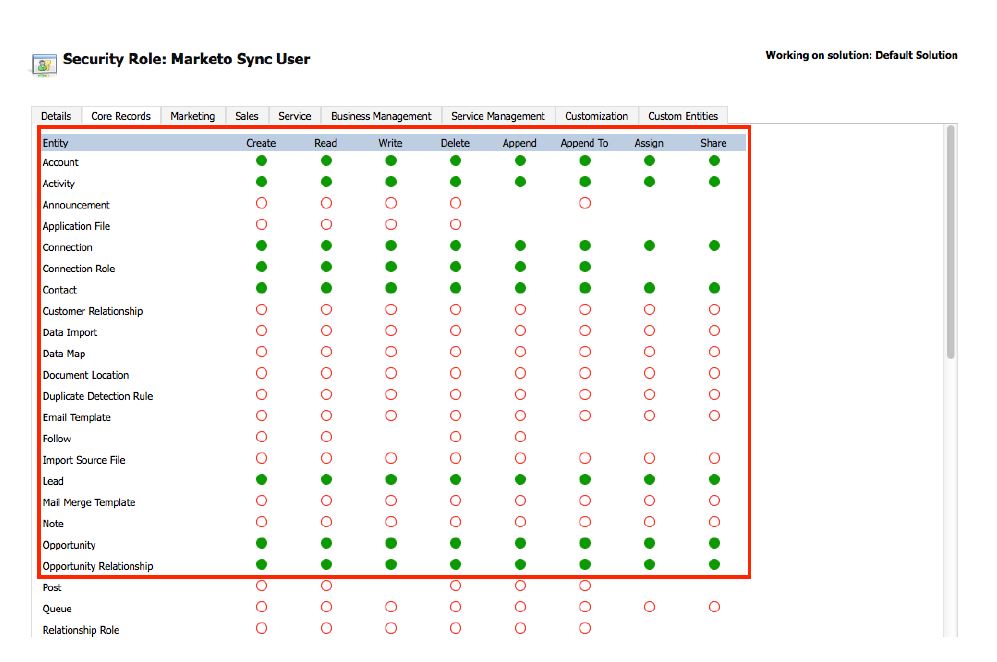
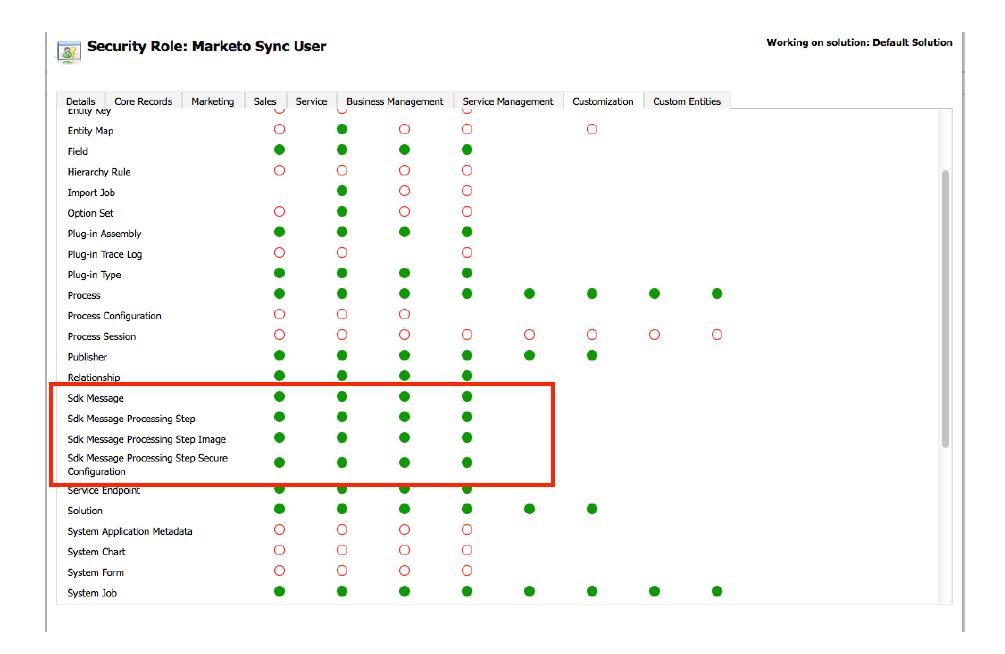
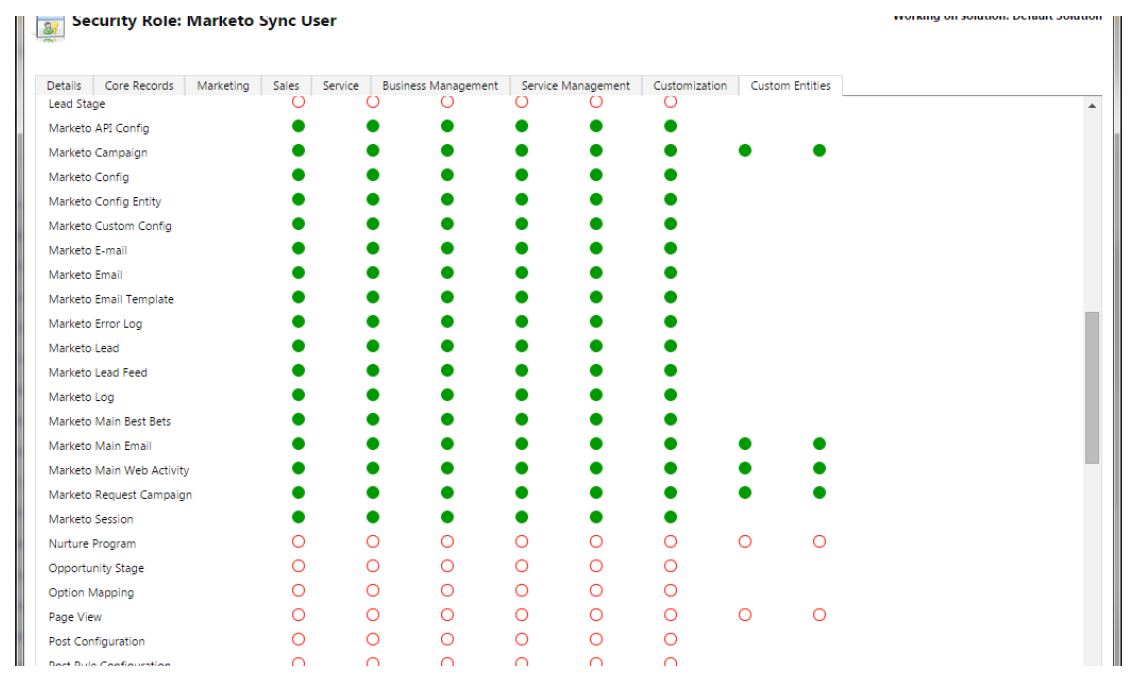
For the sync to work the individual privileges are as follows:
Under 'Core Records':
Under 'Customisation':
Under 'Custom Entities': Any role with Marketo needs to have all permissions.
More information on Managing Users and Security Roles can be found on the Microsoft Dynamics Site:
https://docs.microsoft.com/en-us/dynamics365/customer-engagement/marketing/manage-users
Root Cause
The error indicates the Marketo Sync User in Dynamics lacks some of the required permissions for the sync.