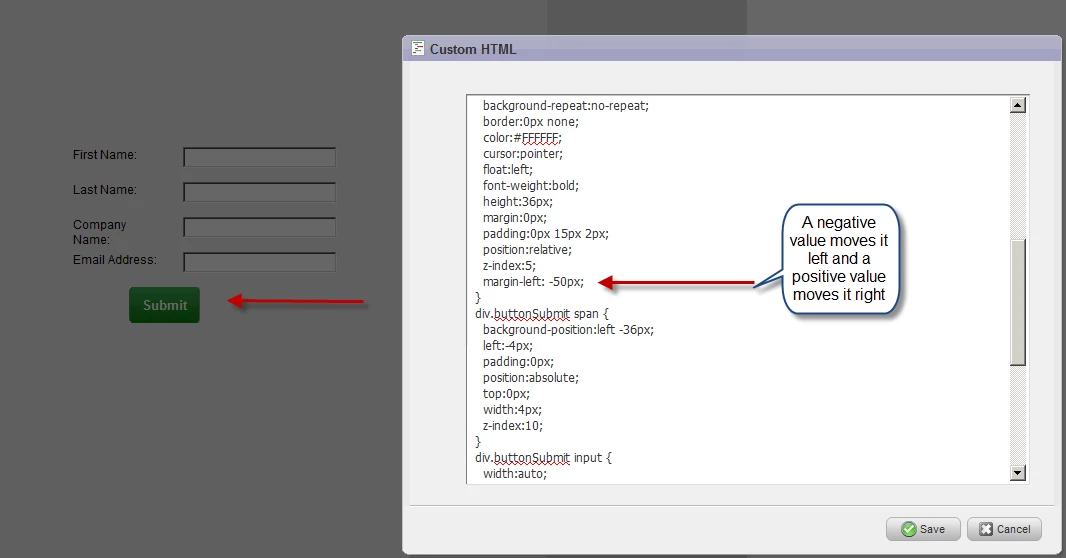
How to move a form button left or right using CSS
Issue: You would like to change the position of the form button.
(Typical case: You've just changed the button color of the form and now you want to change the position.)
Please ensure that you have access to an experienced Web developer.
Marketo Technical Support is not set up to assist with troubleshooting code.
Solution:
Add css style using adding the margin-left property referencing the button. The following code snippet can be a positive or negative number to shift the button left or right. Typically if you used the button solution, add the margin-left property as in the screen shot - or add the code below in a custom html block.
Code snippet:
<style>
div.buttonSubmit input, div.buttonSubmit span {
margin-left: 50px;
}
</style>