How to fix my sync if the password for my Salesforce sync user expires
Issue:
Your Salesforce sync is not working because the password for your Salesforce sync user expired. You will see an error in Marketo saying:
describeSObject failed - The users password has expired, you must call SetPassword before attempting any other API operations.
Similar to this:

Resolution:
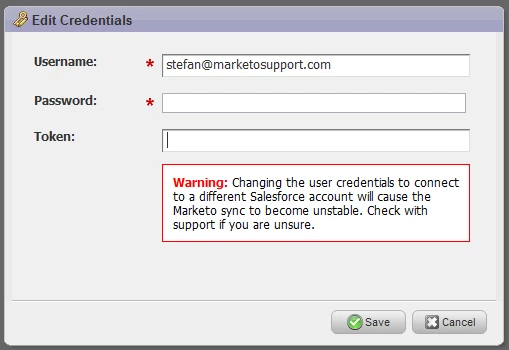
To resolve this error temporarily, you will have to change both your password and security token in Salesforce and then update these credentials in Marketo under Admin -> Salesforce -> Edit Credentials -> update both your password and security token in the 2 boxes illustrated below then press the Save button:
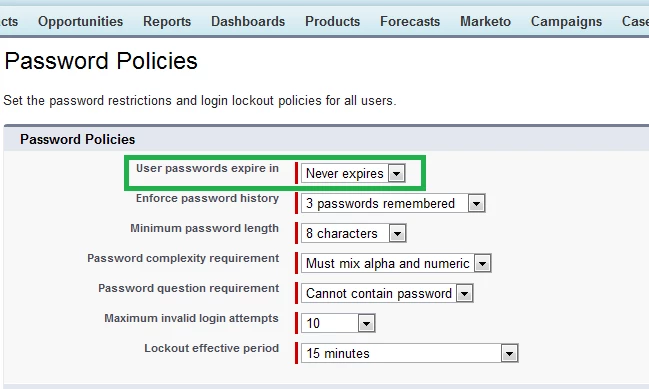
To permanently fix this issue, you will need to change the password policies in Salesforce so that your password never expires in Salesforce. To do this, in Salesforce, go to Setup -> Administration Setup -> Security Controls -> Password Policies -> User passwords expire in -> Never expires -> Save for your "your_sync_user@domain.com" user in Salesforce:
Please note this is a Salesforce setting and you should consult your Salesforce Admin before implementing this change
Is this article helpful ?