How to Change the Display Name of Your Marketo Instance
Issue
How to change the displayed name for your Marketo instance.
Solution
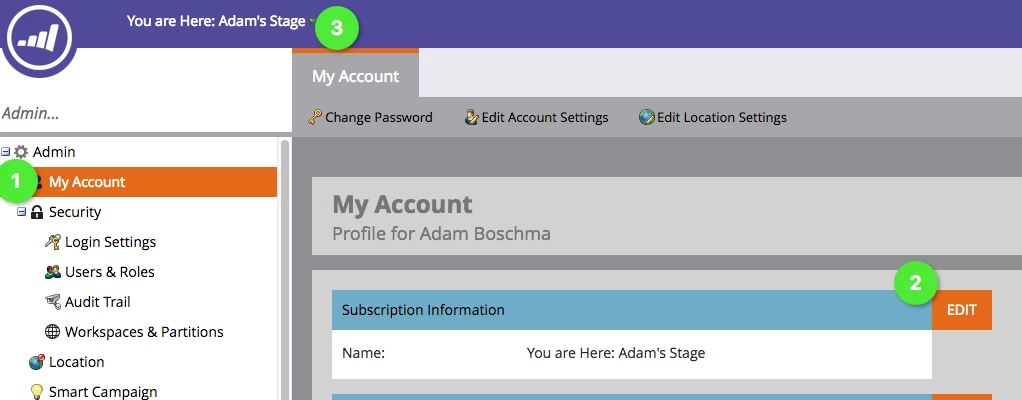
Admin users for the Marketo instance can navigate to Admin > My Account > Edit Subscription Information and give the instance a friendly name of their choice. Once that is done, the name on the top left corner will change to what was input in Edit Subscription Information.