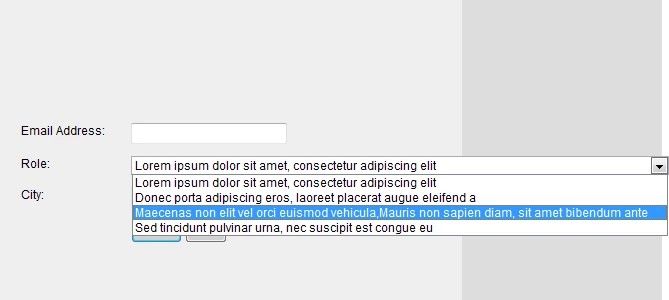
Fixing long dropdown values in IE
Issue:
With long options in a select (dropdown) list, Internet Explorer will not expand the values as Firefox, Chrome and other browsers will do. This makes reading the values in the dropdowns impossible.
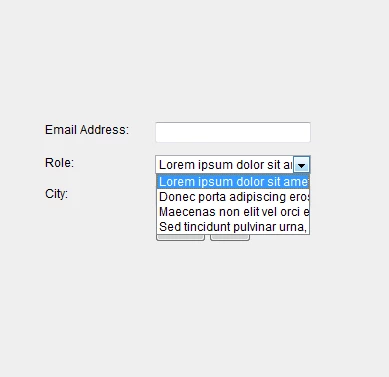
Solution:
Insert the following Javascript/CSS in a Custom HTML box on your landing page. This script will only run if IE is used.
<script src="/js/public/jquery-latest.min.js" type="text/javascript"></script>
<script type="text/javascript">
var $ = jQuery.noconflict();
$(document).ready(function() {
if ($.browser.msie) {
$('select.mktFormSelect')
.bind('focus mouseover', function() {
$(this).addClass('expand').removeClass('clicked');
$(this).parents('li').addClass('liexpand'); })
.bind('click', function() { $(this).toggleClass('clicked'); })
.bind('mouseout', function() { if (!$(this).hasClass('clicked')) {
$(this).removeClass('expand');
$(this).parents('li').removeClass('liexpand'); }})
.bind('blur', function() {
$(this).removeClass('expand clicked');
$(this).parents('li').removeClass('liexpand'); });
}
});
</script>