Find the URL of an Uploaded Image or File
Looking for the web address (URL) of an image or file you uploaded? Marketo's got you covered.
1. Go to the Design Studio area.

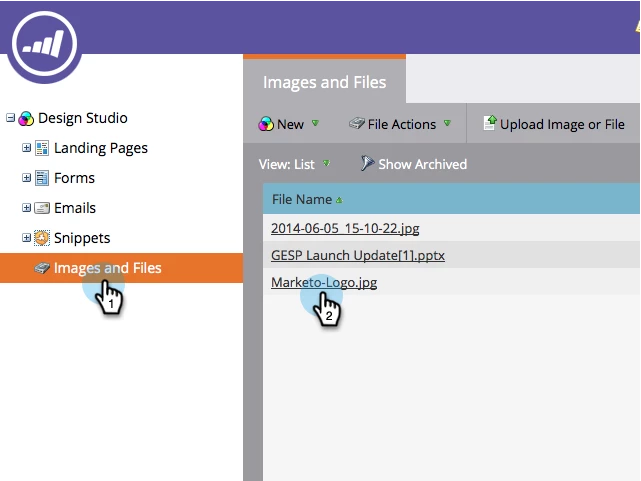
2. Click on Images and Files in the left menu and then click on the name of the file you want the URL to.
3. The URL is displayed on the details page. Right-click on the URL and click Copy in the menu that appears.
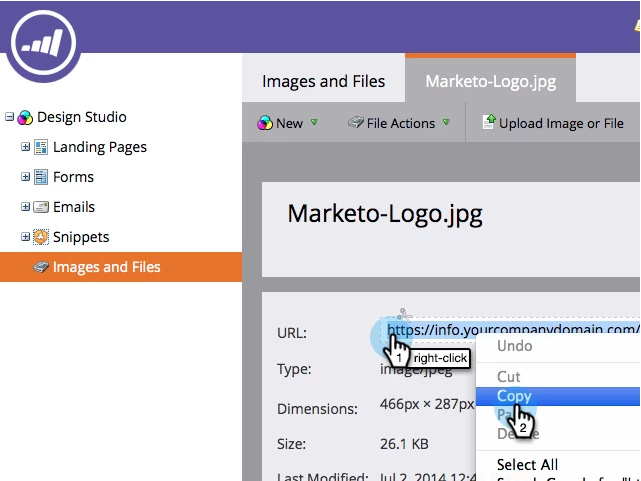
You can also copy the URL by highlighting it with your mouse and copying itGive yourself a pat on the back for a job well done!