Adding a Date Picker to a Form
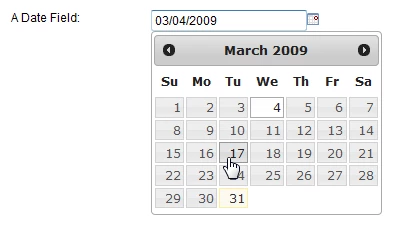
Follow these steps to add a graphical date picker to your form date fields. When you're done, it will look something like this:
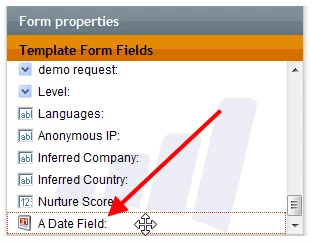
First, you need a form with at least one date field. In the Form Editor, date fields appear with a date icon in the Template Form Fields list. Drag one into your form if you haven't already.
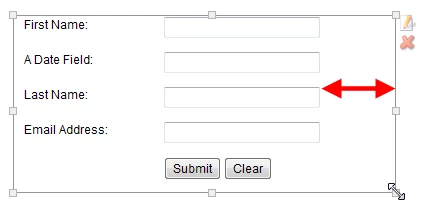
Next, edit a landing page that uses the form (or create a new one and add the form). Click the form and make sure the box around it has some padding, shown below. If the padding is too small, the calendar icon next to your date field will wrap onto the next line.
Now add this custom Javascript to your webpage as a Custom HTML element:
<link type="text/css" href="https://nation.marketo.com/js/public/css/redmond/jquery-ui-1.7.1.custom.css" rel="stylesheet" />
<script type="text/javascript" src="google.com/jsapi"></script>
<script type="text/javascript" >
google.load("jquery", "1");
google.load("jqueryui", "1");
</script>
<script type="text/javascript">
var $jQ = jQuery.noConflict();
$jQ(document).ready(function() {
$jQ(".mktFormDate").datepicker({showOn: 'both',
buttonImage: '/images/icons16/calendar_31.png',
changeMonth: true,
changeYear: true,
buttonImageOnly: true
});
});
</script>
Finally, preview your page and click the calendar icon next to the date field. The graphical calendar will appear below the field.
Is this article helpful ?