


Using Boomi to upload Opportunities and Opportunity Person Roles using Foreign Keys
That's a mouthful isnt it? In the spirit of "a picture is worth a thousand words", I've recorded a video walking you through how to do this in Boomi. Its tricky only in that you have to tweak the XML that Boomi finds in the Marketo WSDL.
You can see the video here! Video Link : 1351
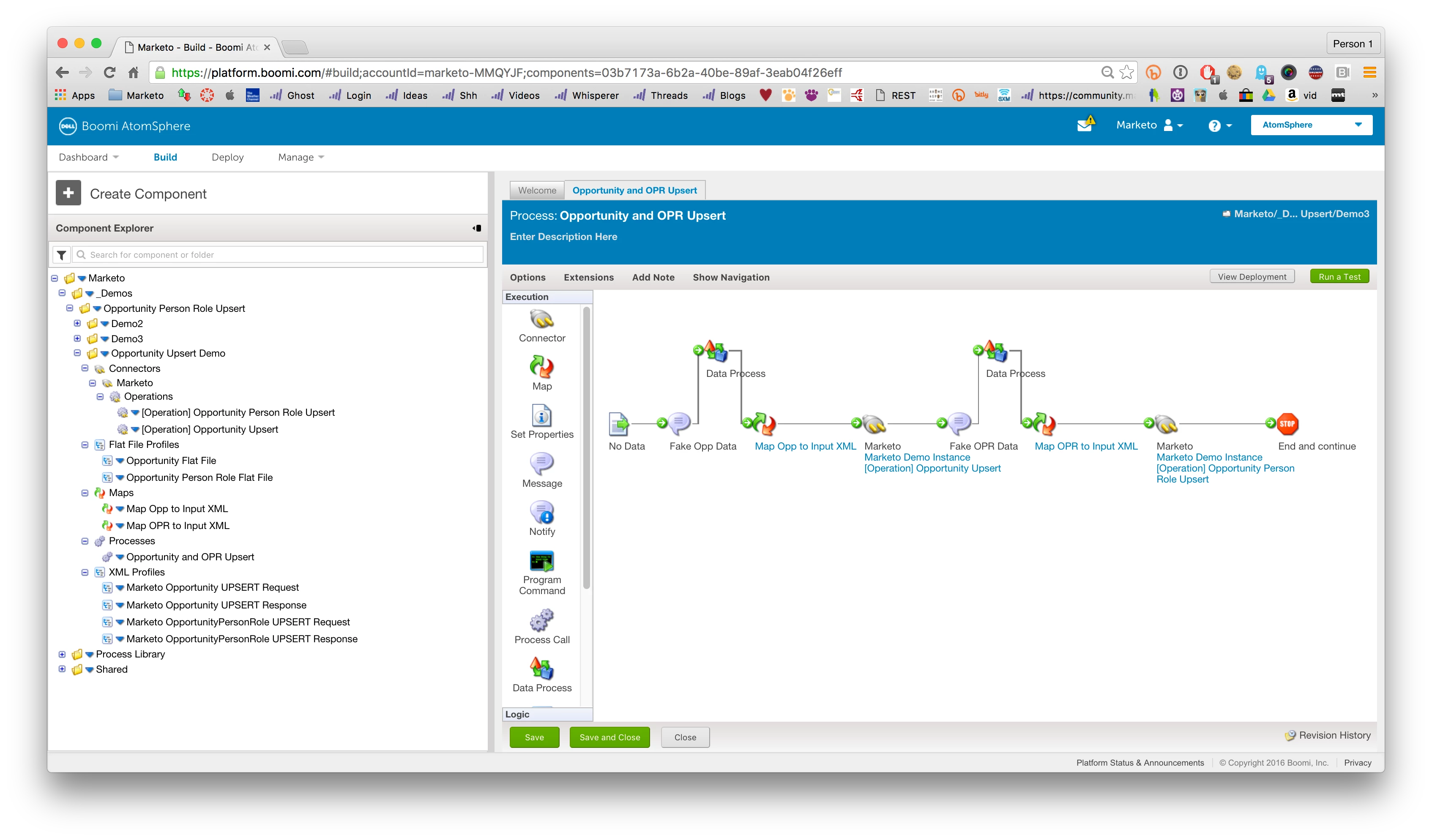
Fig 1 - the completed Opportunity and Opportunity Person Role Process
What I really wanted to share here is a bit more about the XML format you're creating in the video. The following are the XML's being created by Boomi with the recommended configuration.
<ns1:Opportunity xmlns:ns1="marketo.com/mktows/">
<externalKey>
<name>oppKey</name>
<value>1001</value>
</externalKey>
<attribList>
<IsClosed>1</IsClosed>
<IsWon>1</IsWon>
<Name>Opportunity from Boomi</Name>
<oppKey>1001</oppKey>
</attribList>
</ns1:Opportunity>
Fig 2 - Opportunity Upsert XML
<ns1:OpportunityPersonRole xmlns:ns1="marketo.com/mktows/">
<attribList>
<IsPrimary>1</IsPrimary>
<Role>Marketing Manager</Role>
</attribList>
<associationList>
<mObjAssociation>
<mObjType>Opportunity</mObjType>
<externalKey>
<name>oppKey</name>
<value>1001</value>
</externalKey>
</mObjAssociation>
<mObjAssociation>
<mObjType>Lead</mObjType>
<externalKey>
<name>leadKey</name>
<value>89001</value>
</externalKey>
</mObjAssociation>
</associationList>
</ns1:OpportunityPersonRole>
Fig 3 - Opportunity Person Role XML
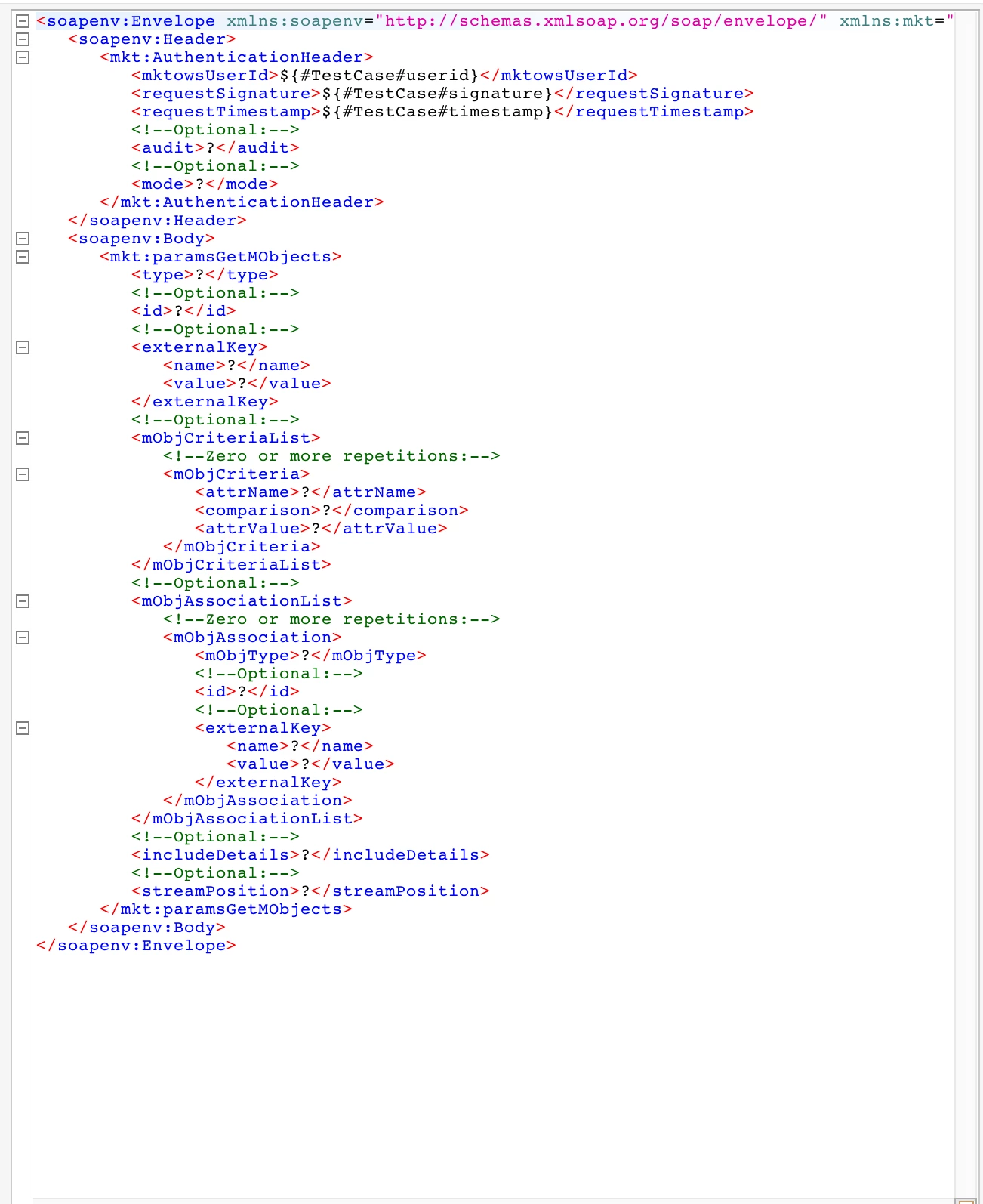
Fig 4 - The XML Setup as seen in SOAPUI
So, you can see where the structure of the XML comes from. Cool right?