Set Up Working Click to Call (Tel:) Links with Tracking
In an email, you may have a telephone number that you want to be linked so that when someone clicks on it on a mobile device, it automatically pops up in their phone so they can make the call.
The standard approach is to hyperlink the number with tel: in the link: <a href="tel:[PHONE-NUMBER]">[PHONE-NUMBER]</a>
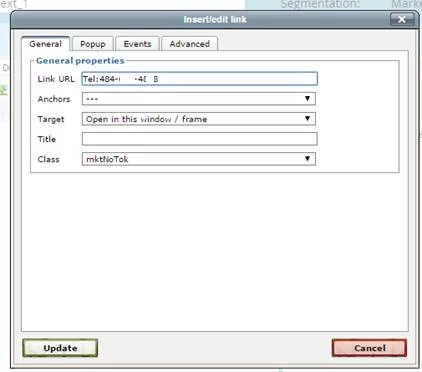
If you leave this link just like this, where it is trackable and encoded by Marketo, the click to call functionality won’t work. You need to set the link to class mktNoTok in order for that functionality to work without sacrificing the ability to track clicks on the links.
Many thanks to Sanford Whiteman for the suggestion on how to make this work!