Level 2
Sep 1, 2022 6:11 AM UTC
Solved

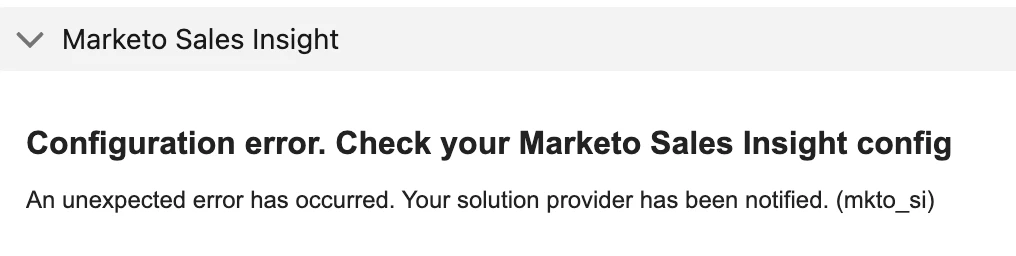
MSI Error message on page layout

I tried to install Marketo Sales Insight to our SFDC instance, but got error message on the page layout. Does anyone have any solutions?

I followed the instruction to download from the SFDC AppExchange. https://experienceleague.adobe.com/docs/marketo/using/product-docs/marketo-sales-insight/msi-for-salesforce/installation/install-marketo-sales-insight-package-in-salesforce-appexchange.html?lang=en

Then, I configured the SFDC using this instruction. https://experienceleague.adobe.com/docs/marketo/using/product-docs/marketo-sales-insight/msi-for-salesforce/configuration/configure-marketo-sales-insight-in-salesforce-enterprise-unlimited.html?lang=en


However, I got error message on the lead page layout. Does anyone know what I missed? Thank you!
This post is no longer active and is closed to new replies. Need help? Start a new post to ask your question.
th_1Accepted solution
Level 2
Sep 1, 2022 7:13 AM UTC

Never mind. I figured out. Thank you!

2 replies

th_1AuthorAccepted solution
Level 2
Sep 1, 2022 7:13 AM UTC

Never mind. I figured out. Thank you!

Translate
Level 1
May 5, 2023 4:01 PM UTC

What was the solution? I am running into the same issue.


Nevermind, i see you have it posted here: https://nation.marketo.com/t5/product-discussions/msi-sfdc-configuration-error/m-p/301096#M169510


and if the link is ever broken, its because the field label for Priority is actually Engagement and the profile you are giving MSI access to needs to be able to see that field.


Translate