Jan 14, 2016 3:49 PM UTC
Question

Modifying Logos and Colors in Saved Email Templates

Hi Everyone,

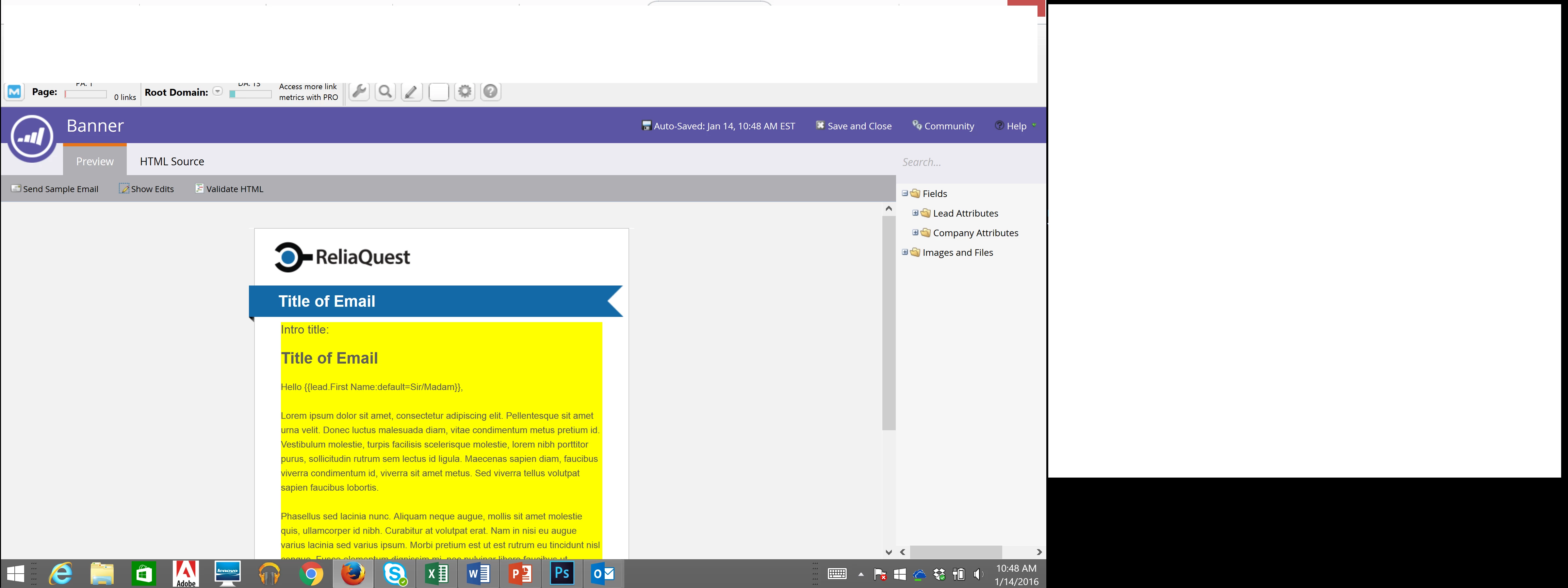
I am trying to upload a new logo to a saved email template and will also need to change the color of the banner pictured. When I go to "edit draft" it just highlights in yellow but does not actually allow me to change anything. Any help would be appreciated. Thanks!
This post is no longer active and is closed to new replies. Need help? Start a new post to ask your question.

2 replies

Adobe Employee
Jan 14, 2016 6:59 PM UTC

Hi Erica,

The screenshot shows the preview of the email template, and which pieces will be editable in the final email editor (in yellow).  Templates can only be edited through their HTML, so you'd need to use the HTML Source tab at the top to make changes to the template.

John

Translate
Justin_Cooperm2
Level 10
Jan 14, 2016 7:09 PM UTC

Yep, just go into the HTML tab and edit the <img> element controlling the logo, as well as the color of the banner.

Translate