Level 2
Dec 14, 2021 4:38 PM UTC
Solved

Marketo mail merge - How to send customized emails from multiple from name and email address

Hello,

We need to send an email out with a customized From Name, From/Reply to email address of individual Sales rep to a set of contacts provided by each Sales rep. Total of 14 Sales reps with their own list of contacts. 

I was advised to use merge in fields to do this. I have no clue where to start. Can someone please provide a step by step guide on how to do this? Thank you so much!



This post is no longer active and is closed to new replies. Need help? Start a new post to ask your question.
ChristianeRo1
ChristianeRo1Accepted solution
Adobe Champion and Community Advisor
Dec 14, 2021 5:48 PM UTC

Provided that this information is stored in their user record in a field, you could use tokens.


Here's some additional information on using tokens.


Now, if this information is not stored in their user record, but you're able to create a segmentation for each sales rep, you could also use dynamic content.


Product docs on understanding dynamic content.


2 replies

ChristianeRo1
Adobe Champion and Community Advisor
ChristianeRo1Adobe Champion and Community AdvisorAccepted solution
Adobe Champion and Community Advisor
Dec 14, 2021 5:48 PM UTC

Provided that this information is stored in their user record in a field, you could use tokens.


Here's some additional information on using tokens.


Now, if this information is not stored in their user record, but you're able to create a segmentation for each sales rep, you could also use dynamic content.


Product docs on understanding dynamic content.


Translate
KirstenO
Level 1
Dec 15, 2021 5:05 PM UTC

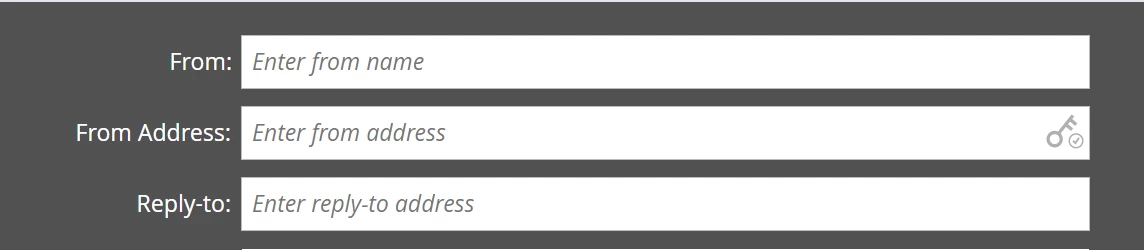
Tokens would be a good approach for this. If you don't already have a field in Marketo that ties the sales owner to the person, you can create a new field and import a list with your audience and their corresponding sales owner email and name. Then you would just insert the token in those from fields in the email draft and it will pull in the data. (If you click into one of those fields you screenshotted, to the right will be an icon that looks like "{{" - click that to add a token)

An easy way to confirm that the data is pulling in correctly is to preview your email and view by list and you can click through the list members (similar to how you can view mail merge in Microsoft) and verify that the data is matching up correctly. 

Translate