Level 2
Nov 13, 2023 7:17 PM UTC
Question

Marketo Form styling issues

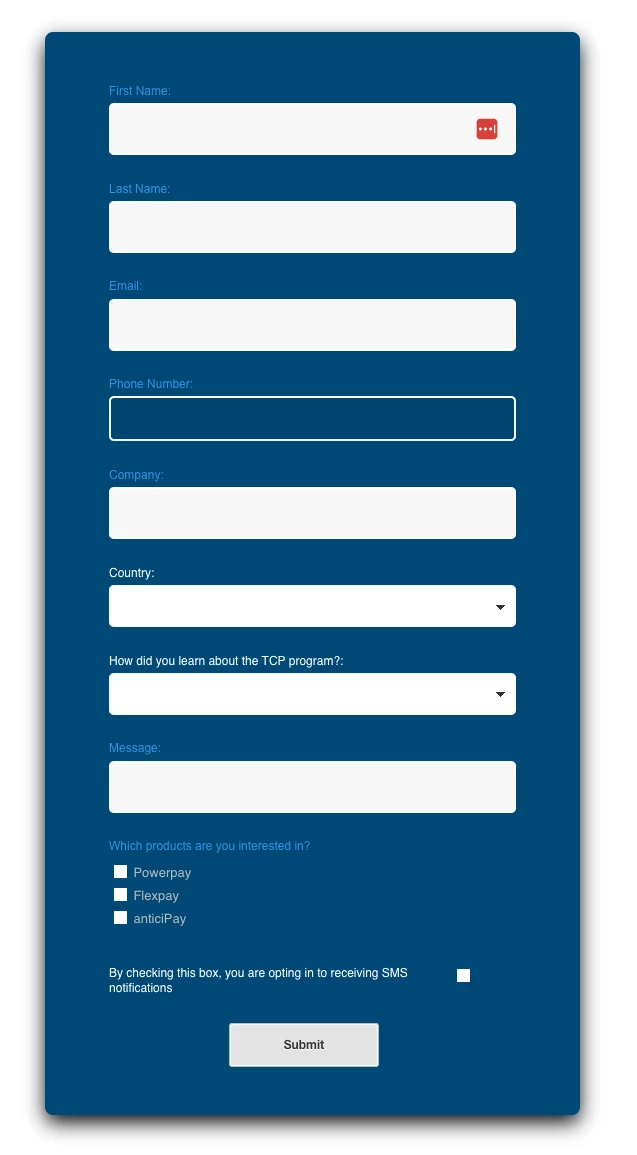
I am having issues with the text colors and the one box not being white. I am not sure where in the "edit CSS" I need to update this. I need the "First Name"/"Last Name"/etc. Field labels to be white as well as the one box to match the rest. I am not sure why "Country" and the next field are correct and the rest are not. In the preview mode it shows them all correctly but on the website it looks like below. 
 

7 replies

SanfordWhiteman
User Group Leader
User Group Leader
Nov 13, 2023 8:13 PM UTC
You'd have to link to your page. It's not possible to debug a screenshot!
Translate
Level 2
Nov 13, 2023 8:58 PM UTC

I appreciate the feedback and am still figuring out what I am doing. 


Here is the link to the form on the website:
telarus.com/tcp-1/


Here is a link to the Marketo form itself. 

https://app-ab55.marketo.com/m#FOE1222-DET

Translate
michellechopin
Community Advisor
Community Advisor
Nov 13, 2023 10:12 PM UTC

@joshkessel Have you edited the CSS on the Marketo form itself? If not, you can do that from the field settings on the right side of the editor:


You will see a rich text editor pop up and you can adjust the colors as you would anywhere else in Marketo - either on the color palette or in the HTML of the box. 


We have to do the same on our forms as some are placed on dark backgrounds and the default text color doesn't show.


Hope that helps?

Michelle 😊

Translate