Level 1
Feb 28, 2025 5:31 AM UTC
Solved

Marketo form on Safari

Hello everyone,
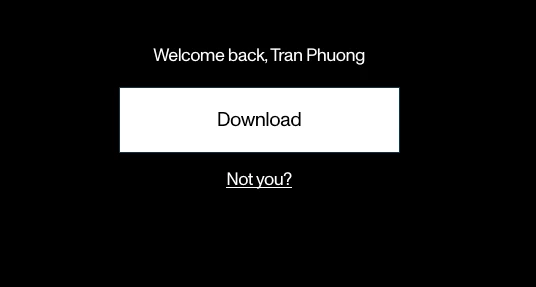
I'm encountering an issue with the Marketo form on Safari. After submitting the form, when I reload the page and try to submit a new form, the browser displays a "Welcome back" box (see the attached image below). However, clicking the "Not you?" link doesn't work as expected; it simply reloads the page without displaying a new form. This problem only occurs on Safari, while everything functions correctly on Chrome and Firefox. Does anyone have any ideas or solutions for this issue?
I would greatly appreciate any insights or solutions you might have regarding this problem. Thank you all for your help, and I look forward to receiving further information on how to resolve this issue.
ToanVu.



SanfordWhiteman
SanfordWhitemanAccepted solution
User Group Leader
Mar 4, 2025 7:49 AM UTC

I wasn’t able to reproduce it when you posted, and there haven’t been updates to forms since then.

3 replies

SanfordWhiteman
User Group Leader
User Group Leader
Feb 28, 2025 5:41 AM UTC

Please link to the page with your form.

Translate
toanvuAuthor
Level 1
Mar 4, 2025 2:37 AM UTC

Thank you for your replication.
This issue no longer occurs, and "Not you" works well on Safari.

Translate
SanfordWhiteman
User Group Leader
SanfordWhitemanUser Group LeaderAccepted solution
User Group Leader
Mar 4, 2025 7:49 AM UTC

I wasn’t able to reproduce it when you posted, and there haven’t been updates to forms since then.

Translate