Level 1
August 8, 2019
Respondido

Looking for solution appending form values onsuccess

  • August 8, 2019
  • 2 comentários
  • 3372 Visualizações

In one of my embedded Marketo forms, I'm trying to append the values of two fields onsuccess, but the values do not make it into the record in Marketo. The fields are blank when I look at the record after submitting a test. (eventually I will be passing in the results of an API call, but for now just trying to get these static values passed to get it working)

Here is the code:

$( "input[name='newAccountStatus']" ).val( "signupfail" );
$("input[name='newGoPassword']").attr('value',"123456");

When I set a breakpoint, I can see that the values are successfully being appended,
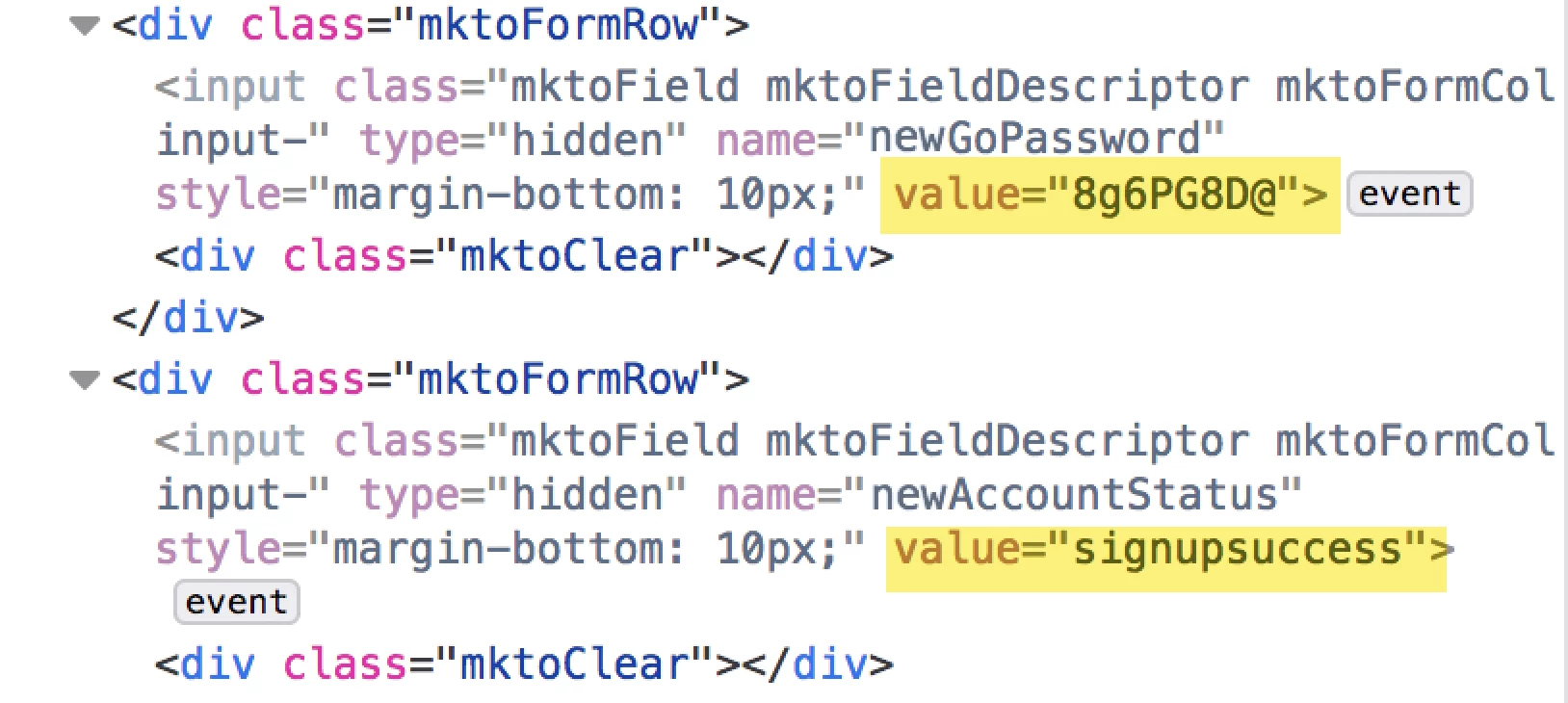
Any ideas why these values aren't making it in to Marketo?

Thanks in advance.

Este tópico foi fechado para respostas.
Melhor resposta por SanfordWhiteman

onSuccess fires after the form is successfully submitted.  If you're adding values you do it in the onSubmit, which is before the form goes on the wire.

Also, don't use direct DOM methods (nor jQuery methods) to set values. Use the provided Forms 2.0 API setValues()or addHiddenFields() -- there are many edge cases which will fail otherwise.

If by "append" you mean "add to the form data" (i.e. not "append to the URL") then use addHiddenFields. If you mean "set fields that exist on the form already" then setValues.

2 comentários

SanfordWhiteman
Level 10
August 8, 2019

onSuccess fires after the form is successfully submitted.  If you're adding values you do it in the onSubmit, which is before the form goes on the wire.

Also, don't use direct DOM methods (nor jQuery methods) to set values. Use the provided Forms 2.0 API setValues()or addHiddenFields() -- there are many edge cases which will fail otherwise.

If by "append" you mean "add to the form data" (i.e. not "append to the URL") then use addHiddenFields. If you mean "set fields that exist on the form already" then setValues.

Level 1
August 9, 2019

Thanks Sanford!