Landing Page Template Hacks
Hi Everyone,
I've recently been playing around with guided landing pages and getting them to look and work exactly how I would like. Having customised a few of the Marketo template landing pages in the editor, I started to see a few elements I wanted to change. Adjust an image to a video, create additional sections etc.
When looking into the template HTML editor, I found it quite easy to simply change the 'div class' to a different element.
From
<div class="mktoImg alignleft" id="section5Image" mktoName="Section 5 Image" mktoImgClass="expandToFit" style="max-width:466px;"></div>
Change to
<div class="mktoVideo alignleft" id="section5Video" mktoName="Section 5 Video" mktoVideoClass="expandToFit" style="max-width:466px;"></div>
With this, I was now able to select a video instead of an image when creating a web page in the editor. One issue I came across was that in the mobile version the videos didn't align correctly (as shown in the image below). I was wondering if anyone with HTML design experience would have any suggestion? Has anyone developed a 'Hackers Guide to Landing Page Templates?' Keen to discuss this further.
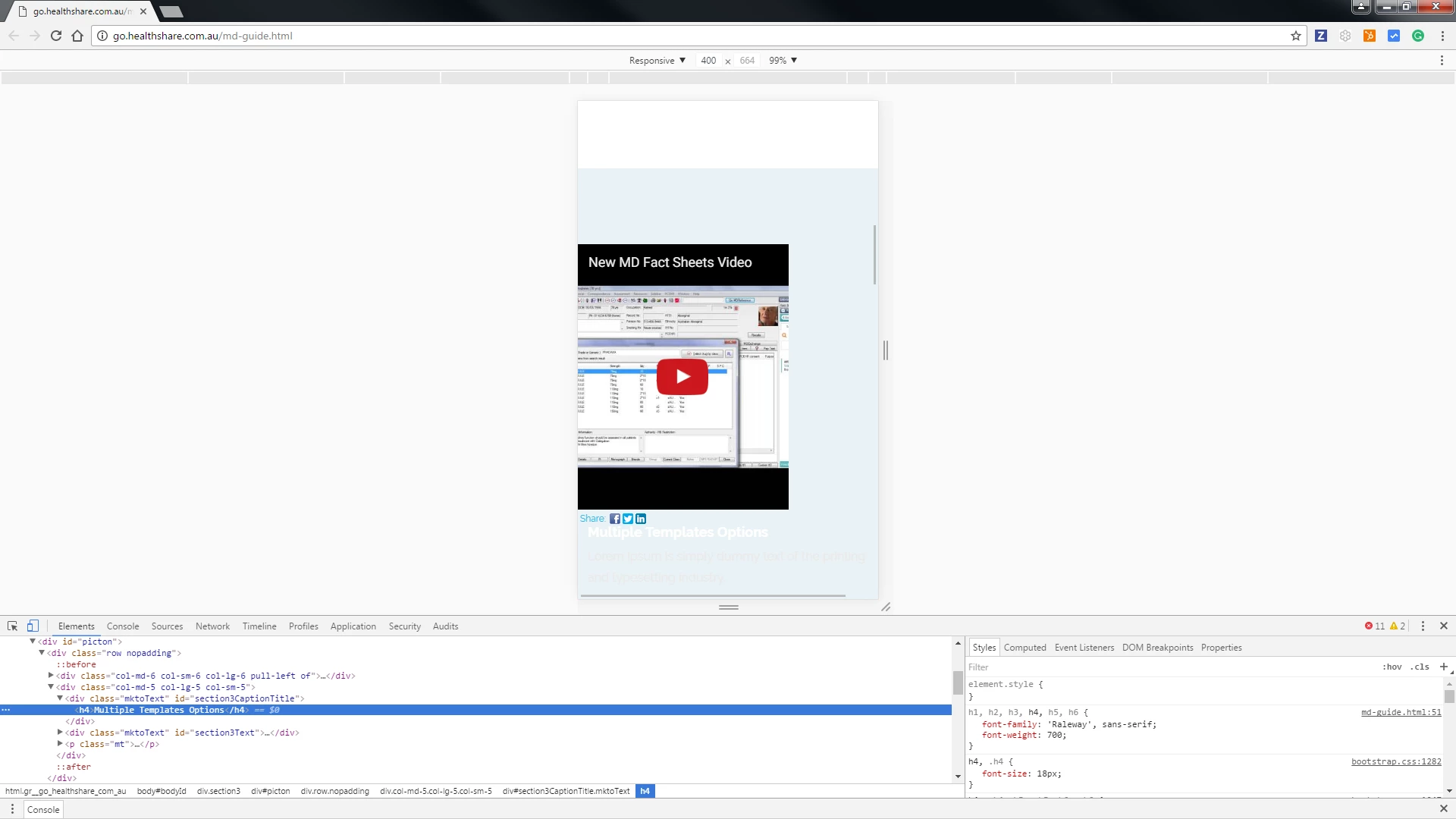
The full HTML code of the section adjusted is below. (Template 15B)
<!-- /Section 2 -->
<!-- ********** BLUE SECTION - PICTON ********** -->
<div class="section3">
<div id="picton">
<div class="row nopadding">
<div class="col-md-6 col-sm-6 col-lg-6 pull-left of">
<div class="mktoVideo alignleft" id="section3Video" mktoName="Section 3 Video" mktoVideoClass="expandToFit" style="max-width:466px; min-width:466px;"></div>
</div>
<div class="col-md-5 col-lg-5 col-sm-5">
<div class="mktoText" id="section3CaptionTitle" mktoName="Section 3 Caption Title">
<h4>Multiple Templates Options</h4>
</div>
<div class="mktoText" id="section3Text" mktoName="Section 3 Text">
<p>Lorem Ipsum is simply dummy text of the printing and typesetting industry.</p>
<p>Lorem Ipsum has been the industry's standard dummy text ever since the 1500s, when an unknown printer took a galley of type and scrambled it to make a type specimen book.</p>
<p>It has survived not only five centuries, but also the leap into electronic typesetting, remaining essentially unchanged.</p>
</div>
<p class="mt"><a href="${section3ButtonLink}">
<button class="btn btn-white btn-theme">${section3ButtonLabel}</button>
</a></p>
</div>
</div>
<!--row -->
</div>
<!--/Picton -->
</div>