Level 2
Mar 15, 2024 3:57 PM UTC
Solved

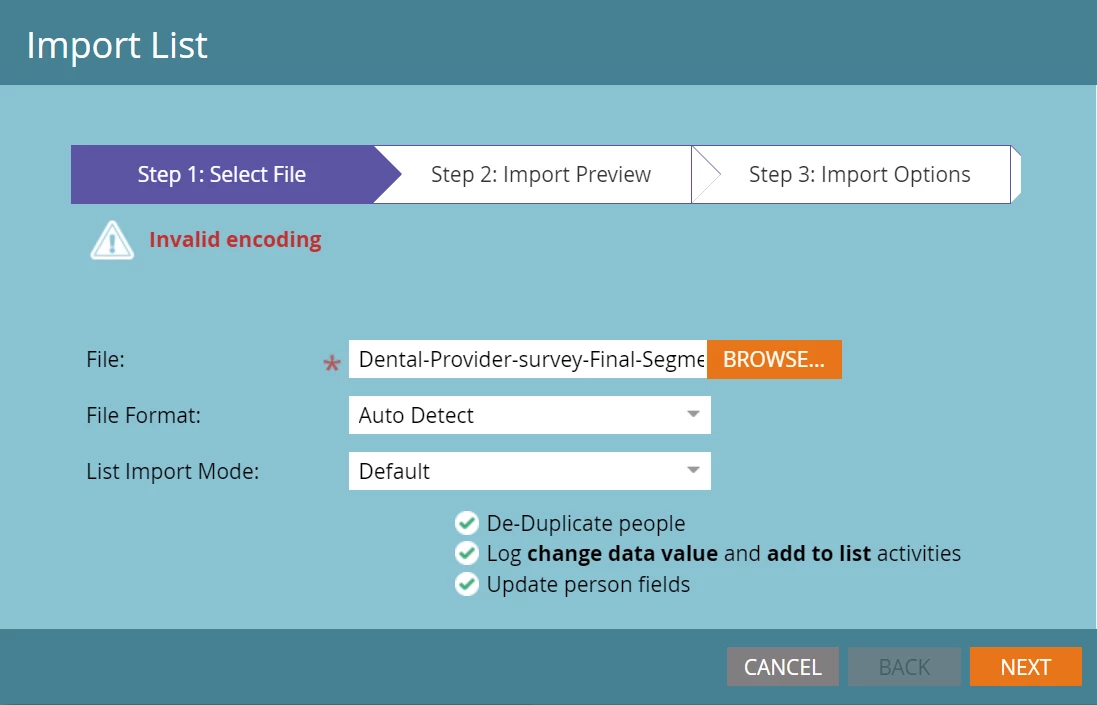
Invalid Encoding Error Message when uploading .CSV list

I am trying to upload a .csv file of email addresses into Marketo and keep getting an "invalid encoding" error message. Not sure why this is?
This post is no longer active and is closed to new replies. Need help? Start a new post to ask your question.
SanfordWhiteman
SanfordWhitemanAccepted solution
User Group Leader
Mar 15, 2024 5:53 PM UTC

This can signal

  • a UTF-8 or UTF-16 encoding problem (i.e. the way characters are stored)
  • a CSV formatting problem (bad commas, quotes, etc.)


Create a CSV with sample data that triggers the error and attach that file.

3 replies

SanfordWhiteman
User Group Leader
SanfordWhitemanUser Group LeaderAccepted solution
User Group Leader
Mar 15, 2024 5:53 PM UTC

This can signal

  • a UTF-8 or UTF-16 encoding problem (i.e. the way characters are stored)
  • a CSV formatting problem (bad commas, quotes, etc.)


Create a CSV with sample data that triggers the error and attach that file.

Translate
Level 2
Mar 18, 2024 2:05 PM UTC

Saving as a CSV UTF-8 file helped resolve the issue, thanks!

Translate
SanfordWhiteman
User Group Leader
User Group Leader
Mar 18, 2024 6:24 PM UTC

OK, good to hear. To be clear, Marketo supports UTF-8 and UTF-16 encoding (the standard “Unicode” encoding used by Excel, for example, is UTF-16LE and it works fine). But if you were trying to use, say, ASCII encoding with characters outside the ASCII set that would obviously be a problem.

Translate