November 29, 2015
Solved

Incorrect Data on Page Tab

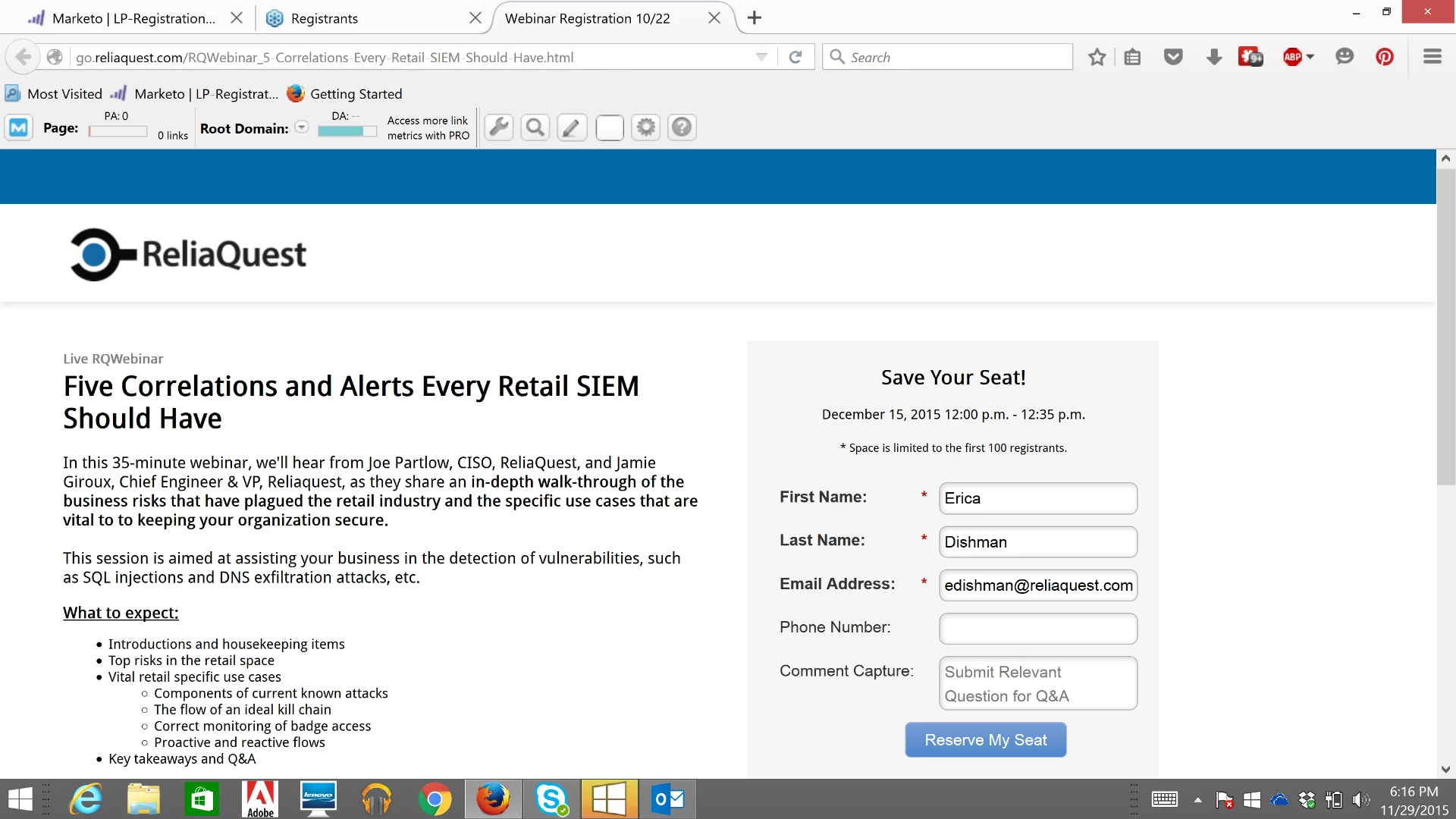
I've created a landing page for registration for our upcoming webinar on December 15th.  All data is correct on the landing page except when I copy and paste the URL, the tab shows "Webinar Registration 10/22". Does anyone know where I could adjust that? Here is a picture for reference. Notice the 3rd tab says the 10/22 date when it should be 12/15.

Thank you!
This post is no longer active and is closed to new replies. Need help? Start a new post to ask your question.
Accepted solution
December 1, 2015

Hi, Erica.

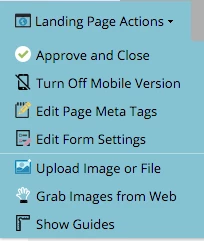
This comes from the title meta tag. Just go to "Edit Draft" and under "Landing Page Action" menu choose "Edit Page Meta Tag".

8 replies

Accepted solution
December 1, 2015

Hi, Erica.

This comes from the title meta tag. Just go to "Edit Draft" and under "Landing Page Action" menu choose "Edit Page Meta Tag".

Translate
December 1, 2015

Thank you so much, I appreciate it!

Translate
December 2, 2015

Hi, Erica.

Could paste the landing page URL here. I can take a look...

Tks!

Translate
December 2, 2015

Hi there,

Thanks so much-here it is Webinar Registration

Translate
Nicholas_Manojl
Level 8
December 2, 2015

Well that's a mystery to me from where it's getting 10/22 from.

But you can override this by pasting in some meta content in this format:

<meta property="og:title"
content="Workday Sets Price Range for I.P.O."
/>

See here for more: https://developers.facebook.com/docs/sharing/best-practices#tags

Translate
December 2, 2015

Hi, there.

Maybe it's a sort of cache in Facebook. I am getting the same results as you got but I can chance the title manually. Just click on the yellow area...:)

Translate