Nerea_Eguia1
Level 3
5月 16, 2019 11:05 午前 UTC
解決済み

How to delete an asset when in the used by it says "not used"

Hello community!!

I have created an email program that is compossed by two assets. Two emails. One of them is a test, therefore I want to have it deleted, but I do not want to delete the whole program as there is an email that I want to still keep.


I know that the asset is "used by" the email program, and when I go to the "used by" in the email program, it says, "Not used". 

As I've said, I do not want to delete the program, just one of the assets.
このトピックへの返信は締め切られました。
Level 7
5月 17, 2019 5:27 午後 UTC

Hi Karan! 

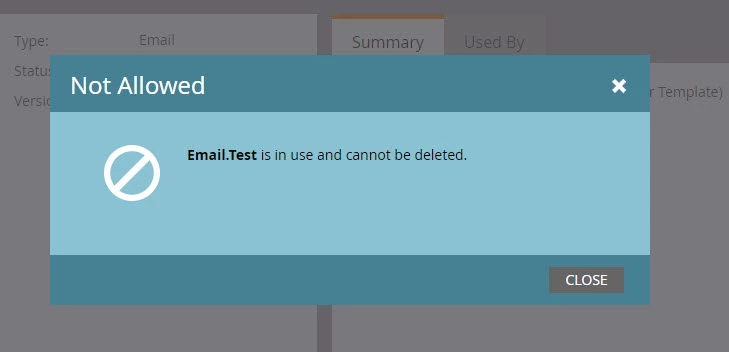
Here you have the screenshot: 

FYI: I have the admin role, in case the issue may have to do with roles.

Thank you very much!!!


Hi @Nerea Eguia, 

I am sure it is not a role issue. If you are an admin, you would automatically have access to deleting assets and Admin also happens to be a system role. So I am sure the deleting rights would be there.

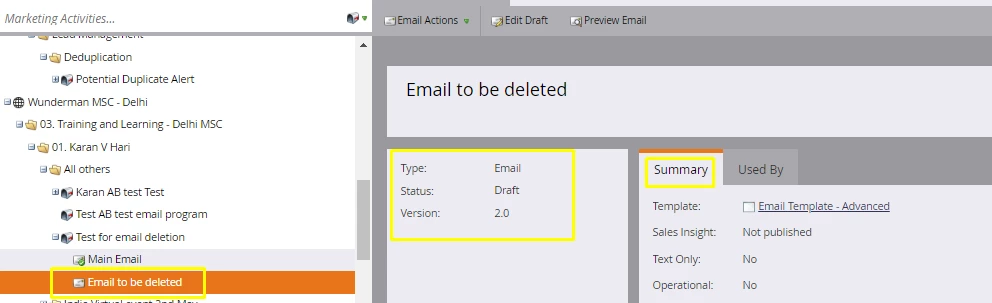
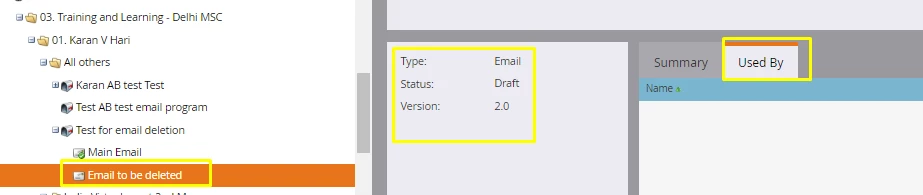
Since the screenshot clearly says "Email.Test"says it is use, I am sure it has to be used some where for this error message to come up. Could you kindly provide me the screenshots in the below format (with the below highlighted details in the screen shot)

Best Always,

Karan Hari

8 の返信

Level 7
5月 16, 2019 11:19 午前 UTC

Hi @Nerea Eguia ,

Below is your answer

Step 1

Right click on the asset that you want to delete and click on "Unapprove".  When successfully unapproved, then the green check -> in the email should have disappeared

Step 2

Right click on the email again and delete

Step 3

Click Delete

This will only delete the asset and not the program. The example referenced above is also an email program.

Hope that helps!

Best Always,

Karan Hari

翻訳
Nerea_Eguia1
Nerea_Eguia1作成者
Level 3
5月 16, 2019 4:49 午後 UTC

Hi Karan! Thank you very much for your reply! 

The problem is however, that the asset is not approved.

Thank you!

翻訳
Level 7
5月 16, 2019 5:37 午後 UTC

Hi  ,

In that case you can directly proceed to Step 2 given above  - right click and delete the asset. Have you tried that? if it is not deleting what is the error message? could you maybe provide screen shots?

Best Always,

Karan Hari

翻訳