Question
How do I find out which marketo version I'm using?
I did some research that asks me to click on help > subscription info, but there is no such option when i click on help
I've also looked through all my admin settings but can't find any
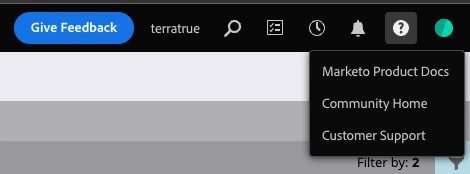
I did some research that asks me to click on help > subscription info, but there is no such option when i click on help
I've also looked through all my admin settings but can't find any
Enter your E-mail address. We'll send you an e-mail with instructions to reset your password.