March 30, 2015
Respondido

How do i delete a custom field?

  • March 30, 2015
  • 3 comentários
  • 2199 Visualizações
I'm a new Marketo user. I created a new custom field but after thinking about it a little more I am not happy with the name I gave it. I would like either to delete it so I can start over or edit it so I can change that name. What's the best way?

Este tópico foi fechado para respostas.
Melhor resposta por Dan_Stevens_

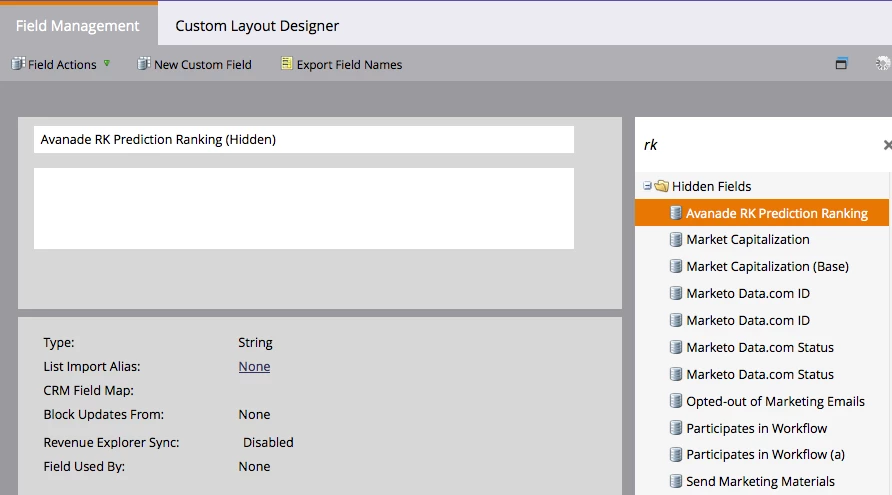
Double-click the name in the title area and it will become editable.  You can only rename it if it hasn't been used anywhere:

3 comentários

Robert_Solis1
Level 3
March 30, 2015
Hi Jim,

Custom Fields can only be hidden in Marketo, not deleted.  If you would like to change the name of the Field, that can be done from the Admin page in the Field Management section.  

https://community.marketo.com/MarketoArticle?id=kA050000000KypMCAS
September 24, 2015

I can't seem to find where to change the name of a custom field.  Can you tell me where to go to change the name?

Dan_Stevens_
Dan_Stevens_Resposta
Level 10
September 25, 2015

Double-click the name in the title area and it will become editable.  You can only rename it if it hasn't been used anywhere: